10 Best Instagram Analytics Tools in 2026
Which Instagram analytics tool is worth paying for? We compared 10, free and paid, with 2026 engagement benchmarks to measure against.


Instagram Insights and Metricool's free plan cover basic analytics at no cost. Iconosquare and Socialinsider go deeper for client reporting and competitor benchmarks, Sprout Social owns the enterprise tier through a new, cheaper entry plan, and hybrids like Buffer and ReelDrop bundle analytics with scheduling for creators who would rather run one tool than five.
Updated: September 2026
TL;DR
- Start with Instagram Insights. It is free and pulls the same underlying data every paid tool here uses.
- Metricool's free plan adds 30 days of stored history and 5 competitor profiles, which most "free" tools charge for.
- Sprout Social added a new $79/seat/month Essentials tier in 2026. Its old $199 floor is no longer the cheapest way in.
- Buffer's Essentials plan is $6 a month per channel, $5 if you pay annually.
- Google now indexes public Instagram posts and Search Console can track that traffic, a new analytics channel most creators have not opened yet.
- Average Instagram engagement sits at 0.48% per follower. Anything close to 1% puts you well ahead of a typical account.
- Keyhole is gone, folded into Muck Rack with no self-serve pricing left. Socialinsider and Iconosquare are the closest replacements.
Table of contents
- How we evaluated these tools
- The 10 tools at a glance
- What's changed since July
- Know your benchmarks first
- The 10 best Instagram analytics tools
- Where did Keyhole go
- Which should you pick
- Frequently asked questions
- Sources
How we evaluated these tools
We compared each tool on five things: how it connects to Instagram (official API or something riskier), whether pricing is public, how deep the Instagram metrics go, whether the free plan is usable rather than a timed demo, and who the tool is honestly built for. Every price below comes from a vendor pricing page checked in September 2026, and every one is linked.
The 10 tools at a glance
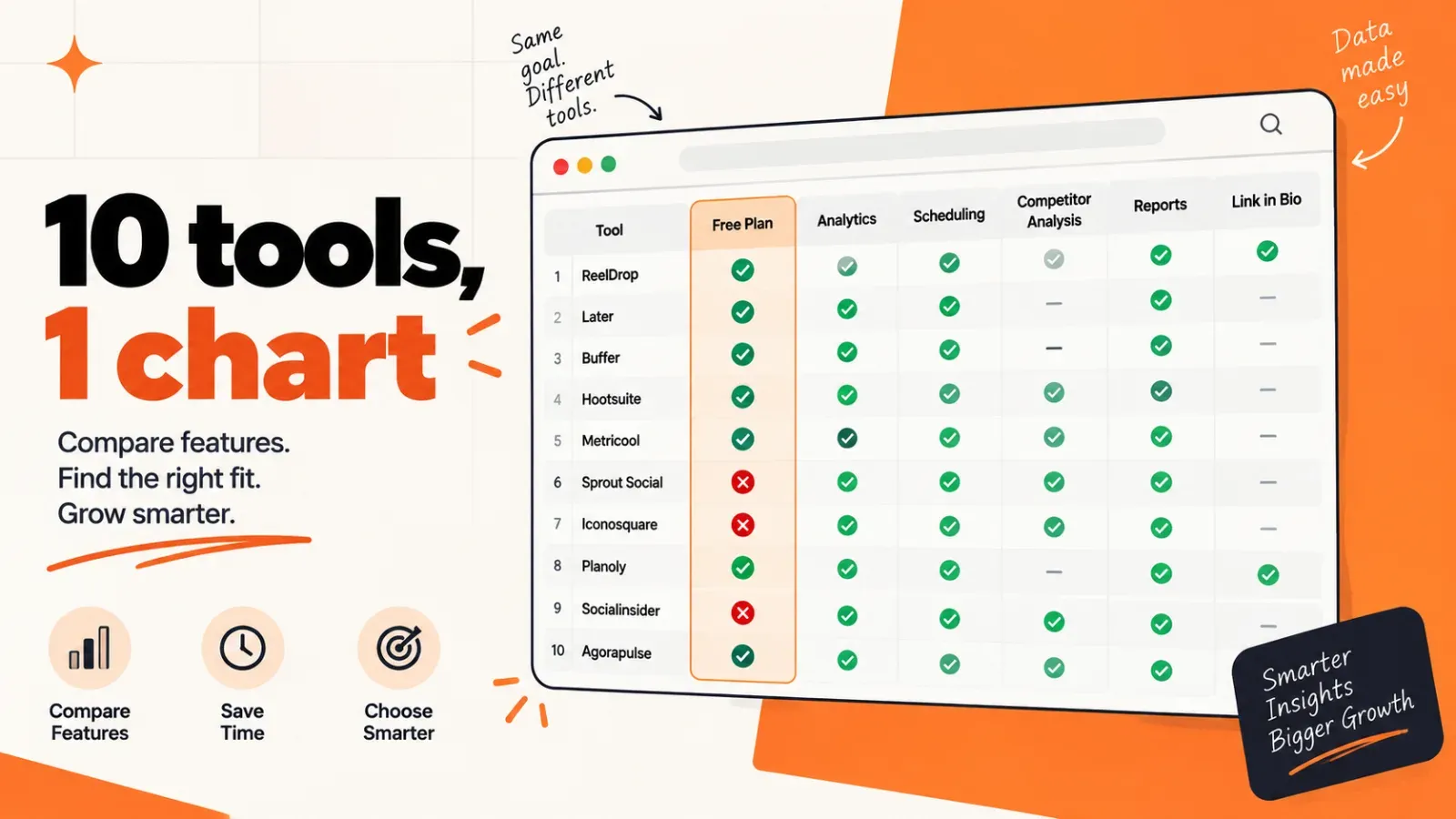
| Tool | Best for | Free plan | Starting price |
|---|---|---|---|
| Instagram Insights | Checking your own numbers | Entirely free | Free |
| Iconosquare | Deep Instagram reporting for client work | Yes (2 profiles, basic) | €33/month, annual |
| Metricool | Analytics plus scheduling on a budget | Yes (1 brand, 30-day data) | About $20/month, annual |
| Sprout Social | Enterprise teams and executive reports | No (30-day trial) | $79/seat/month, annual |
| Buffer | Simple cross-platform reporting | Yes (3 channels, 30-day history) | $6/channel/month ($5 annual) |
| ReelDrop | Solo creators who want analytics bundled with scheduling and DMs | Yes (Starter plan) | Free, paid from $9.99/month |
| Socialinsider | Benchmarks and competitor research | No (14-day trial) | $82/month, annual |
| Not Just Analytics | Quick free profile checks | Free profile analysis | Pricing on notjustanalytics.com |
| HypeAuditor | Vetting influencers and fake followers | Free audit tools | Sales-quoted |
| Vista Social | Agencies that want Sprout-style reports for less | No (14-day trial) | $79/month, annual |
Prices and free-plan limits in this table were checked against each vendor's public pricing page on 1 October 2026.
Best free option: Instagram Insights plus Metricool's free plan. Insights gives you the raw numbers, Metricool stores 30 days of them and adds five competitor profiles, and neither one costs anything.
What's changed since July
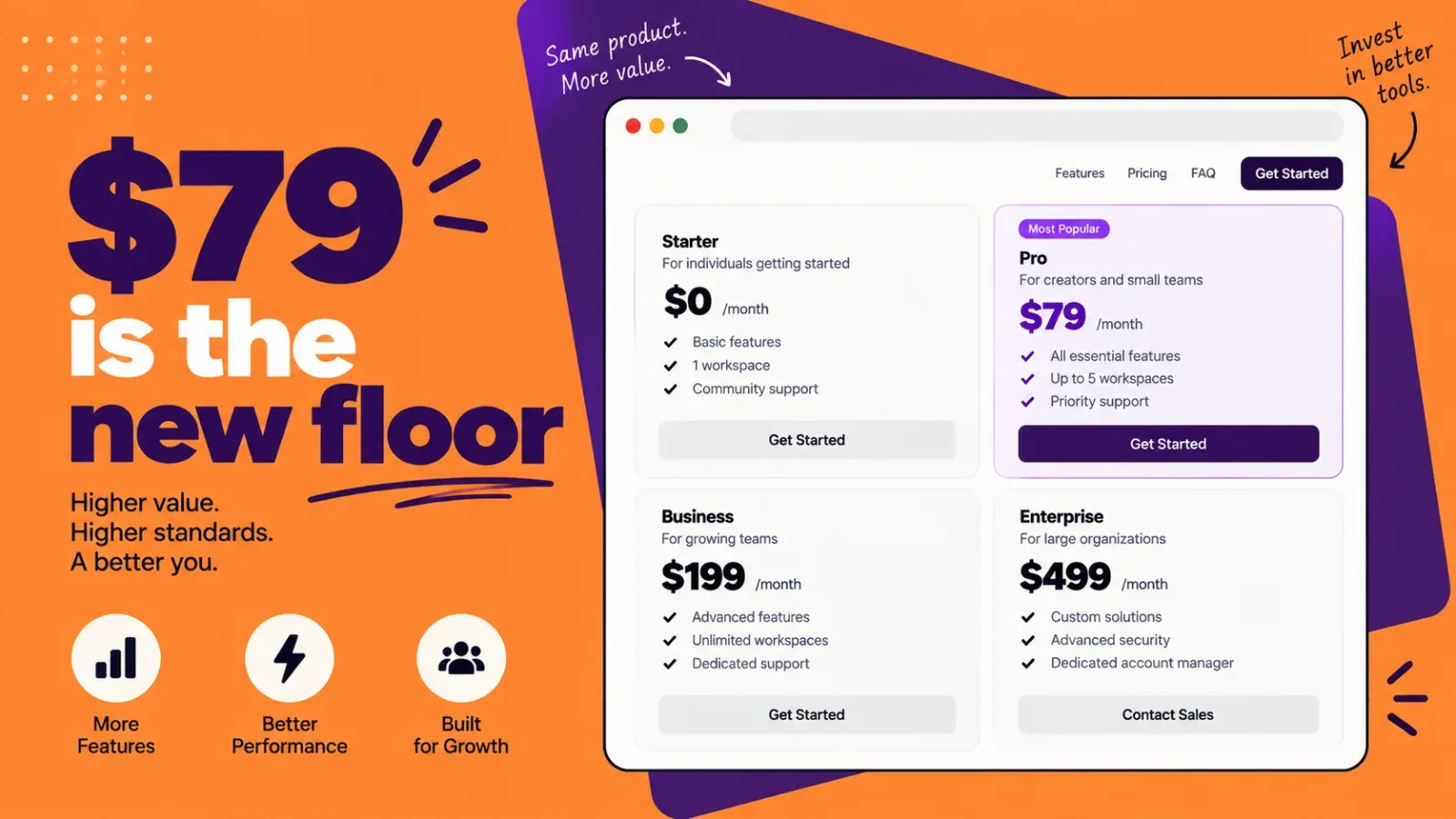
Sprout Social launched a new Essentials tier at $79 per seat a month, aimed at solo publishers rather than full care teams, dropping its real entry price by $120 a month from where it sat this summer. Buffer's Essentials plan is still per-channel: $6 a month per channel billed monthly, $5 if you commit annually.
The bigger shift is not a price at all. Google has indexed public posts from professional Instagram accounts since July 2025, and on July 7, 2026 it added a "platform properties" feature inside Search Console, letting creators see how their Instagram posts perform in search, even without a linked website. Tech Times covered the rollout. None of the ten tools below track this yet, so for now it is a manual, separate check.
Know your benchmarks first
A dashboard is not much use if you do not know what a good number looks like. Socialinsider's 2026 benchmark study, built on 35 million posts across 447,613 profiles, puts the average Instagram engagement rate at 0.48% per follower, down 24% year over year. By format, carousels lead at 0.55%, reels sit around 0.48% to 0.52%, and single images trail at 0.33% to 0.37%. Metricool's 2026 study of 24 million posts backs up the format gap: reels pulled more than four times the interactions of single-image posts.
Here is a worked example. Say you have 8,400 followers and your last ten posts averaged 96 likes and 7 comments. That is 103 interactions divided by 8,400 followers, or a 1.23% engagement rate. Against the 0.48% average, you are doing well, roughly two and a half times a typical account. Run the same math on 40 likes and 2 comments and you get 0.5%, dead average, and a sign to look at your hooks rather than your posting schedule.
One warning before you compare your number to anyone else's. Rival IQ reports 0.26% for financial services while Hootsuite's January 2025 data puts the same industry at 3.80%. Neither figure is wrong. One divides by followers, the other by impressions. Pick one formula and stick with it across every month you track. Our free engagement rate calculator does the per-follower math in seconds if you would rather skip the spreadsheet.
The 10 best Instagram analytics tools
1. Instagram Insights (free and native)
Start here, honestly. Every professional account, Creator or Business, gets Insights free inside the app, and it is the same first-party data every paid tool on this list pulls through Meta's API. If you have never opened it, you are not ready to pay for analytics yet.
Insights answers the everyday questions: which reel reached non-followers, when your audience is online, whether saves are climbing. What it cannot do is remember much or share anything. History is short, there are no exports, and comparing quarters means screenshots in a folder. That gap is the business model of the other nine tools on this list.
- Reach, views, and interactions per post, reel, and story
- Follower demographics: age, gender, location, most active times
- Profile visits, website taps, and follows from each piece of content
- Free with any professional account, no setup beyond switching account type
Price: free, forever, for everyone. The trade-off is short data history, no exports, and a phone-first interface that makes month-over-month comparison a chore. On safety there is nothing to add. It is Instagram's own tool.
2. Iconosquare
Iconosquare has been an analytics-first product for over a decade, and the depth shows. You get per-post and per-story metrics, follower growth broken down by day and hour, competitor benchmarks, and industry comparisons. Scheduling exists but feels like an add-on; people buy Iconosquare for the numbers. G2 reviewers rate it 4.5 out of 5 across more than 130 reviews, mostly social media managers reporting to clients.
The free tier is real if modest: 2 profiles, 1 user, 10 scheduled posts a month, basic analytics. Paid plans start with Launch at €33 a month billed annually (about €39 monthly), and the 14-day trial unlocks the full top-tier feature set so you can see what you would be paying for before you commit.
- Deep per-post, reel, and story analytics with custom dashboards
- Competitor tracking and industry benchmarks
- Scheduled PDF and CSV reports for clients
- Best-time-to-post recommendations from your own audience data
- Free plan with 2 profiles and basic metrics
Price: €33/month on Launch, with competitor tracking arriving on the €69 Scale tier. The trade-off is that you are paying for analytics depth, and as a scheduler it is unremarkable. It connects through Instagram's official authorization flow, so you log in via Meta and never hand over a password.
3. Metricool
Metricool is the value pick on this list, and it is not close. The free plan includes 30 days of analytics history, five competitor profiles, and enough scheduling to actually run one Instagram account. Most tools charge for at least one of those three things. The company also does serious research with its own data: its 2026 Instagram study analyzed 24 million posts from 375,118 accounts.
Paid plans start around $20 a month billed annually, which buys deeper analytics history, more competitor slots, and multi-platform reporting. If you want one cheap tool that schedules and measures, this is the default answer.
- Free plan with 30-day analytics and 5 competitor profiles
- Multi-platform reporting: Instagram, TikTok, YouTube, and more
- Best-hours heatmap based on your own audience
- PDF report exports on paid plans
- Scheduling included, so one tool covers both jobs
Price: about $20/month billed annually, with the most useful free plan on this list. The trade-off is thin content creation help: no real AI writing or carousel building, so creative work happens somewhere else. Account connections run through the official Graph API linking flow documented in Metricool's own help center.
4. Sprout Social
Sprout Social has the best reporting in social media software, and there is not much argument to make against that. Presentation-ready reports, cross-network roll-ups, listening data, and an inbox that behaves like a CRM. When a marketing VP asks for "the social numbers" in a board deck, Sprout is usually what produces them.
The bill used to be the whole story: $199 per seat per month on Standard. That changed this year. Sprout added a new Essentials plan at $79 per seat a month, built for a solo publisher rather than a full engagement team, with five profiles, optimal send times, and post-level reporting, but no Smart Inbox. Standard still sits at $199 for anyone who needs the inbox and review management. The 30-day trial needs no card.
- Executive-grade custom reports and cross-channel dashboards
- Social listening and sentiment analysis on higher tiers
- Competitive benchmarking across networks
- Team workflows, approvals, and a unified inbox
- 30-day free trial, no credit card
Price: $79/seat/month on the new Essentials tier, $199 on Standard where the Smart Inbox actually turns on. The trade-off is still the seat math: below a certain team size you are paying for reach you will never use. Sprout publishes through the official Instagram integration and has for years, so account safety is not a concern.
5. Buffer
Buffer's analytics are the opposite of Sprout's: light, cheap, and quick to read. The free plan covers 3 channels, 10 queued posts per channel, and 30 days of basic history. Move to Essentials and you unlock the deeper layer: a performance overview of likes, comments, and engagement, custom filters, exportable CSV and PDF reports, and UTM parameters for tracking clicks.
Is it deep? No. You will not find competitor benchmarks or industry comparisons here. But if your reporting need is "which posts worked this month and roughly why," Buffer answers it for a few dollars, in the cleanest interface in the category.
- Free plan with 3 channels and 30-day basic insights
- Performance overview and post-level metrics on Essentials
- CSV, PDF, and markdown report exports
- Custom UTM parameters for link tracking
- Covers 8+ platforms with the same simple reports
Price: $6/channel/month on Essentials, or $5/channel if billed annually, with a free plan available. The trade-off is that per-channel pricing stacks up fast across networks, and analytics depth is a clear step below Iconosquare or Socialinsider. Buffer is a long-established official Meta partner publishing through the Graph API.
6. ReelDrop
Full disclosure: ReelDrop is our product, so read this entry knowing that. Here is the honest version. ReelDrop is not a standalone analytics suite and does not pretend to be one. It is an Instagram tool for solo creators that bundles analytics with the work the numbers are supposed to improve: scheduling, AI carousels and captions, hashtag suggestions, and DM automation, all from one screen.
Instagram analytics comes included on every plan, including the free Starter tier, which now has no post-count cap, just one connected account and 3 AI caption generations a month. Influencer runs $9.99/month and closes most of the DM-automation gap against dedicated tools. Creator runs $29/month, or $149/year on founding annual pricing, and supports up to five Instagram accounts under one login. New since July, and genuinely relevant here, is ReelDrop's MCP integration: ask Claude to pull per-reel views, account growth, and trial-reel results in plain language instead of opening a dashboard, on Influencer and Creator.
- Instagram analytics included on every plan, even the free one
- Scheduling with auto-publish for posts, reels, and carousels
- AI carousel generator, captions, and hashtag suggestions built in
- DM automation with real follow verification, not an honor system
- Pull analytics through Claude via MCP, on Influencer and Creator
Price: free Starter plan; Influencer at $9.99/month; Creator at $29/month. The trade-offs are real: no competitor tracking, no white-label client reports, no multi-user seats confirmed on Creator yet, and it is Instagram-only by design. If you need a dedicated analytics suite, pick Metricool or Iconosquare from this list. If you want one tool that schedules, creates, and measures for a single Instagram-focused business, that is the job ReelDrop is built for. It publishes through the official Instagram Graph API as a Meta Tech Provider, detailed on its own safety page.
7. Socialinsider
Socialinsider is where most of the benchmark numbers in this post come from, which tells you what it is good at. This is a research tool: cross-brand benchmarking, competitor analysis, campaign measurement, and industry studies built on hundreds of thousands of profiles. Strategists and agencies use it to answer "how do we compare," not "how did Tuesday's reel do."
Plans start at $82 a month for Adapt, covering 20 social accounts and three months of history, with a 14-day trial and no free tier. That price makes little sense for one creator with one account.
- Competitor benchmarking across Instagram, TikTok, and more
- Industry benchmark reports and published studies
- Campaign and hashtag-level measurement
- API access available as an add-on
- 14-day free trial, no card required
Price: $82/month, no free plan. The trade-off is that it is priced and shaped for teams doing competitive research, not for individual account management. You connect owned accounts through the standard Instagram authorization flow; competitor data comes from public information.
8. Not Just Analytics
Not Just Analytics does one thing people constantly want: type in any public Instagram handle and get a free readout of follower growth, engagement, and suspicious spikes. No login, no connection, no waiting. Creators use it to sanity-check their own trajectory; brands use it as a quick gut check on a potential partner before paying HypeAuditor prices for a full audit.
Paid subscriptions cover up to 5 or 20 profiles with branded reports, but exact prices are not published on the page at the time of this check, so see notjustanalytics.com for current numbers. Treat it as the free profile checker it is best known for.
- Free public profile analysis with no login
- Follower growth history and anomaly spotting
- Engagement tracking over time
- Paid tiers with multi-profile tracking and branded reports
Price: free profile checks; paid plans listed at notjustanalytics.com. The trade-off is that it analyzes public data from the outside, so you get estimates rather than the reach and story metrics Insights shows you directly. One safety note that applies to this whole category: tools like this work from public data and never need your password. If any follower tracker asks you to log in with your Instagram credentials directly, close the tab. That pattern breaks Instagram's terms and gets accounts flagged.
9. HypeAuditor
HypeAuditor solves a different problem from everything else here: not "how is my content doing" but "is this audience real." Its fraud detection estimates fake followers, bot engagement, and audience quality for any public account, making it a standard vetting step before brands sign influencer deals. Creators use it in reverse, auditing their own account before pitching sponsors.
The free tools are genuinely useful: an Instagram audit, a fake follower checker, an engagement rate calculator, and a pricing calculator. Full platform pricing is another story: no public numbers, the pricing page routes to a sales call.
- Audience quality score and fake follower detection
- Free Instagram audit and engagement calculator
- Influencer discovery and campaign tracking for brands
- Sponsorship pricing estimates
Price: free tools; paid plans are sales-quoted only via hypeauditor.com. The trade-off is exactly that opacity, plus the fact that it will not help you improve content week to week. It analyzes public data, so there is no account connection to worry about for basic audits.
10. Vista Social
Vista Social is the budget route to agency-style reporting: post performance, competitor analysis, review tracking, and scheduled report delivery, at a fraction of Sprout's bill. For a small agency reporting to a handful of clients, the Professional plan bundle is hard to argue with.
There is no permanent free plan, just a 14-day trial without a card. Custom report builders sit on the $149 Advanced tier, and sentiment analysis and industry benchmarks are Enterprise-only.
- Performance, competitor, and review reports
- Scheduled report generation and delivery
- Full publishing suite with reels, stories, and first comment
- Cheaper than the enterprise tools it imitates
- 14-day trial, no credit card
Price: Professional at $79/month, about 20% less if billed annually. The trade-off is that it is a younger product and some corners still feel unfinished, and for one creator with one account it is overkill. Publishing runs through the official API, including reels and stories auto-publish.
Where did Keyhole go
If you remember Keyhole from older versions of lists like this one, here is the update: Muck Rack acquired it in 2024, and its pricing page now redirects to a demo request form, so there is no self-serve pricing left for creators. Socialinsider and Iconosquare are the closest self-serve replacements.
Which should you pick
One line each, no hedging.
- Just want to check your numbers weekly: Instagram Insights, plus a free engagement rate calculator.
- Solo creator who also needs scheduling and content help: ReelDrop, or Metricool for more analytics depth.
- Freelancer or social media manager reporting to clients: Iconosquare.
- Cheapest paid reports that still look professional: Buffer Essentials at $6 a channel.
- Strategist doing competitor and benchmark research: Socialinsider.
- Brand vetting influencers, or a creator prepping a sponsor pitch: HypeAuditor's free audit.
- Small agency wanting Sprout-style features without the old invoice: Vista Social, or Sprout's new Essentials tier for publishing only.
- Enterprise team with budget and a boardroom to present to: Sprout Social's Standard tier and up.
Frequently asked questions
Does Instagram have a built-in analytics tool?
Yes. Instagram Insights is free for any professional account, Creator or Business. It shows reach, interactions, follower demographics, and per-post breakdowns for posts, reels, and stories. The catch is limited history and no exports, which is the gap every paid tool in this list charges to fill.
What is the cheapest way to get real Instagram analytics?
Instagram Insights costs nothing, and Metricool's free plan adds 30 days of stored history plus five competitor profiles on top. Sprout Social's new $79/seat Essentials tier is the cheapest way into a full reporting suite. Paying more only makes sense once you need longer history or client-ready reports.
What is the average Instagram engagement rate in 2026?
Socialinsider's 2026 benchmark puts the average at 0.48% per follower, down 24% year over year, based on 35 million posts. Carousels average 0.55%, reels sit around 0.48% to 0.52%, and single images trail at 0.33% to 0.37%. Anything above roughly 1% per follower is a strong account.
How do I work out my own engagement rate?
Add up likes and comments on your last 10 to 20 posts, divide by your follower count, then multiply by 100. Compare only against benchmarks that use the same formula, because per-follower and per-impression numbers differ wildly. A calculator does this in seconds if you would rather skip the spreadsheet.
Can Google Search Console really show Instagram data now?
Yes, for public professional accounts. Google has indexed public Instagram posts since July 2025, and Search Console added a platform properties view in July 2026 that shows how those posts perform in search, even without a linked website. None of the ten tools in this post track it yet, so it is a separate check for now.
What happened to Keyhole?
Muck Rack acquired Keyhole in 2024 and folded it into its PR software. The pricing page now redirects to a demo request form, so there is no self-serve pricing anymore. If Keyhole was on your shortlist, Socialinsider or Iconosquare are the closest self-serve replacements for creators and small teams.
Are third-party Instagram analytics apps safe to connect?
Tools that use Instagram's official login flow, like Iconosquare, Metricool, Buffer, Sprout Social, Vista Social, and ReelDrop, are safe: you authorize them through Meta and never share a password. Be wary of follower-tracking apps that ask for your Instagram login directly, because that pattern breaks Instagram's terms.
Sources
- Socialinsider: Instagram Organic Engagement Benchmarks 2026
- Metricool: 2026 Instagram Study
- Rival IQ: Social Media Benchmark Reports
- Instagram Help Center: View account and content insights
- Sprout Social pricing
- Buffer pricing
- Socialinsider pricing
- G2: Iconosquare reviews
- Tech Times: Instagram posts now rank on Google
- ReelDrop: Is ReelDrop safe?
- ReelDrop: Run ReelDrop from Claude (MCP)
- ReelDrop: Free Instagram engagement rate calculator
- ReelDrop blog: Metricool vs Buffer
- ReelDrop blog: Best Iconosquare alternatives
- ReelDrop blog: Best Sprout Social alternatives