7 Best Instagram Grid Planner Apps in 2026
Later, Planoly, Plann, Pallyy, Sked Social, Hopper HQ, and ReelDrop compared on price, free plans, and official-API safety.


Which app should you trust with your Instagram grid in 2026? Later is still the reference point, Planoly is the cheapest of the big names, Pallyy has the most generous free plan, and Plann adds strategy prompts. We compared all seven on pricing, free plans, and whether they publish through Instagram's official API.
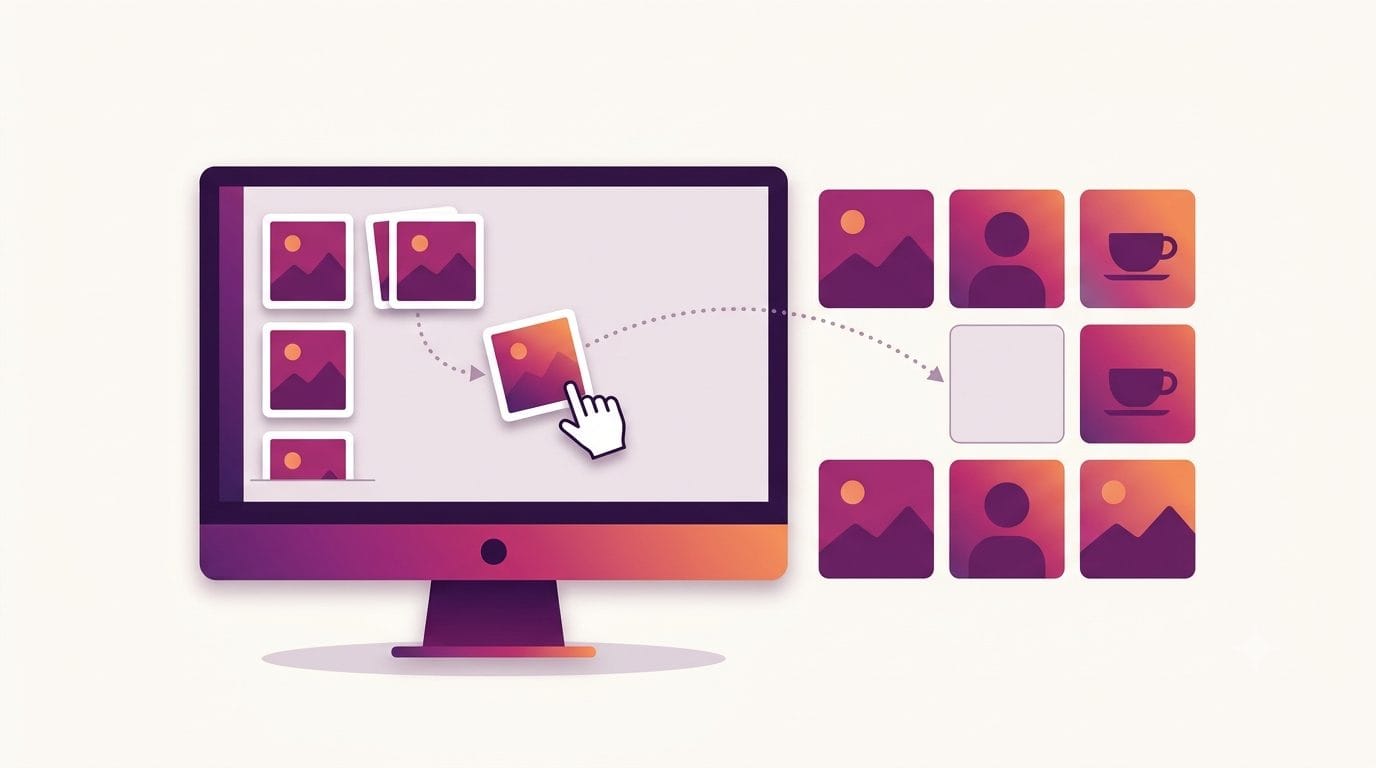
If you only want to see how your next nine posts will sit together before you choose an app, our free Instagram grid planner lets you upload photos and drag them into a 3-column preview. It needs no login.
Updated: September 2026
Table of contents
- How we evaluated these apps
- Grid planners at a glance
- The 12 post test
- The 7 best Instagram grid planner apps
- Which should you pick
- Frequently asked questions
- Sources
How we evaluated these apps
We checked every vendor's pricing page in July 2026 and scored each tool on five things: how it publishes to Instagram (official API or something sketchier), whether the pricing is actually listed on the site, whether there is a usable free plan, how good the grid preview itself is, and who the tool is realistically built for. Where a price was not visible on the vendor's own page, we say so instead of guessing.
Two things we deliberately ignored: follower-growth promises, because no scheduler grows an account by itself, and long feature checklists for platforms you do not post to. A grid planner earns its keep in about four minutes a week of dragging thumbnails around. The real question is what you pay for those four minutes, and what else comes bundled with them.
Grid planners at a glance
| Tool | Best for | Free plan | Starting price |
|---|---|---|---|
| Later | Brands built around the grid aesthetic | No, 14-day trial | $25/mo ($18.75/mo annual) |
| Planoly | Solo creators who plan visually | Mobile app only, 10 uploads/mo | $16/mo ($14/mo annual) |
| Plann | Creators who want posting prompts too | Yes, 1 brand, limited | $15/mo ($12.50/mo annual) |
| Pallyy | Freelancers who live in Instagram | Yes, 15 posts/mo | $25/mo (Pro) |
| Sked Social | Brands that schedule a lot of stories | No, 14-day trial | $69/mo ($58 annual) |
| Hopper HQ | Simple unlimited scheduling | No, 14-day trial | See hopperhq.com |
| ReelDrop | Instagram-only creators who want AI content help | Yes, unlimited scheduling | Free, then $9.99/mo |
Best free option: Pallyy. Its free plan includes the grid preview and 15 scheduled posts a month, which is the most generous free plan among the dedicated grid apps.
The 12 post test
Here is the yardstick we used for free plans. A desktop profile shows roughly 12 posts before anyone scrolls: four rows of three. That first screen is what a potential follower judges you on. So the practical question for any free plan is simple. Can it plan and publish one full profile screen per month?
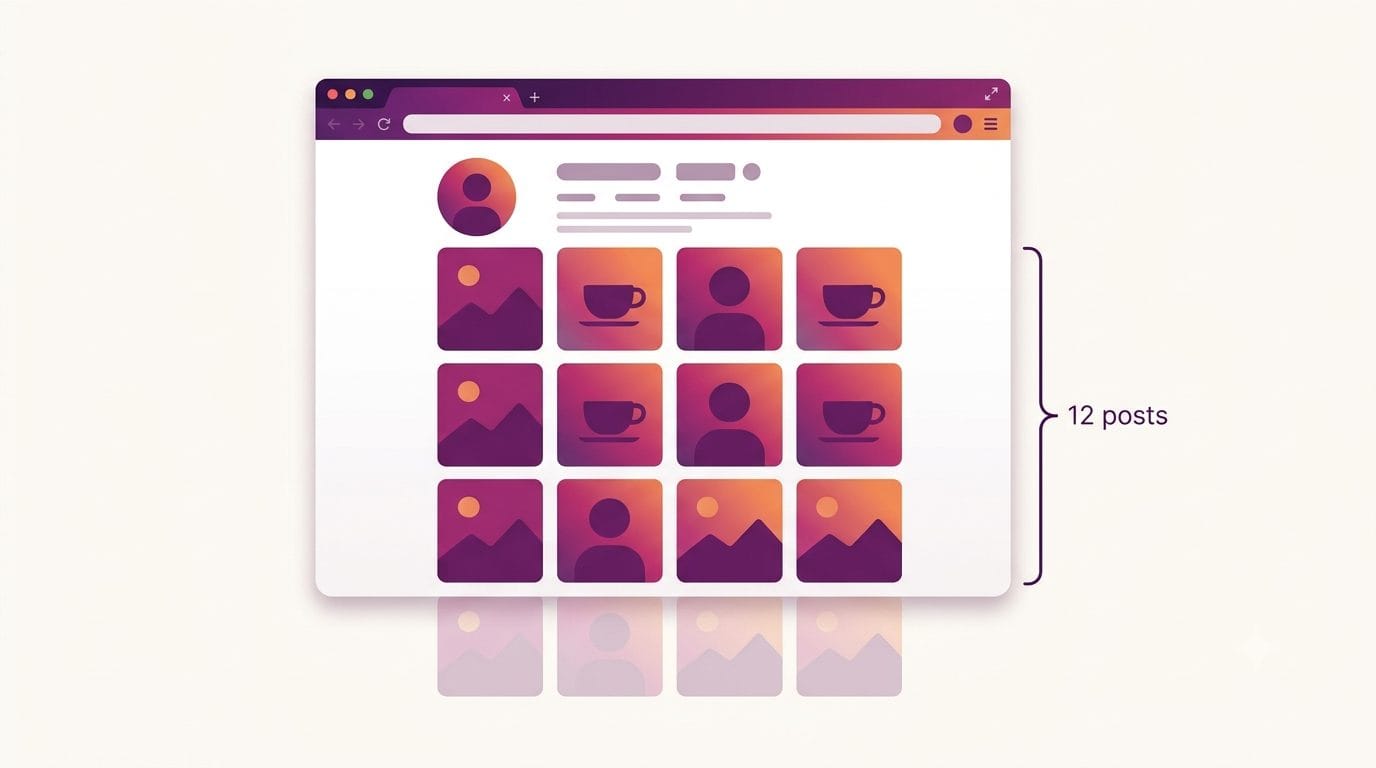
Two tools pass cleanly. Pallyy's free 15 posts a month cover the screen with room to spare. ReelDrop's free plan has no monthly cap on scheduled posts, so it covers the screen too. Plann's free tier is Instagram-only with a cap of 5 video posts a month, so it passes only if your grid is mostly photos. Planoly's free mobile app allows 10 uploads a month, also short. Later, Sked Social, and Hopper HQ do not have free plans at all, just trials. If free matters to you beyond grid planning, our roundup of the best free Instagram schedulers goes deeper.
The test is deliberately crude. It ignores stories, and it undercounts accounts that lean on reels covers rather than feed photos. But it draws a useful line between free plans you can actually run an account on and free plans that are demos with a signup form.
The 7 best Instagram grid planner apps
1. Later
Later invented this category, more or less. Its drag-and-drop grid preview is the one every other tool gets compared to, and after a decade of polish it still feels the smoothest: you drop drafts into the feed view, shuffle them until the thumbnails sit right, and schedule the lot. Reel cover selection is built in, which matters now that reels land on the grid like everything else.
The catch is who Later has become. It dropped its free plan, and the Starter tier is $25 a month billed monthly, or $18.75 a month annually. If your whole strategy is the visual feed, that buys the best version of this tool type. If you mostly need scheduling plus some content help, you end up paying for visual planning features you rarely open. We wrote up the cheaper routes on our Later alternatives page.
- Drag-and-drop grid preview, the most refined on this list
- Auto-publish for posts and reels, with reel cover selection
- Visual content calendar and media library
- Hashtag suggestions and best-time recommendations
- Linkin.bio landing page tool
Trade-off: no free plan anymore, and Instagram-first design means the other platforms feel secondary.
Account safety: Later publishes through the official Instagram API, so you authorize it via Meta rather than sharing a password.
2. Planoly
Planoly was one of the first visual planners for Instagram and is now part of the Envato family. The pitch is clean grid planning without much else in the way: you upload, arrange, schedule, done. There is light AI caption help and a bio link tool called Linkit, but the grid is the product.
Pricing is where it beats Later. Starter is $16 a month, or $14 a month billed annually, roughly 40 percent less than Later's monthly rate for the core visual-planning job. There is also a free mobile app plan capped at 10 uploads a month, fine for trying the grid view, too small to run an account on. The weak spots are analytics and multi-platform support, which lag tools like Buffer and Metricool. For a closer look at how the two old rivals stack up, see our Later vs Planoly comparison.
- Grid planner with drag-and-drop placement
- Auto-publish to Instagram
- AI caption assistance
- Linkit bio link tool
- Free mobile app tier (10 uploads a month)
Trade-off: analytics are thin, so you will outgrow it if reporting matters to you.
Account safety: official API auto-publish, no password sharing.
3. Plann
Plann is a visual planner with opinions. On top of the usual grid preview it layers a strategy coach: content prompts when you do not know what to post, color palette analysis of your feed, and performance tips inside the calendar. For creators who stall at the blank-grid stage, that nudge is genuinely useful and nobody else on this list does it as directly.
It is also one of the cheapest paid options here. The Power User plan is $15 a month, or $12.50 a month billed annually, and there is a real free tier: one brand, Instagram only, up to 5 video posts a month, 30 AI credits, and 120 media items. The honest downside is scale. Plann is a smaller company than Later or Planoly and ships features more slowly, so if you want the newest Instagram format supported on day one, it may keep you waiting.
- Grid preview with drag-and-drop rearranging
- Content prompts and a built-in strategy layer
- Color palette analysis for feed consistency
- Auto-publish plus hashtag suggestions
- Free plan (1 brand, Instagram only, limited)
Trade-off: slower feature velocity than the market leaders.
Account safety: publishes through the official Instagram API on paid plans.
4. Pallyy
Pallyy is built Instagram-first and it shows. Going by its product tour and docs, the scheduling flow is the closest to Instagram itself of any tool here, with a Later-style grid preview, a comment inbox, and none of the enterprise clutter. Freelance social media managers seem to love it, and the pricing explains why.
The free plan is the best on this list: 15 scheduled posts a month with the grid preview included, enough to pass our 12 post test. Paid starts at $25 a month for Pro with unlimited posts. The snag is that pricing is per social set, meaning per brand. One account is cheap; managing five clients multiplies the bill quickly, which is exactly the scenario where agencies drift toward Sked Social instead. We compared it head to head with the category leader in Pallyy vs Later.
- Grid planner that closely mirrors the real profile view
- Free plan with 15 scheduled posts a month
- Auto-publish for posts and reels
- Comment inbox for managing replies
- Clean, fast interface with little bloat
Trade-off: per-brand pricing gets expensive once you manage several accounts.
Account safety: official API publishing, authorized through Meta.
5. Sked Social
Sked Social is the grid planner for brands that treat stories as a first-class format. It auto-publishes stories, which most tools still handle with phone notifications, and pairs that with a solid grid preview and cross-posting to seven other platforms. The audience is clearly brands and agencies rather than solo creators.
The Basic plan is $24 a month, or $290 a year, which is fine value for the story automation alone but noticeably more than Pallyy or Plann for a similar Instagram-first feature set. And watch the add-ons: approval workflow features for client sign-off cost extra, in the range of several hundred dollars a year. There is no free plan, just a 14-day trial without a card.
- Grid planner plus visual content calendar
- Auto-publish including stories, which is rare
- Cross-posting to Facebook, TikTok, LinkedIn, and more
- Inbox and collaboration features aimed at teams
- 14-day trial, no credit card required
Trade-off: pricier than comparable Instagram-first tools, and approval add-ons cost extra.
Account safety: official API auto-publish across channels.
6. Hopper HQ
Hopper HQ keeps things plain: a visual grid planner, a calendar, unlimited scheduled posts, and bulk upload from CSV. No per-post limits, no contracts, cancel whenever. For creators who batch a month of content in one sitting and just want it to go out, that simplicity is the pitch.
Pricing is the awkward part. The plans are called Grow and Scale, but the numbers on hopperhq.com/pricing load through page scripts that did not render when we checked in July 2026, so we could not pin the current figure down and will not guess it. The trial is 14 days with no card. The honest overall read: nothing here is bad, but nothing stands out either. If you need AI content help, analytics depth, or story automation, the other six all have a sharper edge somewhere.
- Grid planner and visual calendar
- Unlimited scheduled posts on paid plans
- Bulk upload via CSV
- Built-in image editing and an AI assistant
- No contracts, 14-day free trial
Trade-off: few standout features beyond the basics, and current pricing is not visible without loading the page yourself.
Account safety: auto-publishes through Instagram's API rather than asking for your login.
7. ReelDrop
Full disclosure: ReelDrop is our product, so read this entry with that in mind. Its grid planner shows your real published feed with your scheduled posts above it, and dragging one tile onto another swaps their publish times. It is newer than Later's and Planoly's planners and has fewer years of refinement, so if the grid preview is the only thing you are buying, one of the tools above is still the safer pick.
The reason it makes the list is everything around the grid. ReelDrop bundles the planner with an AI carousel generator that turns a topic into a 10-slide carousel in about 30 seconds, AI captions with a tone label on each option, hashtag help, DM automation, and scheduling with auto-publish through the official Instagram API. The free Starter plan covers 1 account with unlimited scheduling; Influencer is $9.99 a month, and Creator is $29 a month with unlimited AI captions, and there is a founding annual deal at $149 a year (see reeldrop.io/pricing). The honest caveats: it is Instagram-only by design, there are no multi-account or team features until the Studio plan ships, and it is a younger product than everything above it on this page.
- Grid planner on your real feed, with drag-to-swap publish times and a content calendar
- AI carousel generator, 10 slides from a topic
- AI captions with a tone label on each option, plus hashtag help
- Auto-publish for posts and reels via the official API
- DM automation and first-comment scheduling
- Free plan: 1 account, unlimited scheduling
Trade-off: the grid planner is new and Instagram-only. Creator covers up to 5 workspaces, each with its own Instagram account.
Account safety: publishes exclusively through the official Instagram Graph API. Here is why that matters for your account.
Which should you pick
Quick verdicts by situation:
- Your grid aesthetic is the whole strategy: Later.
- You want the Later experience for less: Planoly.
- You never know what to post next: Plann.
- You want the best free plan, full stop: Pallyy.
- You schedule stories constantly: Sked Social.
- You batch a month of posts and want zero limits: Hopper HQ.
- You want grid planning plus AI carousels and captions in one tab: ReelDrop, with the caveat that the planner is new.
One practical note whichever you choose: reels and feed posts crop differently on the grid, so check your covers before you schedule a batch. Our free aspect ratio checker takes a few seconds and saves the awkward mid-face crop.

Frequently asked questions
What does an Instagram grid planner actually do?
It shows your unpublished posts arranged in the 3-column profile layout before anything goes live. You drag drafts around, spot clashing thumbnails, and schedule the order you want. Most planners also handle captions, hashtags, and auto-publishing, so the grid preview is usually one feature inside a broader scheduling tool.
Are grid planner apps safe to connect to my account?
The seven apps here all publish through Instagram's official API, which means you authorize them through Meta rather than handing over your password. That is the safe pattern. The risky apps are the ones that ask you to log in with your Instagram credentials directly, which violates Instagram's terms.
Which grid planner is completely free?
Pallyy. Its free plan includes the grid preview and 15 scheduled posts a month, enough to plan a full profile screen. Plann also has a free tier, but it caps video posts. ReelDrop's free plan has no monthly cap on scheduled posts, though its grid planner is the newest here. Later, Sked Social, and Hopper HQ only offer trials.
Do grid aesthetics still matter now that reels drive discovery?
Less than they did, but they still convert. Most new viewers find you through recommendations, then tap through to your profile to decide whether to follow. The grid is that landing page. And since July 2025, Google indexes public posts from professional accounts, so your profile does double duty as a search result.
Can these apps post for me automatically?
Yes, all seven auto-publish feed posts and reels through Meta's API, so you do not need to be there when the post goes live. Meta caps API publishing at 100 posts per account in any 24-hour window, which no human posting schedule will ever hit. Stories are the exception; some tools still send a notification for those.
Is Later still the best grid planner?
It has the most polished grid preview and the longest track record, so if the visual feed is your whole strategy, probably yes. But it starts at $25 a month with no free plan, and cheaper tools like Pallyy and Plann now cover most of what solo creators use Later for.
How far ahead should I plan my grid?
Twelve posts is a sensible planning horizon, because that is roughly one full profile screen on desktop and it is what a visitor sees before scrolling. At three posts a week, that is a month of content. Planning further ahead than that usually collides with trends you could not have predicted.