9 Best Instagram Tools for E-commerce Brands in 2026
9 Instagram tools for ecommerce brands compared on scheduling, DM automation, product tagging, and price, verified August 2026.


Carousels get nine times more saves than single-image Instagram posts, per Metricool's 2026 study of 24 million posts, exactly the format most product catalogs use. The best Instagram tools for ecommerce brands in 2026 combine an official-API scheduler with comment-to-DM automation: Later, ReelDrop, and ManyChat lead, while Meta Business Suite still handles product tagging for free.
Updated: September 2026
Disclosure: ReelDrop is our product. We make it, and it appears in this article, so read our rankings and recommendations with that in mind.
TLDR
- No single tool covers scheduling, comment-to-DM automation, product tagging, and design. Plan on stacking two or three.
- Meta Business Suite is the one non-negotiable, since product tagging and the Shop tab only get set up there, free, no matter what else you use.
- ReelDrop's new $9.99/month Influencer plan now undercuts ManyChat's cheapest paid tier while including unlimited comment-to-DM automation, a real shift since the last version of this post.
- Later remains the deepest visual scheduler; ManyChat is still the dedicated DM automation specialist for high-volume drops.
- A realistic solo-store stack now runs about $22 a month rather than $41, if DM automation matters more to you than AI carousel generation.
Quick answers
- Best free stack for ecommerce? Meta Business Suite (tagging) plus Metricool's free plan or ReelDrop's free Starter tier for scheduling and DMs.
- Cheapest paid DM automation? ReelDrop Influencer at $9.99/month, unlimited automations, undercutting ManyChat's $14/month Essential tier.
- Which tool tags products in posts? Only Meta Business Suite or Commerce Manager. Third-party schedulers don't add tagging.
- How many posts can I schedule for a launch day? Meta's Graph API caps API-published posts at 100 per rolling 24 hours; carousels count as one post.
- Does any tool here work with an AI assistant? ReelDrop connects to Claude via MCP to schedule reels and check analytics from a chat. No other tool on this list currently offers that.
Table of contents
- How we evaluated these tools
- Instagram tools for ecommerce, at a glance
- What does an ecommerce Instagram account actually need?
- The 9 best Instagram tools for ecommerce brands
- What three ecommerce Instagram stacks actually cost
- Which tool should you pick?
- Frequently asked questions
- Sources
How we evaluated these tools
We compared each tool on how it publishes to Instagram, whether pricing is public, how much AI or design help it gives, what the free plan really includes, and who it fits: a solo store owner, a small team running drops, or a brand running several storefront accounts. Every price below links to the vendor's own pricing page, checked in September 2026.
Instagram tools for ecommerce, at a glance
| Tool | Best for | Free plan | Starting price |
|---|---|---|---|
| Later | Visual grid scheduling with a shoppable Linkin.bio | No, 14-day trial | $25/mo ($18.75/mo annual) |
| ReelDrop | Scheduling, AI carousels, analytics, and comment-to-DM in one tool | Yes, 1 account | Free, Influencer $9.99/mo, Creator $29/mo |
| ManyChat | Dedicated comment-to-DM automation at scale | Yes, 25 contacts | $14/mo annual (Essential) |
| Metricool | Scheduling plus real analytics on a budget | Yes, 1 brand | ~$20/mo annual (Starter) |
| Buffer | Simple multi-platform scheduling | Yes, 3 channels | $5/mo per channel annual |
| Vista Social | Unified inbox for multi-account or agency ecommerce | No, 14-day trial | $99/mo (Professional, $79 annual) |
| Canva | Designing product shots, carousels, and drop graphics | Yes | Free, Pro $18/mo ($12/mo annual) |
| Tidio | Folding Instagram DMs into a support inbox | Yes, 50 conversations | $24.17/mo ($290/yr annual) |
| Meta Business Suite | Native product tagging and the Instagram Shop tab | Yes, everything | Free |
Best free option: nothing here does the whole job for $0, but two free tools together get close. Meta Business Suite handles product tagging and the Shop tab, since that setup lives there no matter what else you use. Pair it with Metricool's free plan (one brand, real analytics) or ReelDrop's free Starter tier (unlimited scheduling, five active comment-to-DM automations) for the posting and messaging work. If you'd rather spend a little than stay fully free, ReelDrop's $9.99/month Influencer plan removes the automation cap entirely, cheaper than any dedicated DM tool on this list.
What does an ecommerce Instagram account actually need?
Most advice written for "Instagram tools" assumes a creator posting on their own schedule. An ecommerce account has a different problem: a product drop has an exact minute it needs to go live, and every shopper who comments asking where to buy is a sale that cools off the longer they wait.
The content side matters too. Carousels get roughly nine times more saves than single-image posts, per Metricool's 2026 study of over 24 million posts, exactly the format most product catalogs use. Instagram expanded carousels to 20 slides back in 2024, room enough to show a full product line in one post. And since Instagram started letting Google index public posts from professional accounts in mid-2025, a well-tagged product post can now surface in search results it never used to reach.
No single tool on this list does scheduling, comment-to-DM automation, product tagging, and design equally well. This is a shopping list of specialists and one or two generalists, not a search for one app that replaces the whole stack. If scheduling is your main gap, our broader roundup of the best Instagram schedulers in 2026 covers more ground than this ecommerce-specific list does.
The 9 best Instagram tools for ecommerce brands
Later
Later is one of the more established Instagram schedulers, built around a visual grid preview and a Linkin.bio page that can carry a shoppable product grid. For an account juggling frequent drops, the drag-and-drop calendar and best-time-to-post data help spread launch posts across when your audience is actually online. Later dropped its permanent free plan a while back, so this is paid-only now.
- Visual grid preview with drag-and-drop scheduling
- Linkin.bio shoppable link page
- Auto-publish for posts, reels, and carousels
- Best-time-to-post recommendations
- Built-in Canva integration
Starting price: $25/month, or $18.75/month billed annually. Source: later.com/pricing.
Trade-off: the Starter plan caps you at 30 posts per profile a month, tight if you're posting daily through a launch week.
Account safety: widely cited as a long-established official Meta Business Partner, publishing through the Graph API rather than password access. See our full ReelDrop vs Later comparison for more detail, including the one feature Later still doesn't have (see below).
ReelDrop
ReelDrop bundles scheduling, an AI carousel generator, captions, and comment-to-DM automation into one tool, and the DM automation attaches directly to the post you're scheduling instead of living in a separate app. The pitch for ecommerce: schedule the drop for the exact minute it goes live, then auto-send the product link the moment a shopper comments a keyword like "LINK." The new $9.99/month Influencer plan is worth calling out specifically for ecommerce: it removes the automation cap and adds every trigger type (story-reply, DM-keyword, follow-gate) for less than a single month of ManyChat's cheapest paid tier. ReelDrop is upfront about what's missing, too: team approval workflows and multi-brand client tools are still on the roadmap under the Studio plan.
- Scheduling with auto-publish via the official Graph API
- AI carousel generator with 34 themes
- Comment-to-DM automation with follow verification and a timed follow-up
- Up to 5 Instagram accounts on Creator, one per workspace
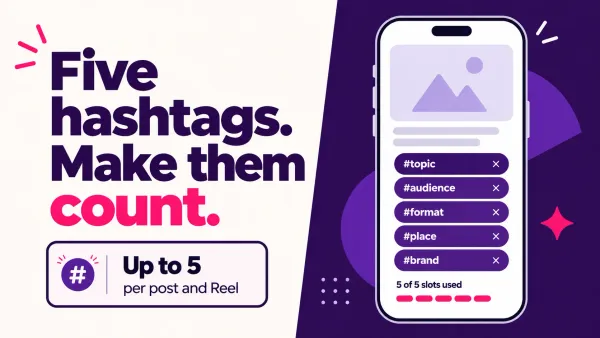
- AI captions and hashtag generation, unlimited on Creator
- Run scheduling and analytics from Claude via MCP, a feature Later's own comparison page confirms Later still doesn't have
Starting price: free (1 account, unlimited scheduling, 5 active DM automations). Influencer is $9.99/month or $79/year, unlimited DM automations. Creator is $29/month, $149/year at founding pricing, or $249 lifetime. Source: reeldrop.io/pricing.
Trade-off: no team approval flows or client access yet, so agencies running several storefront clients through one login should look elsewhere.
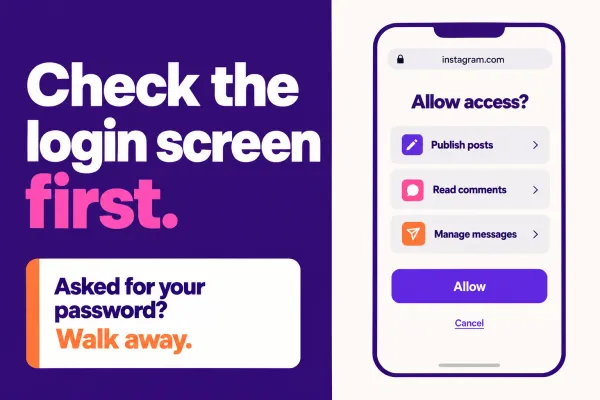
Account safety: ReelDrop is a Meta Tech Provider, publishing through the official Instagram API. It never asks for your password. See reeldrop.io/learn/is-reeldrop-safe for the exact permissions it requests.
ManyChat
ManyChat leads Instagram comment-to-DM automation, and its own case studies make the ecommerce case plainly: a comment becomes an instant product link, an order-status reply, or an FAQ answer, without anyone watching the comment feed. Its March 2026 pricing restructure cut the free plan from 1,000 contacts down to 25, which now works more like a sandbox than a plan you'd run a store on.
- Keyword-triggered comment-to-DM flows
- Official Meta partner integration for Instagram DMs
- AI-assisted responses on Pro and above
- Broadcast and audience segment messaging
- Visual flow builder for multi-step funnels
Starting price: free for 25 active contacts. Essential is $14/month billed annually ($17/month monthly). Pro, where most active stores land, is $29/month annually. Source: manychat.com/pricing.
Trade-off: pricing scales with active contacts, so one drop post that goes wider than expected can push your bill up mid-month, something a flat-rate tool like ReelDrop's Influencer plan avoids entirely.
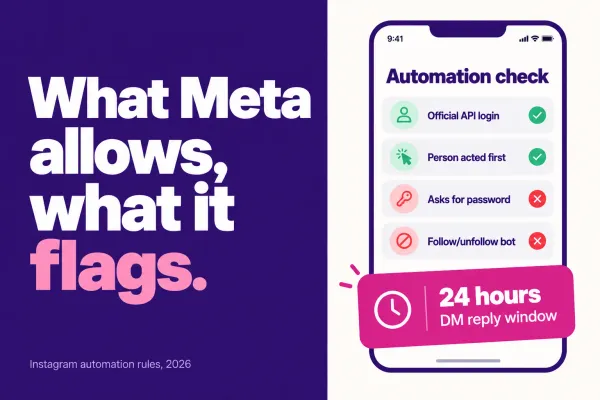
Account safety: official Meta partner, working through the Instagram Messaging API and its 24-hour window.
Metricool
Metricool leans analytics-first, useful for working out which product posts actually convert instead of which ones just get likes. Scheduling and competitor tracking sit alongside the reporting, and the free plan is genuinely usable for a single brand.
- Scheduling across Instagram, Facebook, TikTok, and more
- Competitor tracking and hashtag tools
- Free plan with a single brand and real analytics
- Downloadable PDF and PowerPoint reports
- Basic AI caption suggestions
Starting price: free for 1 brand. Starter runs about $20/month billed annually (around $25/month monthly) for up to 5 brands. Source: metricool.com/pricing.
Trade-off: content creation tools are thin. Metricool tells you what worked; it doesn't help make the next carousel.
Account safety: documents connecting Instagram through official Graph API-based account linking in its own help center.
Buffer
Buffer is the simple option, and for a small store running one or two accounts, that's the point. Per-channel pricing keeps the bill predictable as long as you're not adding accounts every quarter.
- Auto-publish to Instagram Business and Creator accounts
- Free AI Assistant included on every plan
- First-comment scheduling on Essentials and up
- Analytics that scale from basic to advanced by tier
- Browser extension and a built-in landing page builder
Starting price: free for 3 channels, 10 scheduled posts each. Essentials is $5/month per channel billed annually ($6/month monthly). Source: buffer.com/pricing.
Trade-off: the free plan's 10-post queue per channel fills fast during a launch week, and Buffer has no product-tagging support.
Account safety: widely cited as an official Meta Business Partner, publishing through the Instagram Graph API.
Vista Social
Vista Social sits closer to agency territory: a unified inbox, DM automation, and review management spread across ten platforms, priced accordingly. For a brand running several storefront accounts, the inbox is the actual draw, not the scheduling calendar.
- Unified inbox for comments and DMs across platforms
- Approval workflows from the Advanced tier up
- Optional social listening add-on
- AI assistant with a metered monthly credit pool
- Up to 70 connected profiles on the Scale plan
Starting price: Professional is $79/month (15 profiles, 3 users, 500 AI credits). No permanent free plan, just a 14-day trial. Source: vistasocial.com/pricing.
Trade-off: AI credits are capped even on paid tiers, and $79/month is priced well above every scheduler on this list.
Account safety: connects Instagram through Meta's standard account-authorization flow; badged Meta Business Partner status wasn't independently confirmed for this piece.
Canva
Canva isn't a scheduler, it's where the actual product photography and carousel slides get designed before they go anywhere: drop announcement graphics, before-and-after carousels, templated product grids that stop the feed from turning into a wall of catalog shots.
- Bulk Create and Magic Design for carousels
- Background remover and Magic Resize
- Brand kit for consistent product-shot styling
- Over 1,000 templates plus a stock photo and video library
- AI image generation on a metered credit pool
Starting price: free plan available. Canva Pro is $18/month, or $12/month billed annually ($144/year, confirmed directly on Canva's own pricing page). Source: canva.com/pricing.
Trade-off: Canva doesn't publish to Instagram itself, so it's a design step before scheduling, not a replacement for one. There's no account-safety question either way, since it has no Instagram publishing API tie-in.
Tidio
Tidio is a customer-support inbox that folds Instagram DMs in alongside live chat, email, and WhatsApp. Where "where's my order" questions land in DMs as often as the website widget, that unification is the real pitch, not marketing automation.
- Unified inbox across website chat, Instagram, Messenger, and WhatsApp
- Lyro AI agent, sold as a separate paid add-on
- Basic ticketing and canned responses
- Shopify order and cart data inside chat, Growth plan and up
- Mobile apps for iOS and Android
Starting price: free for 50 billable conversations a month. Starter is $24.17/month, or $290/year billed annually. Source: tidio.com/pricing.
Trade-off: Lyro AI and Flows bill separately, so the advertised price rarely matches what a busy support inbox ends up costing.
Account safety: connects to Instagram DMs through Meta's messaging integration. It's a support tool, not a publisher, so the usual auto-posting concerns don't apply.
Meta Business Suite
Meta Business Suite is the one tool here that's genuinely free and unavoidable if you sell through Instagram Shopping, because product tagging and the Shop tab get set up here no matter which scheduler you use elsewhere. It's not a strong content tool, the scheduler is basic and the interface shows its age, but for connecting a product catalog and tagging items in posts and reels, it's the only option that skips a third party entirely.
- Native product tagging and Instagram Shop setup
- Free scheduling for posts and reels
- Combined Instagram and Facebook inbox
- Basic native analytics
- No subscription of any kind
Starting price: free.
Trade-off: scheduling and content tools are basic next to any dedicated tool on this list, with no AI caption or carousel help.
Account safety: it's Meta's own tool, so there's no third-party API question at all.
What three ecommerce Instagram stacks actually cost
Nobody uses one tool alone. Here's a realistic stack at four budget levels, using September 2026 pricing.
| Stack | Tools | Monthly total | What you get |
|---|---|---|---|
| Free | Meta Business Suite + Metricool free + ReelDrop Starter | $0 | Product tagging, basic scheduling, single-brand analytics, 5 active DM automations |
| Solo drop-runner (DM-first) | ReelDrop Influencer ($9.99) + Canva Pro annual ($12), plus free Meta Business Suite for tagging | ~$22 | Unlimited comment-to-DM across all trigger types, professional product graphics |
| Scaling store (AI content) | ReelDrop Creator ($29) + Canva Pro annual ($12), plus free Meta Business Suite for tagging | ~$41 | Unlimited AI carousels, captions, and comment-to-DM, up to 5 accounts |
| Multi-account team | Vista Social Professional, annual ($79) + ManyChat Pro annual (~$29) + Canva Pro annual ($12) | ~$120 | Unified inbox across 15 profiles and dedicated DM automation, but no bundled scheduling or AI content |
The middle tiers fit most single-storefront accounts. If DM automation is the bottleneck, $22 a month now buys what used to take $41. If AI carousels and multi-account scheduling matter more, $41 still beats the $120 stack easily.
Which tool should you pick?
Just starting out, no budget yet: Meta Business Suite for tagging, paired with ReelDrop's free Starter tier for scheduling and DMs.
Frequent drops and comment-to-DM funnels on a tight budget: ReelDrop Influencer at $9.99/month, the cheapest unlimited DM automation option here. Want carousels, captions, and DM automation together: ReelDrop Creator. Want a dedicated messaging platform with deeper flow-building: ManyChat. See our roundup of the best Instagram DM automation tools for more options built around this tactic.
Multiple storefront accounts or markets: Vista Social's unified inbox, or ReelDrop Creator's 5-account workspace if you don't need approval workflows yet.
Design-heavy brand doing a lot of carousels: Canva, alongside whichever scheduler you pick. Nothing here replaces it.
Support questions landing in DMs as often as email: Tidio, to keep "where's my order" in one inbox.
Tight budget, need real usage data before spending anything: Metricool's free plan.
Frequently asked questions
What's the best free Instagram tool for a small ecommerce shop?
Meta Business Suite is free and required anyway for Instagram Shopping product tags. Pair it with Metricool's free plan for analytics on one brand, or ReelDrop's free Starter tier for scheduling and five active comment-to-DM automations. No single free tool covers tagging, scheduling, and DM automation together.
Can I automatically send a product link when someone comments on my post?
Yes. ManyChat and ReelDrop both support keyword-triggered comment-to-DM automation through the official Instagram Messaging API: someone comments a word like "LINK," and an automated DM with your product link goes out, with an optional public reply so the next commenter sees that it works.
Can I tag products in an Instagram carousel using a scheduling tool?
Only through Meta Business Suite or Commerce Manager, where a connected product catalog lets you tag items directly in posts, reels, and carousels. Third-party schedulers in this list don't add tagging themselves, so most ecommerce brands use Business Suite for tagging and a separate tool for scheduling and DM automation.
Is ManyChat or ReelDrop better for ecommerce DM automation?
ManyChat is still the deeper dedicated platform, with broadcast messaging and multi-channel flows beyond Instagram. ReelDrop's $9.99/month Influencer plan now matches ManyChat on unlimited automations and every trigger type for less, bundled into the same tool used for scheduling and AI carousels, though it still lacks ManyChat's broadcast reach.
How many Instagram posts can I schedule per day for a product launch?
Meta's Instagram Graph API guide currently caps API-published posts at 100 within a rolling 24-hour period, with carousels counting as a single post. That's far more than most ecommerce accounts need in one launch day, so the real limit is usually your content pipeline, not the API.
Do I still need Later or Buffer if I already use Canva?
Yes. Canva designs the carousel slides and product graphics, it doesn't publish anything to Instagram on its own. A scheduler like Later, Buffer, or ReelDrop still handles the auto-publish step, and some, ReelDrop included, build carousel generation in so Canva becomes optional rather than required.
Is Vista Social worth it for a single-store ecommerce brand?
Probably not. Vista Social's Professional plan starts at $99/month ($79 billed annually) for 15 profiles, built for agencies managing several client accounts. A single-storefront brand will usually get more value per dollar from ReelDrop, Metricool, or Buffer, and can revisit Vista Social if it expands into multiple markets or brings on a team.
Sources
- Later pricing
- ReelDrop pricing
- ManyChat pricing
- Metricool pricing
- Buffer pricing
- Vista Social pricing
- Canva pricing
- Tidio pricing
- Instagram Platform: Publish Content overview (Meta for Developers)
- Metricool 2026 Instagram Study
- Instagram Expands Carousels to 20 Frames (Social Media Today)
Also on ReelDrop: the free engagement rate calculator is worth bookmarking to sanity-check a drop's performance, and reeldrop.io/learn/is-reeldrop-safe covers exactly what permissions any Instagram tool should and shouldn't be asking for before you connect an ecommerce account to it.