Instagram Account Suspended? Why It Happens and How to Appeal in 2026
How to appeal a suspended Instagram account: the steps, the identity check, and what Meta does and does not publish about deadlines.

If Instagram suspended your account, log in and follow the appeal prompt (often labeled "Disagree with decision"), then finish the identity check, usually a video selfie or a photo ID. Appeal once, from the original account, and screenshot the notice first. Meta publishes no fixed deadline or review time, so start now. Recovery is possible, not guaranteed.
Updated: September 2026
TLDR
- A suspension or disable is a policy action. The fix is an appeal, not a password reset.
- Appeal from the login screen of the original account, complete the identity check, and submit once.
- Meta publishes no appeal deadline or turnaround time. The 30-day and 180-day figures online are reported, not official.
- Never pay a recovery service, never make a second account to appeal, and never give your ID to a third-party site.
- Tools that use the official Instagram API are a different category from bots that hold your password.
Quick answers
- Is suspended the same as disabled? Both are policy actions with an appeal path. A forgotten password or a hack is a login problem.
- Where do I appeal? On the login screen of the affected account. If you can still open the app, also check Settings > Account Status.
- What will Instagram ask for? A private video selfie or a government ID, per Technobezz's summary of Instagram's guidance.
- Can I pay someone to get it back? No. Treat any guaranteed-recovery offer as a scam.
Table of contents
- What does a suspended Instagram account mean?
- Why do Instagram accounts get suspended?
- How do you appeal a suspended Instagram account?
- What if you cannot get past the login screen?
- How long does an appeal take, and is there a deadline?
- What should you avoid while you wait?
- Which screen are you seeing?
- Can the Oversight Board reinstate your account?
- How do you avoid a second suspension?
- Frequently asked questions
- Sources
What does a suspended Instagram account mean?
You open Instagram to check on a reel you scheduled last night. Instead of your feed there is a suspension notice, and every login lands on the same screen. Before you tap anything, work out which of two problems you have.
A suspension or disable is a policy action. Instagram decided the account, or something posted on it, broke the rules, and the way back in is an appeal, not a password reset, as Technobezz explains. A lockout after a forgotten password or a hack is a login problem with a different fix. Meta keeps a help page on disabled Instagram accounts covering causes and recovery.
Mixing the two wastes time. A policy appeal will not fix a forgotten password, and a password reset will not revive a disabled account.
Why do Instagram accounts get suspended?
Most suspensions trace back to a short list: tools that log in with your password and automate activity, purchased followers or fake engagement, repeated content or spam violations, impersonation, and hacked accounts. Instagram's own data scraping page calls unauthorized automated access a Terms of Use violation, and its 2018 announcement said it removes fake likes, follows and comments generated by third-party growth apps.
Strikes add up. Technobezz, summarizing Meta's Transparency Center policy in effect since November 12, 2024, reports that a first strike is usually a warning, restrictions run from one day at seven strikes to 30 days at ten or more, and continued violations can end in a disable. Those numbers are restriction lengths, not appeal timelines.
Some suspensions are simply wrong. The Oversight Board opened its first review of how Meta permanently disables accounts in January 2026, and TechCrunch reported in June that the Board said Meta's account bans lack due process and transparency. We cover the full list of causes on why Instagram accounts get banned. This post covers what to do after.
How do you appeal a suspended Instagram account?
Button labels change between app versions, so look for the equivalent option. The steps follow the in-app flow as Technobezz describes it.
- Confirm it is a policy action. Try to log in. A disabled or suspended message means you need the appeal path. A plain failed login means you need login recovery instead.
- Screenshot the notice. Note the rule Instagram says you broke and any date shown.
- Follow the appeal prompt. Use a device and network you have logged in from before, since that helps Instagram recognize you. Follow the on-screen instructions, which often include an option to disagree with the decision.
- Complete the identity check. Instagram may ask for a private video selfie, which it says is not shown on your profile, or a government ID with your name and a recent photo, such as a passport or driver's license. Confirm you are on the real Instagram domain first.
- Submit once and save the details. Keep any confirmation number, the date, and the screen you saw. One clean appeal is easier to review than five.
If you can still open the app, also check Settings > Account Status. It shows what Instagram flagged and lets you request a review of a decision you disagree with. If a single post or comment was removed, ask for a review of that item too, because removed content adds strikes. Meta also has a page on disputing an action Instagram took.
What if you cannot get past the login screen?
If the app never shows an appeal prompt, try the web route. Meta's disabled accounts help page is the official starting point, and third-party guides describe a web form for accounts that cannot log in at all. Meta also directs locked-out users to its Account Recovery Hub at meta.com/account-recovery-support, according to WMAR2.
Check the address before you type anything. Scammers want identity documents, and Technobezz warns against giving a selfie, ID, password or code to any third party promising to speed things up.
How long does an appeal take, and is there a deadline?
Nobody outside Meta knows the real numbers. Technobezz checked Instagram's official pages and could not confirm any published turnaround, or any numeric deadline such as 30 or 180 days. The 180-day figure comes from a screen some suspended users report seeing. CreatorLaneHQ describes it as a data-retention window, and does not trace it to a Meta document.
Third-party guides report anything from a day or two for automated reversals to a few weeks for human review. Unfollr, for example, says 1 to 7 days automated and 14 to 30 days if escalated. Treat that as anecdote, and file as soon as you see the notice.
What should you avoid while you wait?
- Do not create a second account to appeal or report the first. Technobezz says Meta treats that as a workaround that can put both accounts at risk.
- Do not pay a recovery service. No paid third party can restore an account Meta has decided to keep down, and a guarantee of reinstatement is a scam signal.
- Do not count on paid support. TechCrunch reported that the Oversight Board found Meta Verified subscribers often got no meaningful help once disabled.
Which screen are you seeing?
The wording on the screen decides the path, so match yours to a row before you act.
| What you see | What it usually means | What to do first |
|---|---|---|
| Account suspended or disabled, with an appeal or disagree option | A policy action on the account | Appeal in the app, complete the identity check, submit once |
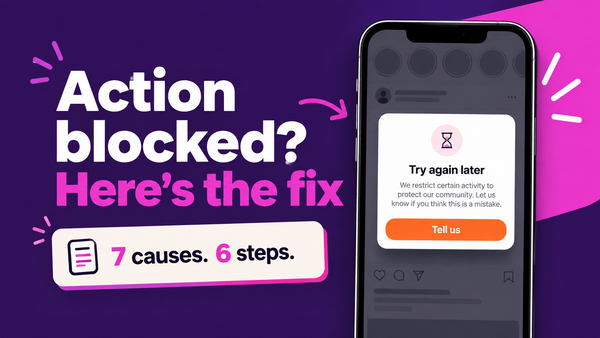
| Action blocked, or "we restrict certain activity" | A temporary limit on one activity, not a suspension | Pause the activity and read our action blocked guide |
| Cannot log in, no policy notice, email or password changed | Probably a hack or a login problem | Use login and identity recovery, and secure your email first |
| Permanently disabled, with no appeal button | Reported to mean the appeal window has closed | Try the web form and Account Recovery Hub, and expect lower odds |
| One post or reel removed, account still works | A content decision | Request a review of that item in Account Status |
| Reach dropped, but no notice at all | Not a suspension | Run the free shadowban checker and read our shadowban guide |
Can the Oversight Board reinstate your account?
Only in narrow cases. You can go to the Board after you have exhausted Meta's own appeals and received a final content decision with a Board reference ID, and even then the Board picks cases at its own discretion. Instagram's help center explains how to appeal a content decision to the Board. Treat it as a last resort for eligible content decisions, not a way to reopen a disabled account. The Board's January 2026 review of account disabling does not change your appeal today.
How do you avoid a second suspension?
Check Settings > Account Status now and then so you catch a strike while you can still request a review. Read what tripped the first action. Revoke connected apps you no longer use, and change your password if Instagram prompts you after flagging a third-party app, as Meta's 2018 announcement describes.
The bigger split is between tools that use Meta's official API and tools that ask for your password. Official-API tools are authorized through Instagram's own permission screen and can be revoked. Password tools simulate a person, which is what enforcement targets. Our list of the safest Instagram tools sorts them, and DM send limits and account safety covers the messaging side.
ReelDrop is our product, so weigh this accordingly. It publishes through the official Instagram Graph API, requests five scoped permissions, and never sees your password. You authorize on instagram.com and it holds a revocable token. It is a Meta Tech Provider, which is a narrower program than Meta's Business Partner directory. Our safety page lists the exact permissions and how to check any tool yourself. None of that makes an account immune to a false positive, and no tool can promise that.
Frequently asked questions
How long do I have to appeal a suspended Instagram account?
Meta does not publish a numeric deadline, and Technobezz could not confirm the 30-day or 180-day figures from any official page. Some guides call the 180-day screen a data-retention window instead. Because the real cutoff is unknown, appeal the moment you see the notice, from the original account.
How long does an Instagram suspension appeal take?
Meta does not publish a turnaround time. Third-party guides report anywhere from a day or two, when automated review reverses the decision, to a few weeks when a human reviews it, but that is anecdotal. File one clean appeal, save the confirmation, and avoid resubmitting while you wait.
Can I make a new account while my appeal is pending?
Do not create a new account to appeal or report the suspended one. Technobezz says Meta treats that as a workaround that can put both accounts at risk. Work from the original account, using the in-app prompt that appears after you try to log in.
Do paid Instagram account recovery services work?
No paid service can restore an account Meta has decided to keep down, because Meta decides appeals through its own review. Anyone guaranteeing reinstatement, especially for a fee, should be treated as a scam. Never give them your password, a verification code or your ID.
Will using a scheduling or DM tool get my account suspended?
Not by itself, if the tool uses Meta's official API and you authorized it on instagram.com. Enforcement targets tools that hold your password and simulate human activity, such as mass follow or DM bots. Before connecting any tool, check whether it asks for your password and read its permission list.
Is action blocked the same as a suspension?
No. Action blocked is a temporary limit on a specific activity, like following or messaging too fast, and community reports tie it to pacing and unofficial automation. A suspension is a policy action on the whole account, with an appeal path. Our action blocked guide covers the fixes.
Can the Oversight Board get my suspended account back?
Rarely. The Board reviews eligible content decisions after you exhaust Meta's appeals and hold a reference ID, and it chooses cases at its own discretion. It opened a review of Meta's account disabling process in January 2026, but that does not reopen individual accounts. Treat it as a last resort.
Sources
- About disabled Instagram accounts (Instagram Help Center)
- Instagram action you disagree with (Help Center)
- Appeal to the Oversight Board (Help Center)
- Data scraping restrictions (Help Center)
- Removing fake likes, follows and comments (Instagram, 2018)
- Restricting accounts (Meta Transparency Center)
- Board to review Meta's approach to disabling accounts (Oversight Board)
- Oversight Board says account bans lack due process (TechCrunch)
- How to appeal and recover a suspended account (Technobezz)
- Locked out of Instagram or Facebook? (WMAR2)
- The 180-day suspension screen (CreatorLaneHQ)
- How to get a suspended account back (Unfollr)
- Why Meta bans Instagram accounts
- Is ReelDrop safe?
- Shadowban checker
- DM send limits and account safety