Instagram Tools for Restaurants, Realtors and Coaches (2026)
Free and paid Instagram tools for restaurants, agents and coaches, with prices checked October 2026 and a launch-spike DM cost table.

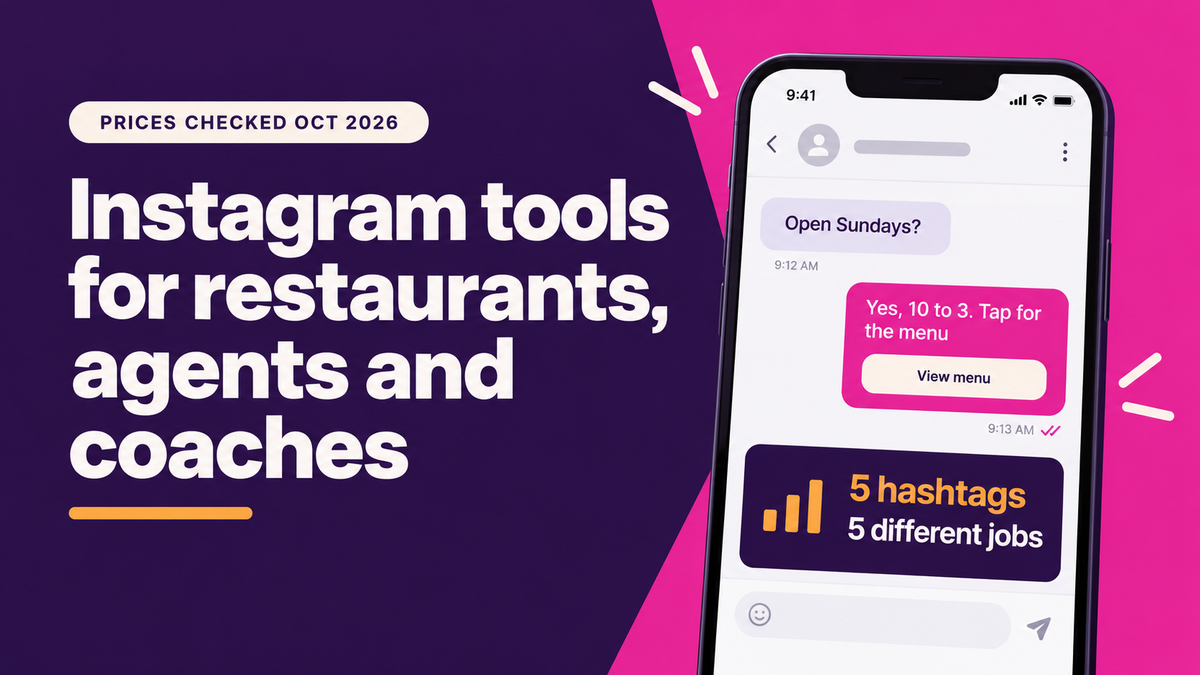
It's Thursday night, the kitchen is slammed, and a fourth person asks what time you close. Restaurants, real estate agents and coaches all need a scheduler, DM automation and quick graphics. Meta Business Suite plus Canva's free plan covers that for $0. ReelDrop, ManyChat and Later add DM automation and grid planning once you can pay.
Updated: October 2026
Disclosure: ReelDrop publishes this blog and makes one of the tools below. We say where it falls short.
TLDR
- On a zero budget, use Meta Business Suite for scheduling and the inbox, and Canva's free plan for graphics.
- If DMs are the main job, pick a comment-to-DM tool: ManyChat if you also need Messenger and WhatsApp, ReelDrop Influencer ($9.99 a month) if you want one flat price.
- If your feed is your portfolio, use a grid preview. Later, Plann and ReelDrop all have one.
- ManyChat's bill follows your best month. A coach whose Reel draws 400 commenters pays about $26.30 on Essential, while a flat plan stays flat.
- Instagram is limiting captions to 5 hashtags, so give each one a separate job.
Quick answers
- Cheapest setup? Meta Business Suite plus Canva's free plan, which costs $0.
- Best for DMs? ManyChat for multi-channel, ReelDrop for a flat price tied to the post you schedule.
- Best for a photo-first feed? Later, with Plann and ReelDrop as cheaper grid options.
- How many hashtags? Five at most, each with a different job.
- Safest way to connect? A tool on Instagram's official API that never asks for your password.
Table of contents
- How we evaluated these tools
- Which tools work for all three businesses?
- What do restaurants need from Instagram tools?
- What do real estate agents need from Instagram tools?
- What do coaches need from Instagram tools?
- Which should you pick?
- Frequently asked questions
- Sources
How we evaluated these tools
This is desk research. On 3 October 2026 we read each vendor's pricing page, help docs and Instagram API documentation, and the table below says when each figure was checked. We judged every tool on how it publishes to Instagram (official API or not), how clear its pricing is, what AI help it gives, whether it has a free plan and who it suits. We did not run these tools on a business account for this guide. Where a tool's Meta partner status could not be confirmed, we say so. Canva's pricing page blocks automated checks, so its Pro price was cross-checked against third-party trackers.
Which tools work for all three businesses?
A restaurant, an agent and a coach use Instagram for different reasons, but their problems overlap. They all post on a schedule they can barely keep, they all get the same DM questions every day, and none of them has time to design graphics from scratch. These seven tools handle those shared jobs. Prices are monthly unless noted.
| Tool | Best for | Free plan | Paid from | Checked |
|---|---|---|---|---|
| ReelDrop (ours) | Scheduling, grid preview and comment-to-DM in one tool | Starter: unlimited scheduling, grid planner, 5 DM automations, 3 AI captions a month | Influencer $9.99, Creator $29 | 3 Oct 2026 |
| ManyChat | DM automation across Instagram, Messenger and WhatsApp | 25 active contacts a month | Essential $14 | 3 Oct 2026 |
| Later | Photo-first feeds and grid planning | None (14-day trial) | Starter $25, or $18.75 billed annually | 3 Oct 2026 |
| Metricool | Scheduling plus analytics | 1 brand, 20 posts a month | From $20 | 3 Oct 2026 |
| Canva | Graphics, menu and listing templates | Yes, limited AI credits | Pro $18, or about $12 billed annually | Sep 2026 |
| Meta Business Suite | A free scheduler and shared inbox | Entirely free | Free | 3 Oct 2026 |
| Buffer | A simple posting queue | 3 channels, 10 scheduled posts each | $6 per channel, or $5 billed annually | 3 Oct 2026 |
Best free option: Meta Business Suite if you also run a Facebook page and want one inbox. ReelDrop Starter if you want comment-to-DM and a grid preview without paying.
ReelDrop
ReelDrop is our product, so weigh this section accordingly. It schedules posts, Reels and carousels to Instagram through the official API, and you can attach a comment-to-DM automation so that a comment like MENU, AVAILABLE or WORKBOOK gets your link by DM.
The Starter plan is free, with unlimited scheduling, the grid planner, 5 active DM automations and 3 AI captions a month. Influencer at $9.99 a month (or $79 a year) removes the automation limit and adds story-reply, DM-keyword and follow-gate triggers. Creator at $29 a month adds up to 5 Instagram accounts, AI carousels and unlimited AI captions.
- Grid planner on every plan, including free, with your live profile shown under scheduled posts
- Comment, story-reply and DM-keyword triggers on Influencer and Creator
- Timed follow-up up to 23 hours after the first DM, an hour inside Instagram's 24-hour window
- Trial reels, 3 a month on Starter and unlimited on paid plans
- Scheduling and analytics from Claude by chat, on Influencer and Creator
Where it falls short: it is Instagram only, it is younger than Buffer or Later, and it has no client approval workflow yet. On safety, ReelDrop is a Meta Tech Provider, which means its Instagram permissions passed Meta's App Review. That is a narrower program than the Meta Business Partner directory, where ReelDrop is not listed. It asks for five permissions and never sees your password, as its safety page explains.
ManyChat
ManyChat is the established DM automation tool. A customer comments a keyword and gets a DM back, and returning customers can use a menu inside Instagram DMs to find hours, links or prices without typing. It also covers Facebook Messenger and WhatsApp.
- Comment-keyword triggers that open a DM
- A tappable menu inside Instagram DMs
- Messenger and WhatsApp on the same account
- Free plan: 2 channels and up to 4 live triggers
Pricing follows active contacts. The free plan stops at 25 a month, Essential is $14 for 250 and Pro is $29 for 2,500. A post that does well can push you past your tier quickly. ManyChat is widely described as an official Meta partner and uses the official API, though we did not check Meta's directory ourselves.
Later
Later is the reference visual planner. Its drag-and-drop calendar shows how a post will sit on your grid before it goes out, which matters when the feed is the portfolio: a bakery, a wine bar, a luxury listing.
- Grid preview in a drag-and-drop calendar
- Instagram plus TikTok, Facebook, Pinterest and others
- Starter covers 1 social set and 30 posts per profile a month
- 5 AI credits a month on Starter
Starter is $25 a month, or $18.75 billed annually, and there is no free plan, only a 14-day trial. Those 5 AI credits go fast. Later is a long-established Meta Business Partner on Instagram's official API, as widely documented, though we did not re-check Meta's directory.
Metricool
Metricool pairs a scheduler with analytics and competitor tracking. The free plan's 20 posts a month runs out fast once you add Stories and Reels.
- Scheduler plus analytics in one place
- Competitor tracking, 5 profiles free and 100 on Starter
- Up to 10 brands on Starter, useful for several locations
- Free plan limited to 1 brand
Paid plans start at $20 a month. Metricool links Instagram through official API-based account linking, but we could not confirm a Meta partner badge.
Canva
Canva is the design layer under whatever scheduler you use. Templates and a brand kit keep weekly graphics consistent, and Bulk Create turns a spreadsheet (a week of specials, a set of listings) into a batch of graphics. We treat it as a design tool, not a scheduler.
- Brand kit for repeat colors and fonts
- Menu and listing templates
- Bulk Create from a spreadsheet
- Reel covers
There is a free plan with limited AI credits, and Pro is $18 a month, or about $12 billed annually. It replaces neither a scheduler nor a DM tool. For account safety, nothing connects to your Instagram login in this setup, so there is nothing to revoke.
Meta Business Suite
Meta's own tool schedules posts, Reels and Stories and puts Instagram and Facebook messages and comments in one shared inbox, for free. It has Meta AI caption help and saved replies. We did not find comment-keyword-to-DM automation in it, which is usually the point where a business adds a second tool.
- Scheduling for posts, Reels and Stories
- One inbox for Instagram and Facebook
- Meta AI caption drafts
- Saved replies and automated responses
It covers Facebook and Instagram only. On safety it is Meta's own product, so there is no third party in the loop.
Buffer
Buffer is the simplest paid queue, priced per channel. The free plan covers 3 channels with 10 scheduled posts each, and Essentials adds unlimited posts, a hashtag manager and first-comment scheduling. In what we found, it has no grid planner and no DM automation.
- Clean posting queue
- Hashtag manager on Essentials
- First-comment scheduling on Essentials
- Basic AI assistant on the free plan
Essentials is $6 a month per channel, or $5 billed annually. It does one job. Buffer is a long-established Meta Business Partner on the official API, as widely documented, though we did not re-check Meta's directory.
What do restaurants need from Instagram tools?
A restaurant's Instagram problem is mostly repetition. The same questions about hours, the menu, parking and reservations arrive every day, often during service. A comment-to-DM flow (comment MENU, get the link) and a menu inside DMs take most of that off the staff. Later's grid preview matters for photo-first places such as fine dining, bakeries and wine bars, and much less for a counter-service spot posting specials.
ManyChat's free plan counts people (25 a month) and ReelDrop's free plan counts automations (5 active). Which one you outgrow first depends on how many people comment.
Two tools are specific to restaurants on this list. Sistrix is a free hashtag lookup, up to 25 queries a day without logging in. It helps find neighbourhood and dish tags instead of generic ones, but it does not schedule or connect to Instagram. Predis.ai turns a rough idea ("Friday happy hour") into a caption, hashtags and a carousel, with scheduling included. The Core plan is $24 a month ($32 list), and the 3-day trial needs a card. We could not confirm Meta partner status on its pages.
The 5-hashtag budget for restaurants
Instagram said in December 2025 that it is limiting captions to five hashtags, rolling the change out gradually, and that fewer, more targeted tags can improve performance. So use five at most and give each one a different job. Here is the split for a made-up taco spot in East Austin:
- One neighbourhood tag: #eastaustin, not #austin. The city tag is too crowded for one account to surface.
- One dish tag: #birriaquesadilla, not #tacos.
- One city dining tag people browse: #austineats.
- One occasion tag tied to the post: #happyhourATX for a Thursday special, #brunchspot for a Sunday post.
- One branded tag: #casarosaATX, which diners can use when they post from the table.
A generic set like #tacos #food #foodie #yummy #austin competes with millions of posts for no particular intent. The set above competes for searches a hungry local is actually typing. ReelDrop's free niche hashtag finder or Sistrix can help you find the neighbourhood and dish tags.
Free stack for a restaurant: Meta Business Suite for scheduling and the inbox, Sistrix for hashtags, and Canva's free plan for graphics. For the full restaurant breakdown, see our guide to Instagram tools for restaurants.
What do real estate agents need from Instagram tools?
Instagram is a close second to Facebook for agents. NAR's 2026 Member Profile coverage says the top platforms agents use professionally are Facebook (76%) and Instagram (57%), ahead of LinkedIn (55%). The jobs that matter are turning one photo shoot into several posts, writing listing captions and local hashtags quickly, and answering "is this still available?" without checking your phone during a showing.
Plann is worth a look for agents who want a grid planner for less than Later. The free plan covers 1 brand, 5 video posts a month and 30 AI credits, and Power User is $15 a month, or $12.50 billed annually. Five video posts a month goes quickly in a busy listing season. We did not check Plann's Meta partner status.
One open house, one week of content
One shoot at a single open house can cover a week, so the listing shows up in someone's feed several times before Saturday instead of once.
| Day | Content | Tool |
|---|---|---|
| Monday | A room-by-room carousel | Canva, or ReelDrop Creator for an AI carousel |
| Tuesday | A 15-second walkthrough Reel, best room first | ReelDrop or Later |
| Wednesday | One hero shot (the exterior at golden hour) with price and details | Any scheduler |
| Thursday | A Story asking people to reply AVAILABLE for the full listing | ManyChat or ReelDrop Influencer |
| Friday | A neighbourhood shot: a nearby park, school or cafe | Any scheduler |
| Saturday | Open house day: live Story updates and an RSVP comment-to-DM | ManyChat or ReelDrop |
You don't need new footage for each day. One shoot with forty photos and a walkthrough clip covers it. Note that Thursday is a Story reply, not a comment, so it needs a tool with a story-reply trigger. On ReelDrop that starts at Influencer.
Free stack for an agent: ReelDrop Starter or Meta Business Suite for scheduling, and Canva's free plan for graphics. Expect to pay for at least one tool once listings are moving, because free DM limits run out quickly.
What do coaches need from Instagram tools?
For a coach, Instagram is usually a funnel: a Reel ends with "comment WORKBOOK", and the DM delivers a free resource that leads to a call or a course. So the deciding question is what DM automation costs in the month a Reel does well.
SuperProfile bundles a link-in-bio storefront, course hosting, community and email, with Instagram AutoDM as one feature. For a coach who hasn't picked a course platform yet, that can replace several subscriptions. Its pricing page lists the Creator plan at $29 a month after a $4.99 first month, with AutoDMs across Reels, posts, Stories, DMs and Lives, plus follow-up messages. Older independent comparisons describe its AutoDM as single-trigger, so check what your plan includes. We could not confirm whether SuperProfile holds any Meta partner status, so ask their support before connecting a client's account.
What a launch spike costs
Say a coach's Reel gets 400 commenters in a month instead of the usual 40, and each one counts as a new contact.
| Tool | Plan | What's included | Cost that month |
|---|---|---|---|
| ReelDrop (ours) | Influencer, $9.99 | Unlimited DM automations | $9.99 |
| ManyChat | Essential, $14 (annual rate) | 250 active contacts | About $26.30 (150 extra contacts at $0.082 each) |
| SuperProfile | Creator, $29 | AutoDMs across Reels, posts and Stories | $29 flat (the first month is $4.99) |
ManyChat's bill moves with your best month, which is the month you least want a surprise invoice. The ManyChat figure uses the annual overage rate on its published pricing page, and monthly billing carries a higher rate. Run the numbers with your own comment volume before you commit. One caveat on the ReelDrop row: "unlimited" means the number of automations. Instagram's own messaging rules still apply, including the 24-hour window.
Free stack for a coach: ReelDrop Starter if the DM funnel is the point (5 automations, no card), or Meta Business Suite if you only need to schedule. For more, see our roundups of Instagram tools for coaches and DM automation tools.
Which should you pick?
- If DMs are the main job (reservation questions, listing enquiries, lead magnets), start with a comment-to-DM tool: ManyChat if you also need Messenger and WhatsApp, ReelDrop if you want the automation attached to the post you schedule.
- If the feed is your portfolio, add Later or Plann for the grid preview, or use ReelDrop's planner on the free plan.
- If you need numbers to show a partner or a broker, Metricool covers analytics with a free plan.
- If the budget is zero, Meta Business Suite plus Canva's free plan covers scheduling and graphics.
Frequently asked questions
Do I need a scheduling tool if I only post three times a week?
Not strictly. Meta Business Suite schedules Instagram posts for free, and for three posts a week that is enough. A paid tool starts earning its cost when it also handles DMs, captions or graphics for you, because those are the jobs that eat the rest of the week.
Can DM automation handle restaurant reservations or showing requests?
It can send the link, the hours or the booking page the moment someone comments or messages a keyword. It does not make the booking. That still happens in your reservation or calendar tool, so the automation's job is to put the right link in front of the right person quickly.
How many hashtags should a small business use?
Five at most. Instagram said in December 2025 it was limiting captions to five hashtags, rolling the change out gradually, and that fewer, targeted tags can perform better. Give each tag a different job: neighbourhood, specific topic, local browse tag, occasion and brand.
Is DM automation safe for a business account?
It is when the tool connects through Meta's official Instagram API and never asks for your password. Meta lets businesses reply automatically within 24 hours of a person's last message, and tools on the official API work inside that rule. A follow-up timed outside the window can fail to send.
What's the cheapest way to automate Instagram DMs?
ReelDrop's Starter plan (5 active automations) and ManyChat's free plan (25 active contacts a month) are both free. Past that, ReelDrop Influencer is $9.99 a month flat and ManyChat Essential is $14 for 250 contacts. If a Reel can spike your comments, a flat price is easier to budget.
What is a Meta Tech Provider, and should I care?
It means an app is declared as business software and its Instagram permissions passed Meta's App Review. It is a narrower program than the Meta Business Partner directory. Both are worth asking about, but the simpler test is that the tool logs you in on instagram.com and never asks for your password.
Which tool shows my grid before I post?
Later, Plann and ReelDrop all have a grid preview. Later is the longest established and has no free plan. Plann's free tier is limited to 5 video posts a month. ReelDrop's grid planner shows your live profile with scheduled posts on top and is included on every plan, including free.
Sources
- NAR, Even in a Tougher Market, REALTORS Are Holding Their Ground (2026 Member Profile)
- Social Media Today, Instagram Implements New Limits on Hashtag Use (18 December 2025)
- Meta for Developers, Messenger Platform and Instagram Messaging API policy (24-hour window)
- ManyChat pricing
- Later pricing
- Metricool pricing
- Buffer pricing
- Canva pricing
- Plann pricing
- Predis.ai pricing
- Sistrix Instagram hashtag tool
- SuperProfile pricing
- Meta Business Suite review (third party)
- On ReelDrop: pricing, grid planner, Claude integration, is ReelDrop safe, niche hashtag finder