Action Blocked on Instagram: 7 Causes and Fixes (2026)
Action blocked on Instagram? The seven real causes, a six-step fix, and which Instagram limits are official.

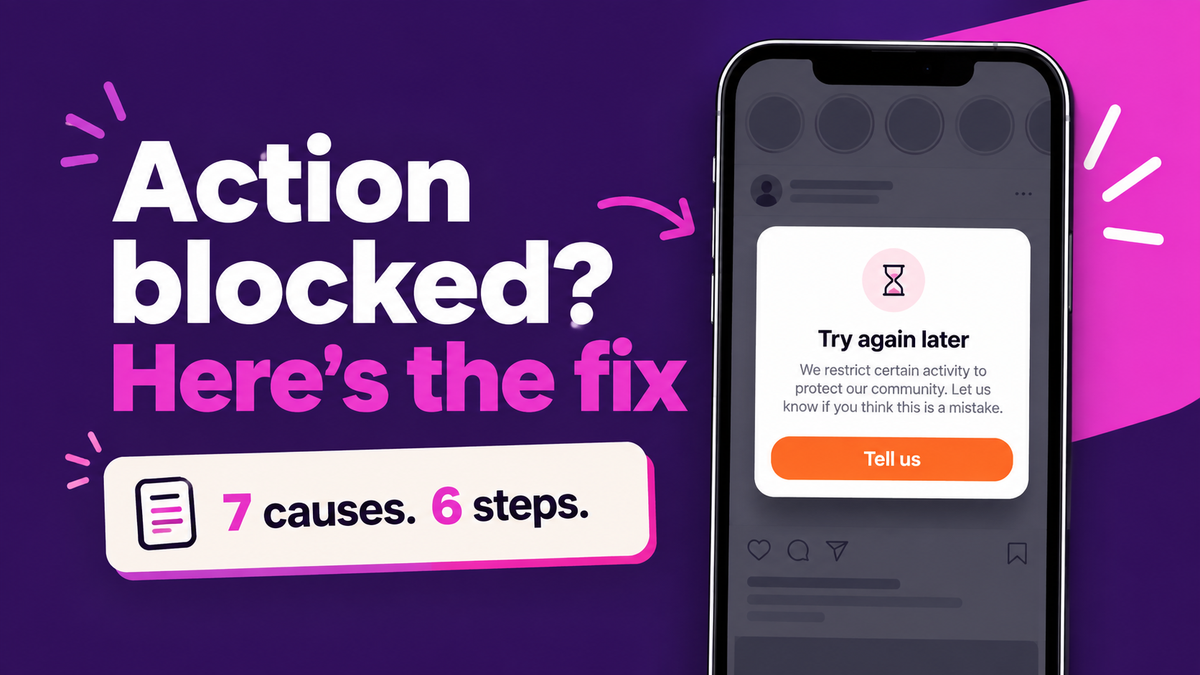
The mistake most people make after an action block on Instagram is tapping the same button again. An action block is a temporary limit on one feature, usually follows, likes, comments or DMs, triggered by spam-like pace, a password-based app, or a rules problem. Stop the action, check Account Status, remove risky apps, then wait.
Updated: September 2026
TLDR
- An action block limits one or two things your account can do. You can still log in and your posts stay up. It is not a suspension.
- The usual causes are bursts of the same action, apps you gave your password to, copy-paste comments or DMs, the 7,500-follow cap, removed content, and someone else in your account.
- Instagram publishes no duration for these limits. Most short ones clear once the activity stops; anything listed in Account Status comes with its own review option.
- Almost every "Instagram limit" number you read online is a community estimate. Only a few are official, and we list which ones below.
- Scheduling and DM tools that use the official Instagram API are not what gets accounts blocked. Password-based growth apps are.
Quick answers
- Is action blocked a ban? No. It limits specific actions while the rest of the account keeps working.
- How long does it last? Instagram doesn't say. Check Account Status rather than counting hours.
- Fastest fix? Stop the blocked action, remove password-based apps, change your password, and use the account by hand.
- Can I appeal? Only where Instagram offers "Request a review" or a "tell us" option. Use it once.
- Do API tools cause it? Not through the official API, which enforces Meta's own limits server side.
Table of contents
- What does action blocked mean on Instagram
- What causes an action block
- How to fix an action block
- How long does an action block last
- Which Instagram limits are actually official
- Can automation tools cause an action block
- Frequently asked questions
- Sources
What does action blocked mean on Instagram
You tap Follow, or reply to a comment, and a box appears: "Try again later. We restrict certain activity to protect our community." Some people get "We limit how often you can do certain things on Instagram" instead.
What they have in common: the account itself is fine. You can log in, your grid is intact, and usually you can still post. One action, or a small group of them, won't go through. Instagram's Account Status page is where you can see whether the limit is attached to a rules issue, listed under "Features you can't use."
That makes it a different problem from a disabled or suspended account, where the whole profile goes dark. If you're seeing "We suspended your account" rather than a pop-up, you need our guide to appealing an Instagram suspension instead, and ReelDrop's explainer on why Instagram accounts get banned covers the causes at that level.
What causes an action block
Instagram rarely tells you which action tripped the limit. Between its own help pages and what creators consistently report, seven causes cover nearly every case.
1. Bursts of the same action
Following 60 accounts in ten minutes, liking a hashtag feed top to bottom, or leaving a comment on every post in a thread. The pace looks automated even when it's your thumb. It's the most common trigger.
2. An app you gave your password to
Follower apps, auto-likers, "engagement boosters" and some older schedulers log in as you. Instagram's page on data scraping restrictions says unauthorized automated collection breaks its Terms of Use and leads to restriction. Back in 2018, Instagram said it would remove likes, follows and comments generated by third-party growth apps and prompt affected users to change their password to cut the app off.
3. Copy-paste comments and DMs
Pasting the same "DM me for details!" under 40 posts, or sending one promo message to a list of strangers. Instagram's Community Guidelines ask people not to post repetitive comments or contact others repeatedly for commercial purposes without consent. Identical text at volume is exactly what spam filters look for.
4. The 7,500 follow cap
If every new Follow fails and you already follow thousands of accounts, you may have hit a hard limit rather than a block. Instagram's help center states that no one can follow more than 7,500 people, to reduce spam. Waiting won't fix this one. Unfollowing will.
5. Content that broke a rule
Posts, stories or comments removed for a violation show up in Account Status under "Removed content," and repeated removals can lead to features being limited.
6. Someone else in your account
If you didn't do anything unusual, check whether someone else did. A stranger with your password spamming follows counts against your account, not theirs. Check login activity, and if anything looks wrong, secure the account through instagram.com/hacked before anything else.
7. A false positive
Automated systems get things wrong. In Meta's Q3 2025 enforcement data, enforcement precision on Instagram was reported at over 87%, which leaves room for mistakes at Instagram's scale. If none of the six causes above fit, this is probably what happened, and it's the case where a review request makes the most sense.
How to fix an action block
None of these steps lifts a limit instantly. Together they remove the cause, which is what lets it lapse.
- Stop the blocked action. Don't retry the Follow or Send button. Repeated attempts are the same pattern the limit is designed to catch.
- Open Account Status. From your profile, open the menu and find Account Status (below "More info and support"). Check "Features you can't use" and "Removed content," and screenshot both with the date visible.
- Remove password-based apps and change your password. Revoke any app you typed your Instagram login into, then change your password. Per Instagram's data scraping page, a password change logs out every session, including the app's.
- Turn on two-factor authentication and check login activity. Remove any device you don't recognize. If you find one, treat it as a possible hack first.
- Ask for a review once. If Account Status offers "Request a review," or the pop-up has a "tell us" option, use it one time with a short, factual note. Instagram's review help page describes the flow from Account Status.
- Use the account by hand, slowly. Post your own content and answer real messages. Avoid bulk following, liking or commenting for the next few days, and fix any automation that sends identical text
How long does an action block last
Instagram doesn't publish a duration, and anyone quoting a fixed number (24 hours, 48 hours, "a week for repeat offenders") is repeating community folklore. Short automated limits tend to clear within a day or two once the activity stops. Limits tied to removed content follow whatever Account Status shows.
Reviews are slower. AwareXone, reading Instagram's review help page in September 2026, reports that Instagram says a response can take up to 90 days and that requests can be closed without anyone looking at them.
Reinstalling the app, switching phones or turning on a VPN won't reset anything. The limit sits on the account, not the device.
Which Instagram limits are actually official
Search "Instagram limits" and you'll find confident tables of likes per hour and follows per day. We went through them and sorted out which numbers Meta actually publishes and which ones creators and vendors reverse-engineered. Official figures turned out to be rare, and none cover likes, comments or follows per hour.
| Limit | Figure | Status | Source |
|---|---|---|---|
| Accounts you can follow in total | 7,500 | Official | Instagram Help Center |
| Posts published through the API | 100 per 24 hours | Official | Meta for Developers |
| Automated reply window after a user messages you | 24 hours (7 days for a human agent) | Official | Meta messaging policy |
| Likes per day | About 1,000 (20 per hour for new accounts) | Reported | Metricool |
| Follow or unfollow actions per day | About 150, paced near 10 per hour | Reported | Metricool |
| DMs per day on a new account | 20 to 50, rising with account age | Reported | Metricool |
| Comments per hour | No reliable figure | Unknown | Not published |
Treat the "reported" rows as a speed limit sign someone else painted. They're useful for pacing a brand new account and useless as a guarantee, because Instagram's thresholds vary by account age, history and behavior. The honest rule of thumb: if you're doing something faster than a person reasonably could, slow down.
Can automation tools cause an action block
That depends on how the tool connects.
Password-based tools log in as you and imitate taps on a phone or browser. Instagram can't tell that from a hijacked account, so it responds the same way. Growth bots, auto-followers and "unlimited DM" apps work this way.
Official API tools never see your password. You authorize them on Instagram's own login screen, they receive specific permissions you can revoke, and Meta enforces its limits on every call. Buffer, Later, Metricool, ManyChat and ReelDrop all work this way. ReelDrop is our product, so weigh this accordingly: it's a Meta Tech Provider that requests five scoped permissions and never asks for a password. Its DM send limits page is blunt about this: it sets no daily DM cap of its own, because Instagram refuses excess sends server side and they simply don't go out.
Even a legitimate tool can make you look spammy if you configure it badly. The pattern to avoid is one identical reply sent hundreds of times under a viral post. Keep several public reply variants, set a reply limit on posts you expect to travel, and test new automations on a small post first. ReelDrop's longer guide on whether Instagram DM automation is safe covers the policy side, and our safest Instagram tools roundup compares tools on exactly this axis.
If your reach dropped along with the block, run the free Instagram shadowban checker to scan for restricted hashtags, and read our guide to checking for an Instagram shadowban.
Frequently asked questions
How long does an action block on Instagram last?
Instagram does not publish a duration. Short automated limits usually clear within a day or two once you stop the activity that caused them. If Account Status lists a restriction under features you can't use, follow the options shown there instead of counting hours, because that kind of limit is tied to a rules issue.
Can you appeal an Instagram action block?
Sometimes. If the pop-up offers a way to tell Instagram it made a mistake, or Account Status shows a Request a review button, use it once with a short factual note. Plain pace limits often have no appeal option at all. In that case, fixing the cause and waiting is the only route.
Why was I blocked when I barely used Instagram?
Something else may be acting on the account. Check for connected apps you once gave your password to, look at login activity for unknown devices, and review Account Status for removed content. If all three come back clean, it may be a false positive, which is the case where a review request makes the most sense.
Does a VPN or new phone remove an action block?
No. The restriction sits on your Instagram account, not your device, IP address or app install. Switching phones, reinstalling or logging in through a VPN does nothing to it, and a sudden location change can look suspicious on its own. Stop the blocked action and fix the underlying cause instead.
Do scheduling apps cause action blocks?
Schedulers built on the official Instagram API do not, because you authorize them on Instagram's own login screen and Meta enforces its publishing limit of 100 API posts a day on every call. Apps that ask for your Instagram password are the risk, since they log in as you and imitate taps.
Can an action block lead to a disabled account?
Not on its own, but it can be an early warning. Repeated rule violations and removed content can escalate to losing the account, so treat a block as a prompt to find and remove the cause. Keep screenshots of Account Status in case you need them for a later appeal.
Sources
- Instagram Help Center: Check your Account Status
- Instagram Help Center: Following limit (7,500)
- Instagram Help Center: Restricted for data scraping
- Instagram Help Center: Changes to likes, follows or comments
- Instagram Help Center: Ask for another review
- Instagram Community Guidelines
- Instagram: Removing fake likes, follows and comments (2018)
- Meta for Developers: Content Publishing limits
- Meta: Messenger Platform and IG Messaging API policy
- Social Media Today: Meta's Q3 2025 enforcement data
- Metricool: Instagram limits in 2026 (community estimates)
- AwareXone: Instagram "Try again later" explained (September 2026)
- Instagram: Hacked account recovery
- Is ReelDrop safe?
- DM send limits and account safety
- Free Instagram shadowban checker
- Instagram account suspended? How to appeal