Is ManyChat Safe for Instagram in 2026?
Yes, ManyChat is safe to connect. Your account's safety depends on the flows you build. Here is what we checked and where the risk sits.

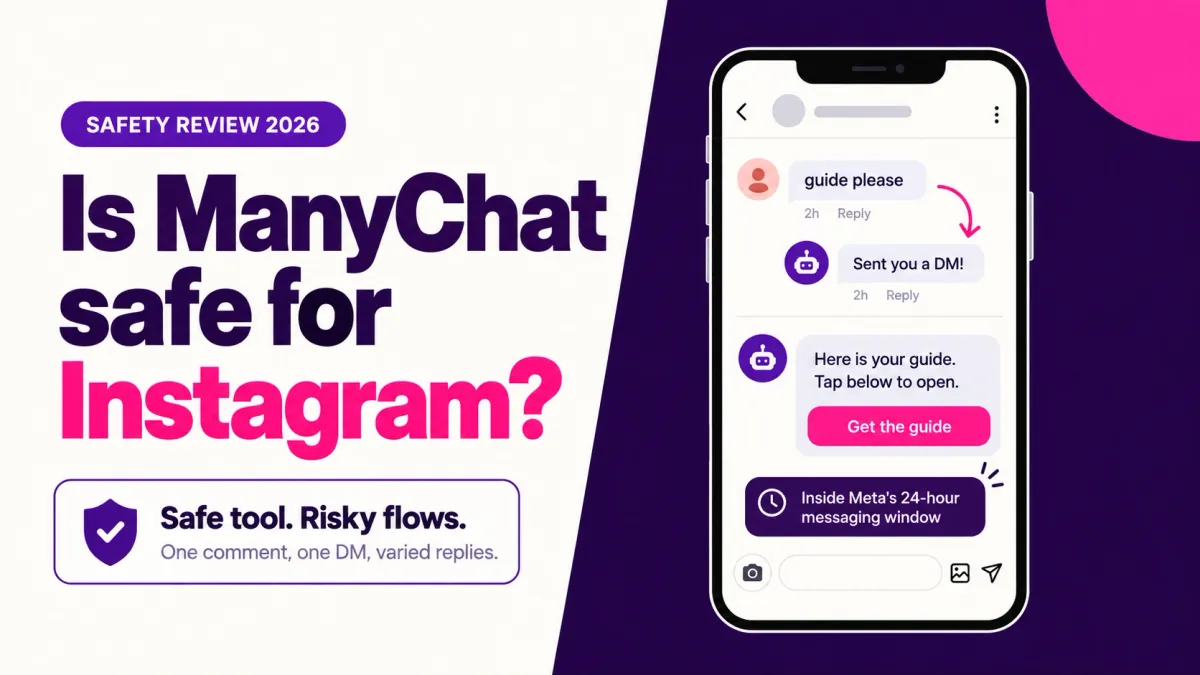
Yes, ManyChat is safe to connect to Instagram. It runs on Meta's official API, says it is a Meta Business Partner, and holds an independent SOC 2 Type II report. What keeps your account safe is how you use it: identical public replies, pushy follow-ups and stacked automations are what trigger restrictions.
Updated: October 2026
TLDR
- ManyChat connects through Instagram's official login and API, so it never needs your password.
- It publishes ISO 27001 and SOC 2 Type II certifications and describes itself as a Meta Business Partner.
- Restrictions come from behavior: identical replies, messages outside Meta's windows, and sudden volume spikes.
- ManyChat says it cannot reverse a Meta ban, so build flows that read like help, not blasts.
Quick answers
- Does ManyChat need my Instagram password? No. You approve access on Instagram's own permission screen.
- Is ManyChat a Meta partner? It says it is a Meta Business Partner. Check Meta's partner directory before you rely on that.
- Can ManyChat get me banned? The tool alone does not. Meta restricts behavior, and forum reports tie bans to bursts of identical replies.
- Is there an hourly DM limit? Meta's private reply page lists none. Vendor guides cite roughly 200 messages an hour per account.
- Can ManyChat restore a banned account? No. ManyChat says Meta alone holds that power.
Table of contents
- Is ManyChat safe to connect to Instagram?
- Is ManyChat really an official Meta partner?
- How does ManyChat handle your data?
- What actually gets Instagram accounts restricted?
- Which ManyChat flows carry risk?
- What do ManyChat users report?
- How do you set up ManyChat safely?
- Where does ReelDrop fit?
- Frequently asked questions
- Sources
Is ManyChat safe to connect to Instagram?
"Safe" means two things here, and most reviews blur them. Platform safety asks whether the tool handles your login, your data and Meta's rules properly. Account safety asks whether the automations you build will get your profile limited. ManyChat does well on the first. The second is mostly up to you.
ManyChat connects through Meta's official Instagram API, the channel Meta built for businesses to message customers. That is a different category from the password-sharing growth apps Instagram began removing in 2018, when it said it would take down fake likes, follows and comments and prompt affected users to change their passwords.
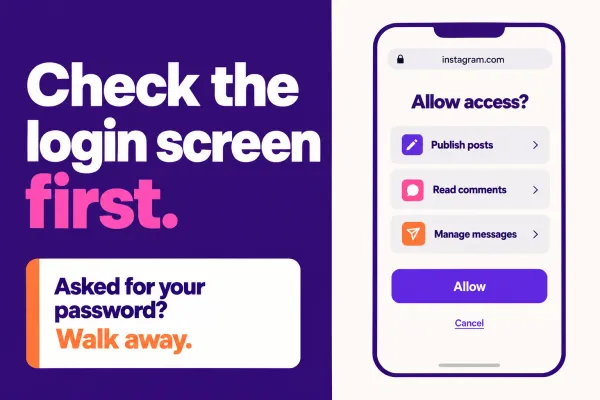
You can check the connection yourself. During signup the login screen should sit on instagram.com, not on the tool's own domain, and afterward the app should appear in Instagram's Settings under Website permissions. ReelDrop's safety page walks through the same four-step check for any tool.
Is ManyChat really an official Meta partner?
ManyChat's blog says it is an official Meta Business Partner that works through Instagram's official APIs and meets Instagram's product team weekly. The post gives no program name and no start date.
Meta's directory is where the claim can be checked. ManyChat's explainer on partner status says Business Partners are companies Meta has vetted and listed, and that messaging partners need a minimum message volume over 90 days plus compliant block rates. We could not confirm the listing ourselves because Meta's partner pages block automated fetches, so search the directory before you rely on the badge.
One more distinction. Tech Provider is a separate Meta program for software that handles data on behalf of other businesses. ReelDrop's comparison page calls both tools Meta Tech Providers on the official API and lists ManyChat as a Business Partner as well. ReelDrop is not in the Business Partner directory. Neither status gives ManyChat rescue powers: it says it has no hotline to reinstate accounts and cannot reverse a ban.
How does ManyChat handle your data?
ManyChat's security page lists ISO/IEC 27001:2022 certification from BSI, a SOC 2 Type II audit by A-LIGN, ISO/IEC 42001:2023 for AI management, and EU-US Data Privacy Framework participation. It states TLS in transit, AES-256 at rest, and production data held in AWS data centers in Frankfurt, with GDPR and CCPA commitments. Accounts inactive for 18 months are flagged for removal. ManyChat announced its first SOC 2 Type 2 report in November 2023.
All of that is ManyChat describing itself, and audit reports usually need a request. They also cover ManyChat's systems, not your flows. A clean audit tells you nothing about whether your comment replies will draw Meta's attention.
What actually gets Instagram accounts restricted?
Meta's rules decide this, whichever tool sends the message. ReelDrop's guide to whether Instagram DM automation is safe covers the general case. Three rules matter for comment-to-DM:
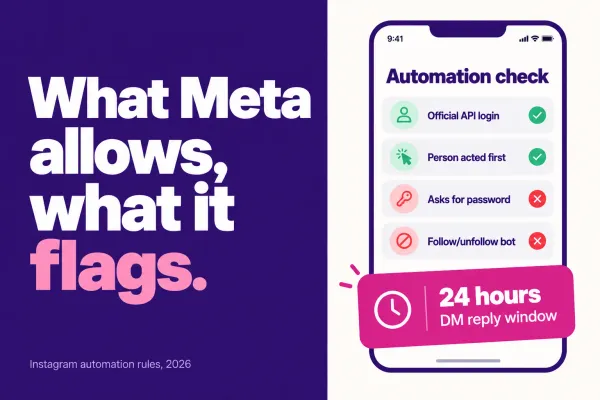
- A private reply to a comment is one message, sent within 7 days of the comment. More messages are allowed only after the person replies, and then only one within 24 hours of that reply, according to Meta's developer docs.
- The standard messaging window is 24 hours after a person's last interaction. A Human Agent tag stretches that to 7 days, but only for messages a human sends manually, per Meta's messaging policy.
- Identical text posted at volume is the pattern ManyChat's own community moderators warn about.
On hourly caps, the private reply page we checked lists none. Spur's January 2026 guide puts the platform limit at about 200 messages an hour per account and says extra messages queue instead of drawing penalties. Treat that as a vendor estimate, not Meta policy.
ManyChat's January 2026 guidance adds that it blocks promotional messages outside the 24-hour window, offers Smart Delays of up to 10 seconds between messages, and pauses automation near Meta's warning thresholds. Those are good guardrails. They are also ManyChat's description of its own product.
Which ManyChat flows carry risk?
We sorted common flows by how closely they match what Meta documents. The risk column is our read, not Meta policy.
| Flow | Our read | Why | Safer version |
|---|---|---|---|
| Comment keyword, one DM with one link | Low | Matches Meta's private reply mechanism: one message within 7 days | Keep it to one message and a button |
| Same public reply under every comment | Medium to high | Identical text at volume is the pattern moderators tie to comment bans | Rotate several replies, or skip the public reply |
| Automated follow-up after 24 hours | High | Promotional automated messages outside the window are not allowed | Ask for an opt-in first, or reply by hand within 7 days |
| Broadcast to old contacts | High | People who have not recently interacted sit outside the window | Message recent contacts only, or use an approved non-promotional tag |
| Two tools answering one trigger | Medium | Duplicate replies read as spam, and stacking tools shows up on risk lists | Leave one tool per account |
| Story reply auto-answer | Low | The person started the conversation, so the 24-hour window is open | Keep it to one short reply |
The stacking row comes from Dealism's September 2026 guide, which also lists unsolicited messages and follow-ups past the window as the main risk patterns.
What do ManyChat users report?
Restriction reports exist, so it is fair to look at them. In September 2024 a user said their account received a commenting ban after a day of heavy comment-to-DM automation. A community moderator called it an issue on Instagram's side and advised several different automated replies, pausing automations during spikes, and mixing in organic engagement.
In June 2026 another user wrote that five accounts hit identity checks and bans after they connected ManyChat, and blamed Meta's systems for misflagging it. No ManyChat staff replied in the thread, and the user described 2,000 to 3,000 messages a day, which is a heavy load.
A forum thread is not a measurement. We found no Meta statement naming ManyChat as a cause, and the posters cannot separate the tool from their own volume. If your reach drops after you switch on automation, run the free shadowban checker for a symptom check, and read our guide to action blocked errors if Instagram shows a restriction message.
How do you set up ManyChat safely?
- Connect from Instagram's own login screen, read the permission list, and confirm the app appears under Settings, Website permissions afterward.
- Write several public reply variants. Deleting all but one is the quickest way to make an automation look automated.
- Send one DM per comment, with one link button.
- Keep follow-ups inside the 24-hour window and turn on Smart Delays between messages.
- Switch off any other tool that listens to the same comments or messages.
- Pause or limit the flow when a post spikes, and answer complicated questions yourself.
Where does ReelDrop fit?
ReelDrop is our product, so weigh this section accordingly. It is a Meta Tech Provider on the same official API, which means the same Meta rules and the same table above apply to it. The differences are practical. ReelDrop is Instagram only, prices by automation count instead of contacts (5 active automations free, unlimited on the $9.99 a month Influencer plan), and is far younger. ManyChat covers more channels, charges by active contact (free up to 25 contacts, then $14 a month for 250), and has audit reports behind its security claims. ReelDrop's limits page explains its reply variants and why it publishes no hourly DM cap. Our DM automation roundup and the safest tools list cover the wider field.
Frequently asked questions
Can ManyChat get my Instagram account banned?
ManyChat itself is not what Meta bans. Meta restricts behavior, such as bursts of identical replies, messages outside its windows, or unsolicited outreach. Forum reports link comment bans to heavy automation on busy posts, and ManyChat says it cannot reverse a restriction. Vary your replies and keep flows inside the 24-hour window.
Does ManyChat ever see my Instagram password?
No. ManyChat connects through Meta's official API, so you sign in on Instagram's own screen and approve a permission list. The tool receives an access token you can revoke instead of your password. Confirm the address bar shows instagram.com during signup, and check Settings, Website permissions afterward to see or remove the connection.
Is the free ManyChat plan safe to use?
It follows the same rules as paid plans, so the safety profile is the same. The free plan covers 25 active contacts a month, two channels and up to four basic automations, and it adds Powered by Manychat branding. The practical risk is outgrowing the contact cap, not Meta enforcement.
What happens to ManyChat billing when a post goes viral?
ManyChat bills by active contact. Pro includes 2,500 and charges $0.05 for each extra one, according to its pricing page. A community moderator said in 2024 that automations keep running past the threshold while billing rises automatically. A viral post can raise your bill and your restriction risk together, so limit the flow during spikes.
Can ManyChat recover a banned Instagram account?
No. ManyChat's own blog says it has no hotline to reinstate accounts and cannot reverse bans, because Meta holds that power. If a restriction hits, use Instagram's in-app review option, keep screenshots of the notice, and avoid launching new automations until the account status clears.
How long after a comment can ManyChat send a DM?
Meta allows one private reply per comment, within 7 days of the comment. Anything further needs the person to reply, after which the standard 24-hour window applies. Only a human using the Human Agent tag can reach out up to 7 days later. Automations cannot use that tag.
Sources
- Manychat: Is Manychat officially approved by Instagram?
- Manychat: What it means to be a Facebook Business Partner
- Manychat: Privacy and security
- Manychat: SOC 2 Type 2 announcement
- Manychat: Pricing
- Manychat: A guide to tasteful automation
- Manychat community: commenting ban thread
- Manychat community: Meta AI flags Manychat thread
- Meta for Developers: Private replies
- Meta for Developers: Messenger Platform and IG Messaging API policy
- Instagram: Removing fake likes, follows and comments
- Spur: Instagram DM automation rules
- Dealism: Is ManyChat safe for Instagram?
ReelDrop vs ManyChat, Is ReelDrop safe?, DM send limits and account safety.