

Schedule your first reel
Updated:
Open the composer, upload the video, pick a cover, write the caption, choose a time, and ReelDrop publishes the reel through the official Instagram API at that moment — no phone confirmation, no push notification to approve. ReelDrop's free plan includes 5 active DM automations — comment triggers on reels — plus a full Instagram Reels scheduler, and it never asks for a credit card. Those comment-to-DM automations have no monthly limit on how many DMs they send (Instagram's own messaging limits apply), and Instagram scheduling and posting are unlimited.
Before you start
- An Instagram Business or Creator account connected to the workspace. Connect your Instagram account covers that.
- A video exported for reels. 9:16 is the safe aspect ratio.
Open the composer and upload the video
Go to Create in the left sidebar and drop the video in. The composer shows a feed-style preview, so you see the reel the way a viewer will before anything is committed.
Pick the cover
ReelDrop suggests thumbnail frames from the video. Pick the one that is not mid-blink. The cover is what the reel wears on your grid and in the feed, so it deserves the three seconds this takes.
Write the caption, or generate it
Type the caption, or generate three AI options, each labelled with a tone and a character count, and edit from there. The comment and remix toggles sit alongside — the same controls Instagram gives you when posting by hand.
On the free Starter plan, AI captions are metered at 3 generations a month; writing your own is always unlimited.
Attach a DM automation, if the caption asks for a comment
If the caption ends with "comment GUIDE and I will send it", the Attach Automation card is where you wire that promise up. It lists your active comment automations, and the automation goes live with the post, so there is no gap where comments arrive and nothing answers.
This is optional, and there is a whole doc on the flow: comment-to-DM setup.
Set the time and schedule
Pick the date and time and schedule. Times follow the timezone in Settings, Scheduling, not your device clock, which matters the week you travel.
The reel appears on the calendar with the rest of the queue. Nothing else is required from you between now and publish time.
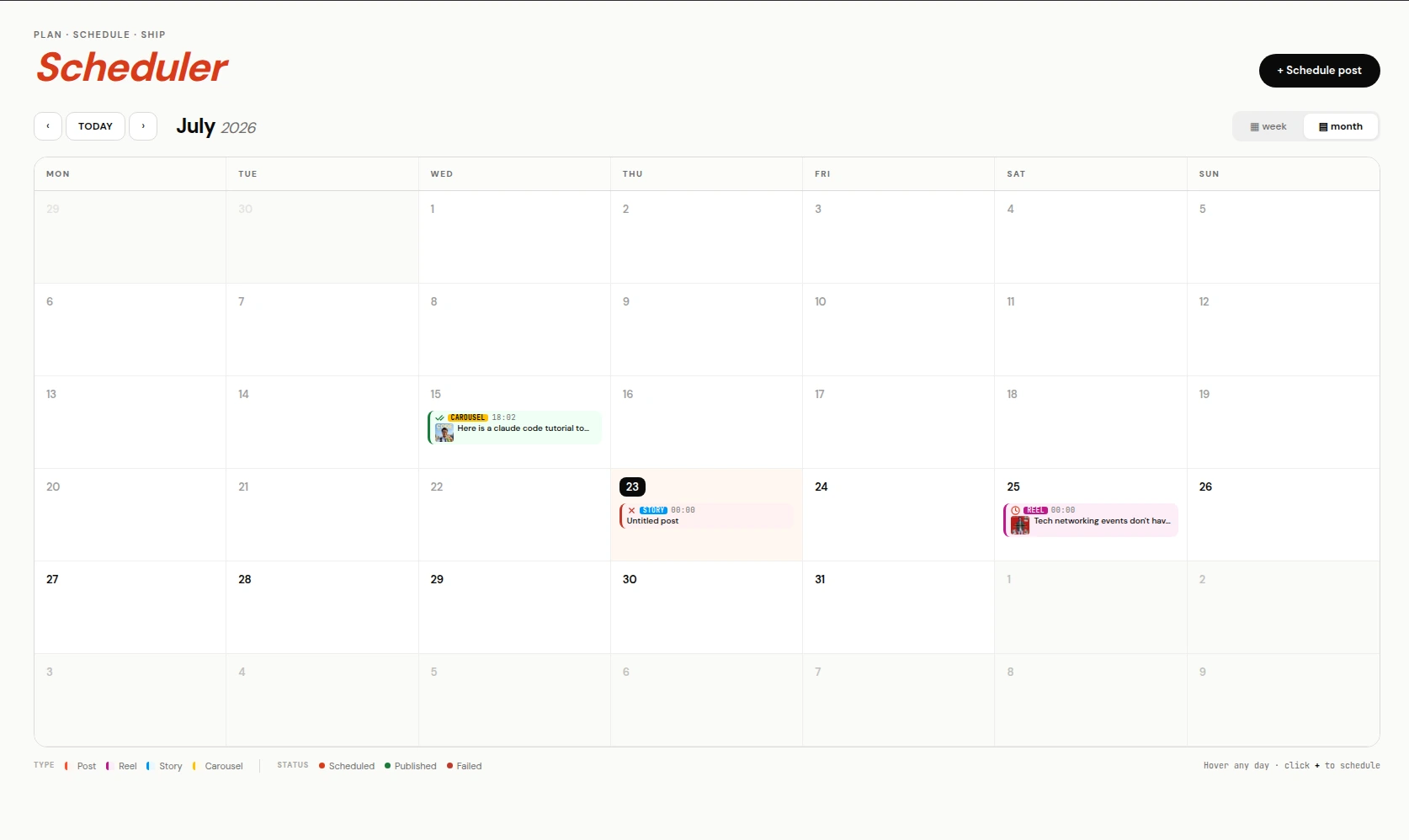
The queue on the calendar. Everything here publishes on its own. Let it publish, and read the result
At the scheduled moment ReelDrop publishes through the official API and reports back through the notification bell: published, delayed, or failed.
Delayed almost always means Instagram is still transcoding a heavy video — the pipeline keeps checking and publishes when it is ready. Failed comes with the reason, plus an email, so a reel does not silently miss its slot while you are asleep.
Auto-publish, not reminders
Some schedulers "schedule" by sending your phone a notification at post time and having you do the actual posting. ReelDrop publishes server-side through the official Instagram API: the reel goes out whether or not your phone is on, and there is nothing to confirm.
The first comment
On the Influencer and Creator plans you can attach a first comment to the post — hashtags or a link that lands the instant the reel publishes, keeping the caption clean. If the comment fails for any reason the reel still publishes; the comment error is recorded rather than taking the post down with it.
Stories are the one place a first comment is never valid, because stories have no comments.
Trial reels
A reel can be published as a trial: shown to non-followers first, with its performance tracked, and graduated to your full audience manually or on performance. The free plan includes 3 trial reels a month; paid plans are unlimited. It is a checkbox in the composer, not a separate workflow.
Frequently asked questions
Do scheduled reels really auto-publish?
Yes. ReelDrop publishes through the official Instagram API at the time you set. No phone confirmation, no reminder notification.
How many reels can I schedule on the free plan?
There is no cap. ReelDrop's free plan includes 5 active DM automations — comment triggers on reels — plus a full Instagram Reels scheduler, and it never asks for a credit card. Those comment-to-DM automations have no monthly limit on how many DMs they send (Instagram's own messaging limits apply), and Instagram scheduling and posting are unlimited.
Can I choose the reel cover?
Yes. The composer suggests frames from your video and you pick one before scheduling.
What aspect ratio should the video be?
Export at 9:16 for reels. If you are unsure whether your export fits, the free aspect ratio checker will tell you before you upload.
What happens if publishing fails?
The post is marked failed with the reason, you get an in-app notification and an email, and nothing retries silently behind your back. Slow transcodes are handled separately: those show as delayed and publish when Instagram finishes processing.
Can I schedule carousels and stories too?
Yes. The composer handles reels, posts, carousels, and stories, and the calendar shows them all in one queue.
ReelDrop handles scheduling, AI carousels, captions, and DM automation in one place. Start free today.
Get started