

Comment-to-DM setup on a scheduled post
Updated:
Comment-to-DM is the loop where someone comments a keyword on your Reel and gets a DM with your link. In ReelDrop you attach that automation in the composer while you are picking the time slot, so it is running the second the Reel publishes rather than whenever you remember to wire it up.
Before you start
- A comment automation that exists already. Create your first DM automation walks through the builder.
- Set its post target to Attach while posting if the Reel is not published yet. Any active comment automation shows up in the composer, but an attach-while-posting one sorts to the top with a "Ready to attach" badge and cannot fire on the wrong post while you are still writing the caption.
- The automation has to be active. Paused automations do not appear in the picker.
Build the automation first, leave it unattached
In the builder, set the post target to Attach while posting. The automation saves in a dormant state: it is active, but it is not watching anything yet, so it cannot fire on the wrong post while you are still writing the caption.
In the composer it shows up with a "Ready to attach" badge and sorts to the top of the list, ahead of automations already bound to other posts.
Open the composer and build the post
Go to Create in the sidebar, upload the Reel, and write the caption. End the caption on the line that makes the whole thing work: comment GUIDE and I will send it over. The keyword in the caption has to be the keyword in the automation, which sounds obvious right up until the day it is not.
Attach the automation
Find the Attach Automation card, marked with a lightning icon. Its subtitle reads "Auto-DM commenters when this goes live". It lists your active comment automations, three at a time, with a More automations button if you have more.
Click the one you want. A check mark confirms the selection. None is the default and means the post publishes with no automation attached.
If you have not built it yet, Create Automation opens the builder in a new tab so the post you are halfway through is never lost. When you save over there, the list here refreshes on its own. There is nothing to reload.
Schedule the post
Pick a date and time and schedule as normal.
The automation binds to the post at publish time. There is no window where the Reel is public and the automation is not yet listening.
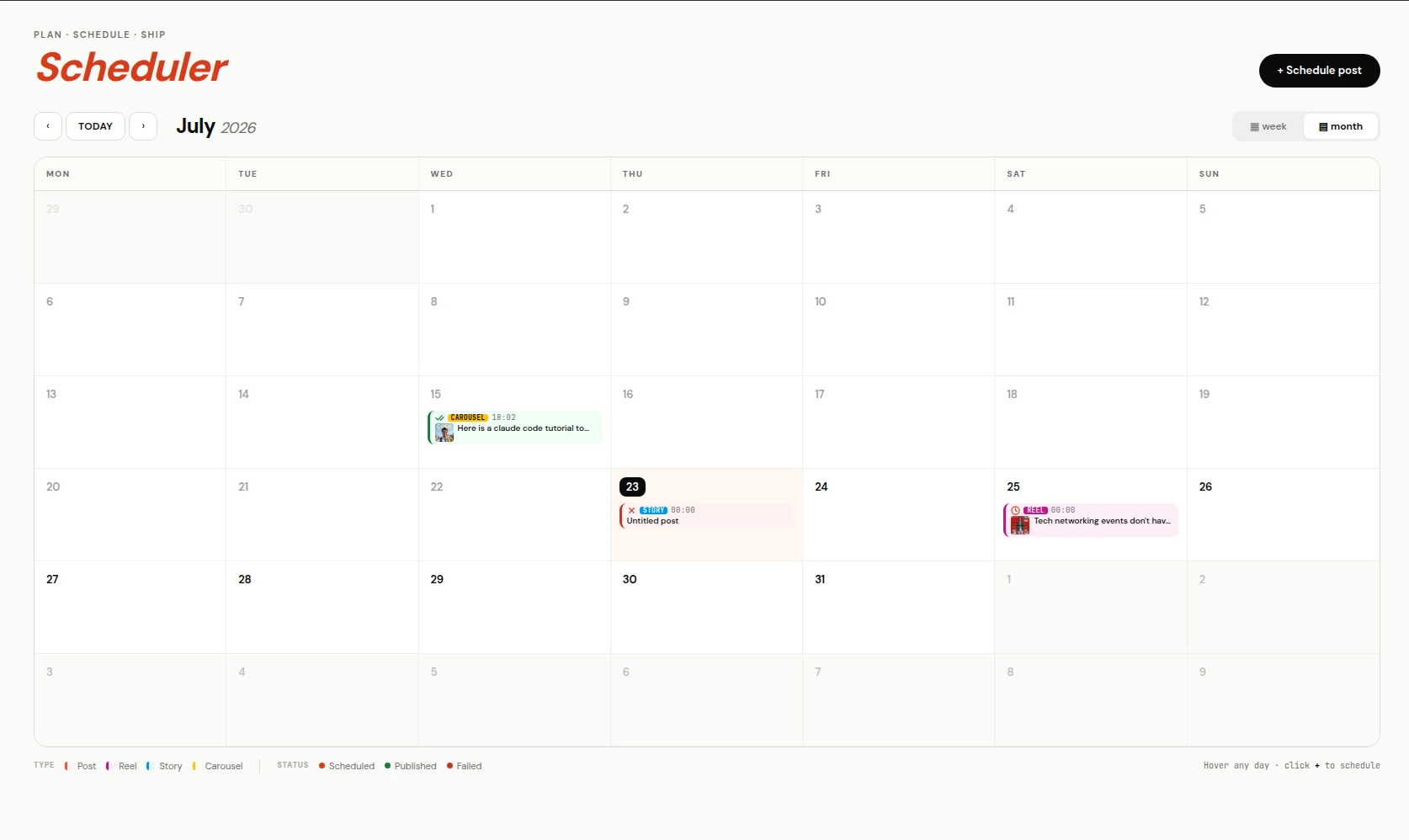
Scheduled posts on the calendar. Attached automations go live with them. Attach to something already published, if you missed the moment
Open the automation, change the post target to Specific reel or Specific post, and pick it from the grid of your recent media.
If comments already arrived while the automation was off, use Retrigger from the row menu on /automations. It replays existing comments through the automation: up to 250 comments per post, across a maximum of five posts. Comments already handled are skipped, so it is safe to run.
Why the automation lives in the composer
The usual version of this workflow runs on two subscriptions. A scheduler publishes the Reel on Tuesday morning. Then you open a DM tool, find the post that just went live, and bind the keyword to it by hand. Two bills, two logins, and a gap between publish and wire-up where the Reel is collecting comments that nobody answers.
ReelDrop puts the automation picker in the same screen as the time slot, so the wiring happens before the post exists. ManyChat cannot do this half at all, because ManyChat has no post publishing. Several schedulers have added comment-to-DM over the past year, so this is one of the few tools that does both rather than the only one.
Stories work the same way, with one restriction
The story composer shows the same Attach Automation card, but it only lists story reply automations, and its subtitle changes to "Auto-DM people who reply to this story". Stories have no comments, so a comment automation would have nothing to match.
Story-reply triggers covers the differences that follow from that, including the 24-hour expiry.
When the picker is empty
An empty picker means there are no active automations of the right trigger type in this workspace. The usual causes:
- The automation is paused. Only active automations appear.
- The trigger type does not match. A story post only lists story reply automations; everything else lists comment automations.
- It was created in a different workspace. Automations belong to the workspace they were built in, and the picker only reads the current one.
Frequently asked questions
Can one automation be attached to more than one post?
Yes — pick several specific posts from the grid, or use the Scheduled target for a post you have queued. Attaching in the composer binds it to that one post in particular.
What happens to the automation if I delete the post?
The automation stays. It just stops receiving events from a post that no longer exists. Repoint it at another post or set it back to Attach while posting.
Does the automation fire on comments made before it was attached?
Not on its own. Instagram sends webhooks for new comments, so older ones are never delivered. Retrigger is the way to sweep them up: up to 250 comments per post across five posts.
Can I attach an automation to a carousel?
Yes. Any post that takes comments can carry a comment automation, including carousels published from the carousel lab.
Why does my automation show "Ready to attach"?
That badge means its post target is Attach while posting, so it is waiting for a post to claim it. It fires nothing until you attach it somewhere.
ReelDrop handles scheduling, AI carousels, captions, and DM automation in one place. Start free today.
Get started