Docs menuScheduling and publishing
Scheduling and publishing
Schedule an Instagram story
Stories are scheduled from the same Create page as reels and posts. Choose Story, add up to 10 photos or videos, put them in the order they should play, and pick a time or share them now. It works on every plan, including the free one, and stories do not count against any monthly allowance.
5 steps3 min readUpdated
On this page
Before you start
- An Instagram Business or Creator account connected to the workspace. Connect your Instagram account covers that.
- Photos (JPG, PNG or WEBP) or videos between 3 and 60 seconds long. Instagram shows stories at 9:16, so a vertical file fills the screen.
Step 1: Open Create and choose Story
Click Create in the left sidebar, then Story at the top of the page, next to Reel and Post. The heading changes to Create story.
The caption box goes away in Story mode, and so do the first comment and collaborators: Instagram takes none of them on a story.
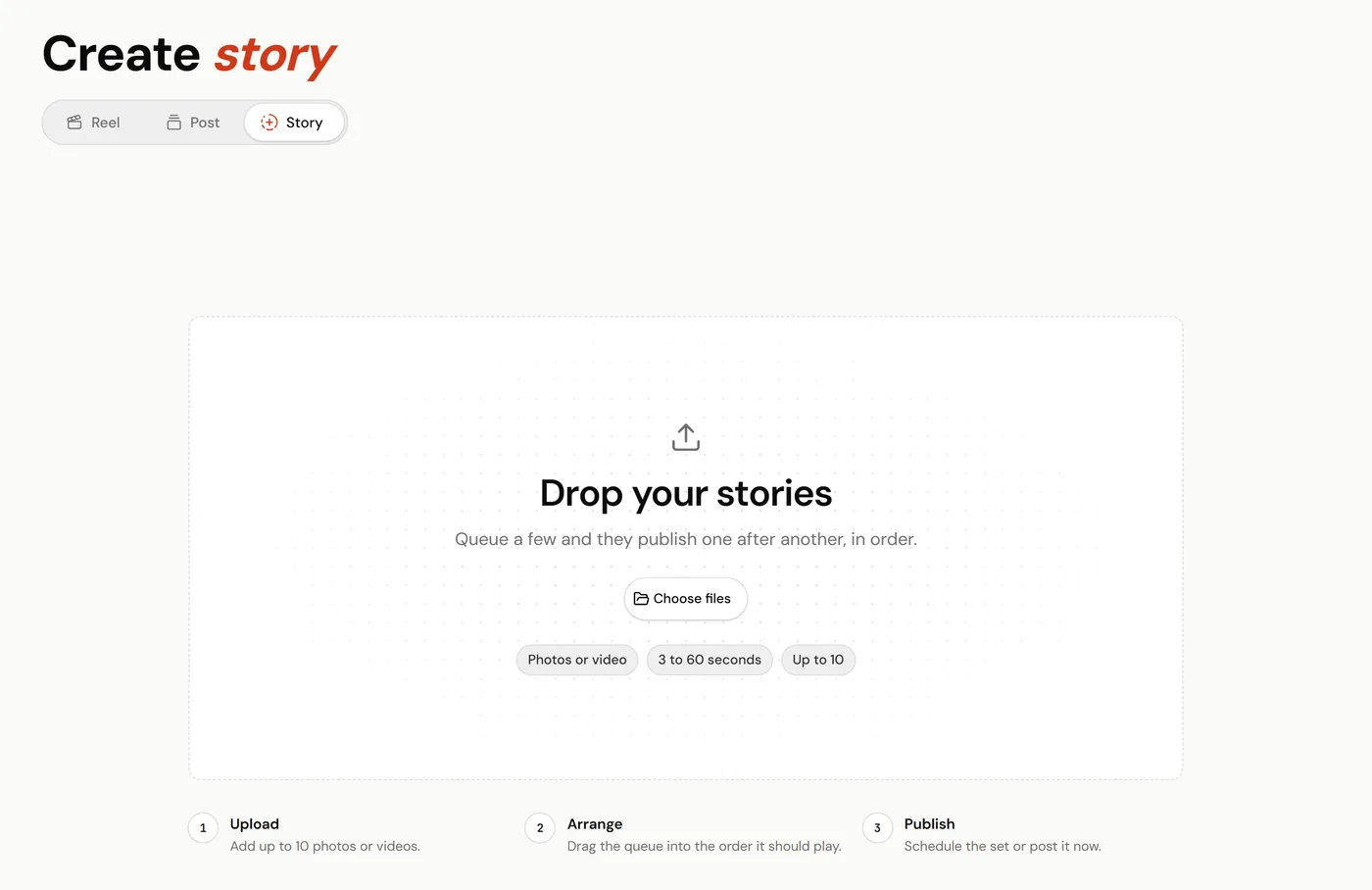
Story mode, before any files are added. Step 2: Add your photos and videos
Click Choose files, or drop files onto the page. Each file becomes one story, up to 10. After the first, the Add another story tile adds more.
Videos have to be 3 to 60 seconds long; a longer one is refused with "Story videos max out at 60 seconds. Trim it and try again." Formats other than MP4 and MOV are converted in your browser, and a video too big for Instagram is compressed before it uploads.
Step 3: Put them in order
The Story queue shows each file as a tile marked 1 of 3, 2 of 3 and so on. Drag a tile to move it. The stories publish in this order, one after another.
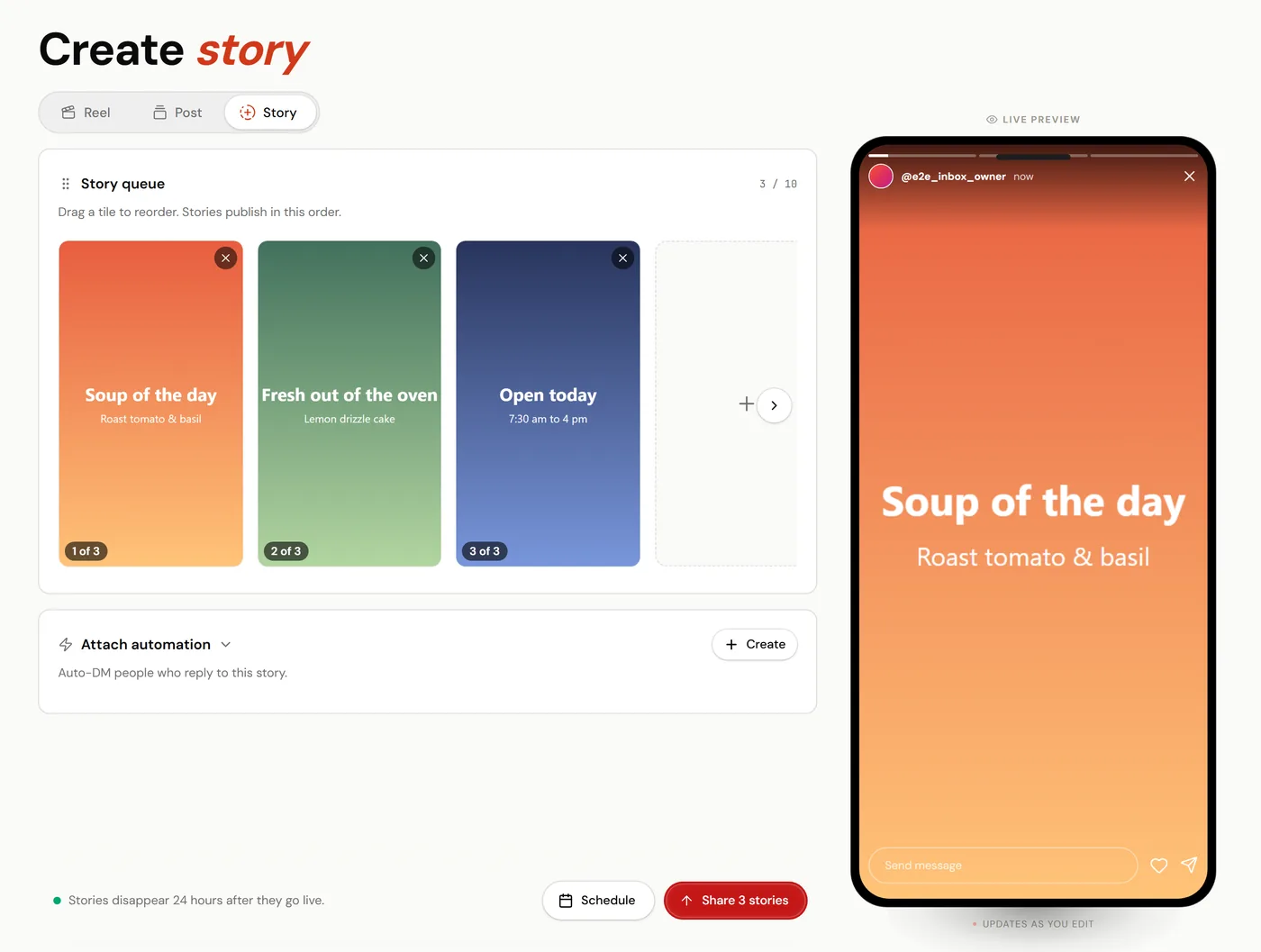
Drag a tile to change the order. Step 4: Attach an automation, if the story asks for replies
If the story says "reply GUIDE and I will send it", pick a story-reply automation in the Attach automation card, and everyone who replies gets the DM. This is optional, and it needs Influencer or Creator; on the free plan the card offers the upgrade instead.
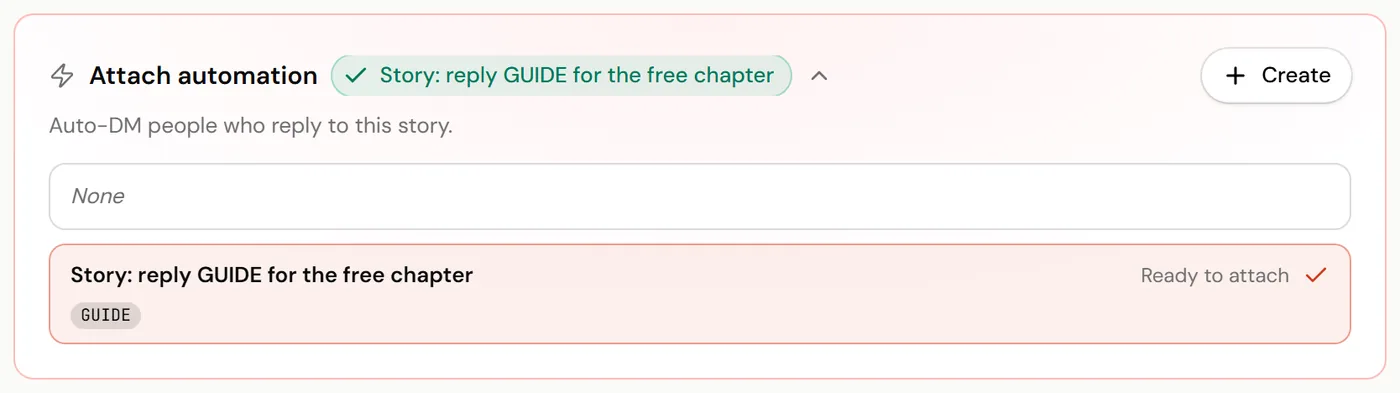
Auto-DM people who reply to this story. Step 5: Schedule, or share now
Click Schedule. In Schedule story, choose Schedule next slot to use your next posting slot, or Schedule custom time and pick the date and time, then click Schedule. Every story in the queue goes on your calendar at that time.
To post straight away instead, click Share to story. With more than one story in the queue the button reads Share 3 stories (or however many there are), and they go up in order.
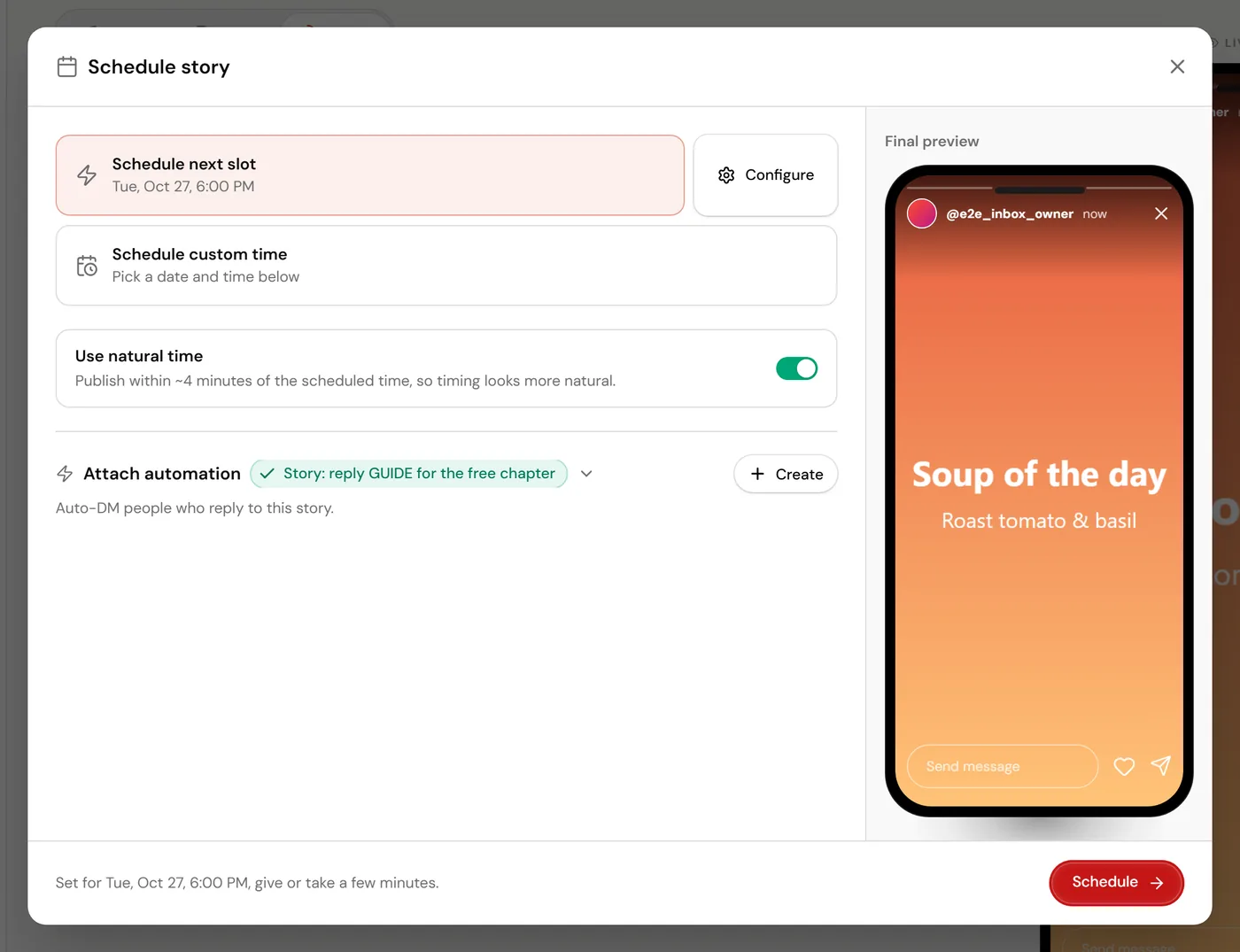
Pick the next slot or your own time.
What cannot be scheduled
Instagram's publishing API puts a photo or a video on your story and nothing else. Link stickers, polls, quizzes, question boxes, countdowns, mentions, locations, music and GIFs cannot be added through it, by ReelDrop or any other tool. Add them in the Instagram app once the story is live, or post that story from the app.
If some stories fail to schedule
The Schedule story window lists each story as scheduled, failed with the reason, or not started. Retry remaining tries the rest again, and a story that was already scheduled is never scheduled twice.
After it goes live
A story disappears from your profile 24 hours after it goes live, the same as one posted from the app. While it is live, ReelDrop records its views, reach, replies and taps every three hours, and Analytics ranks it under Top stories by engagement.
Frequently asked questions
Is story scheduling on the free plan?
Yes. Every plan can schedule and post stories from the web app, with no monthly cap. Story-reply automations and scheduling from Claude or ChatGPT start on Influencer.
Why is there no caption box?
Instagram's API takes no caption on a story. Put any text on the image or the video before you upload it.
Can each story go out at a different time?
Not within one queue: every story in it is scheduled for the same time and publishes in order. Schedule one queue, then build the next for its own time.
Can I add a link to a story?
Not through the API. Instagram's link sticker can only be added in the Instagram app. A story-reply automation is the usual workaround: ask people to reply, and the DM carries the link.
Can I edit a scheduled story?
Open it from the calendar and use Reschedule to move it, or Delete to take it off. To change the photo or video, delete it and schedule the new file.
Related
Something here out of date or missing a step? Tell us and we will fix it.
Stop managing Instagram. Start growing with it.
Sign up free for AI carousels, DM automation, captions, and scheduling: built for creators who post less and grow more.
Built in Toronto by Piyush Sachdeva.