Comment-to-DM on Instagram: How the "Comment X" Tactic Works in 2026
How Instagram comment-to-DM works: Meta's rules, the setup steps, keyword tips and the tools that can run it in 2026.

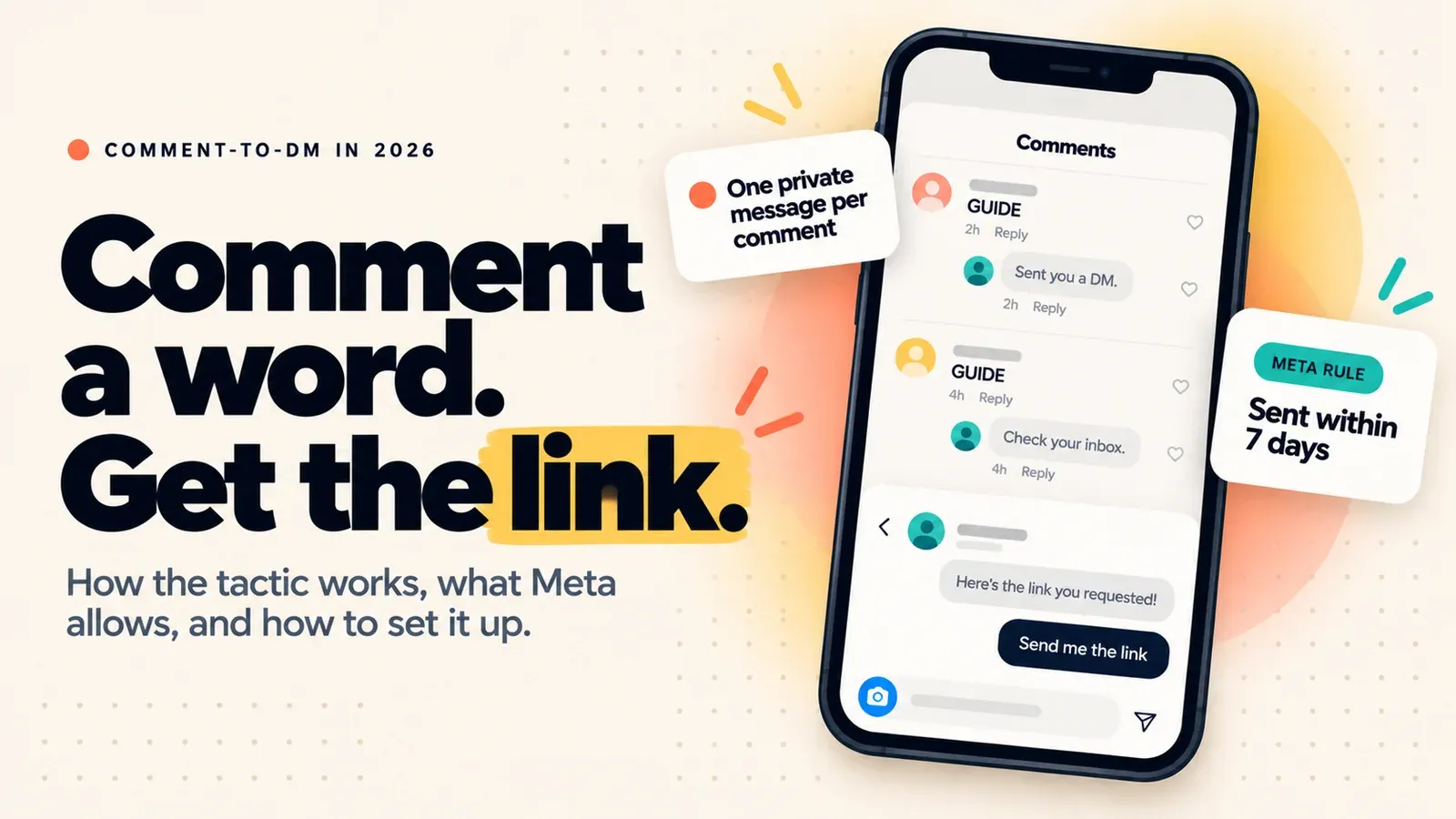
Comment-to-DM is allowed, and it works, as long as the tool runs on Meta's official API. Someone comments your keyword on a post or Reel, and an automation sends them one private message. Meta limits that to one message per comment, sent within 7 days, and any follow-up needs the person to reply first.
Updated: October 2026
TLDR
- Comment-to-DM sends a private reply to a person who commented a keyword. Meta documents it as "private replies."
- The rules are short: a professional account, one message per comment, 7 days to send it, and a follow-up only after they reply.
- Pick a distinctive keyword, say what happens in the caption, write your public replies as variants, and test from a second account.
- Meta Business Suite, ManyChat and ReelDrop can all run it. They differ on price, branching and how they bill a viral Reel.
Quick answers
- What is comment-to-DM? A keyword in a comment triggers an automatic private message with your link.
- Is it allowed? Yes, through the official Instagram API. Tools that ask for your password are a different story.
- How many DMs per comment? One. Meta allows a single private reply to each comment.
- How long do you have to send it? 7 days from the comment. For Live comments, only while the broadcast runs.
- Do you need a professional account? Yes, business or creator. Switching is free.
Table of contents
- How does comment-to-DM work?
- What does Meta allow?
- What happens when a Reel goes viral?
- How do you set it up?
- What makes a good keyword?
- Which tools can run it?
- What goes wrong?
- Is it against Instagram's rules?
- Frequently asked questions
- Sources
How does comment-to-DM work?
You tell your audience to comment a word, say GUIDE, under a Reel. An automation watches the comments, spots the word and sends that person a DM with what you promised.
Under the hood, Instagram notifies the tool every time a comment is created. The tool checks the text against your keyword, then uses the comment's ID to send a private reply. According to Meta's private replies guide, the message lands in the person's Inbox if they follow you and in the Requests folder if they do not.
Most tools also post a short public reply ("Sent you a DM"). It is optional, but it shows everyone in the thread that the keyword works. Good tools let you write several variants so the replies do not all read the same.
What does Meta allow?
Meta publishes the rules for this flow, and they should shape how you write the message. Here they are in one place, with where each one comes from.
| Rule | What Meta documents | Where |
|---|---|---|
| Account type | Professional account (business or creator) | Platform overview |
| Messages per comment | One private reply | Private replies guide |
| Time limit | Within 7 days of the comment; Live comments only during the broadcast | Private replies guide |
| Follow-ups | Only if the person responds, and within 24 hours of that response | Private replies guide |
| Where it lands | Inbox if they follow you, Requests if not | Private replies guide |
| Hourly cap | 750 private-reply calls per hour per account for post and Reel comments | Platform overview |
| Late human replies | A person can reply manually within 7 days using the Human Agent tag | Messaging policy |
| Disclosure | Automated chats must say so where law requires; Meta names California and Germany | Messaging policy |
Two design rules follow. The first message has to carry the promise, because you may never get a second one. And the opener matters: ReelDrop's builder starts with a short message and a button, and the link arrives after the tap. Its docs describe the tap as the person confirming they still want the link. The Meta page we read does not say whether a tap counts as a reply under the follow-up rule, so treat the opener as the one message you can count on.
What happens when a Reel goes viral?
The 750-per-hour cap applies to every tool, whatever it charges. Here is our arithmetic, not a Meta statement. If 3,000 people comment your keyword in the first hour, 750 private replies can go out that hour and the rest wait. At that pace the backlog clears in about four hours, well inside the 7-day window.
So ask, before you launch, whether your tool queues the overflow or drops it. Billing matters too: ManyChat charges by Active Contact, so the same spike can push you past your plan's allowance.
How do you set it up?
The steps are the same in any tool. We use ReelDrop's builder for the specifics, and its comment-to-DM setup guide covers attaching the automation while you schedule the Reel.
- Switch to a professional account. It is free, under Settings and Account type and tools in the Instagram app. Personal accounts cannot use the messaging API.
- Connect a tool through Meta's login. You approve permissions on Instagram's own screen. A tool that asks for your password is not using this route.
- Pick the post. Choose a specific Reel, a post you have queued, or everything you publish. Start with one post per keyword.
- Set the keyword and match mode. Contains catches "send me the guide please," exact fires only on the bare word, and any answers every comment.
- Write the public reply as variants. Three or four short lines in your own voice beat one canned sentence repeated fifty times.
- Write the DM. Deliver what you promised in the first message and put the link in a button. ReelDrop allows up to three link buttons, https only, with labels of 20 characters or fewer.
- Add a follow gate or a timed follow-up only if you need one. A follow gate asks Instagram's API whether the commenter follows you before the link goes out. A follow-up has to land inside Meta's 24-hour window.
- Test from a second account before the post goes live. ReelDrop skips comments from your own account, so testing from it proves nothing.
What makes a good keyword?
Pick a word nobody types by accident. GUIDE or MENU beats "price" or "yes," which turn up in ordinary comments and can fire a DM nobody asked for. A trade-press report on a Meta ad test makes the same point about generic words.
Then say what happens in the caption: "Comment GUIDE and I'll DM you the link." The word in the caption must match the one in the automation exactly. Our free CTA builder drafts a few phrasings if you are stuck. It also works under carousels, as in our carousel ideas list.
Meta's own native keyword replies for DMs are stricter than most tools. Per CreatorFlow's summary of Meta's help pages, they match exactly and are case-sensitive, so "Guide" and "guide" count as different words. Meta is also testing a Reply to Keywords option inside ad creation, with up to five keywords and the same message whichever one fires. WeRSM reports that it is visible to only some advertisers, so treat it as a test.
Which tools can run it?
Three routes cover most creators. ReelDrop is our product, so weigh our row accordingly. For a wider ranking, see our DM automation tools roundup.
| Option | Starting price | Good at | Catch |
|---|---|---|---|
| Meta Business Suite, "Comment to message" | Free | No extra login or tool | Desktop only. Meta's two help pages disagree on whether it matches keywords or hashtags, so test it. Its keyword reply for DMs waits 15 minutes and takes five exact keywords (Kanal, quoting Meta). |
| ManyChat | Free for 25 Active Contacts a month; Essential $14 a month (annual billing) for 250 | The deepest flow builder, with branching | Free plan allows up to 4 active automations and brands the first message. Billed per Active Contact. |
| ReelDrop | Free for 5 active automations; Influencer $9.99 a month for unlimited | Schedules the Reel and attaches the automation on one screen; counts automations, not people | No branching flow builder, Instagram only, a younger product. Free plan covers comment triggers on Reels and adds "Sent via reeldrop.io" to the first message. |
Others run comment-to-DM too, including Zorcha, LinkDM, CreatorFlow and SuperProfile. ManyChat calls itself an official Meta Business Partner on its pricing page. Meta's partner directory blocks automated fetches, so we could not confirm it. ReelDrop is a Meta Tech Provider, a different and narrower program, explained on our safety page.
If you run one or two keywords, any free tier covers you. If one Reel could spike, check how each tool bills before launch.
What goes wrong?
- Non-followers get the message in Requests, so some people will not see it right away.
- The caption keyword and the automation keyword differ by a letter, and nothing fires.
- Two automations match one comment, and the person receives two DMs. Give each automation its own word.
- "Any comment" mode runs on a post that attracts arguments, and every angry comment gets a link.
- All the public replies are identical, and the thread looks like a bot wrote it. Use variants.
- The automation is paused or pointed at the wrong post. Check the toggle and the target.
Is it against Instagram's rules?
No, when it runs through the official API. The private reply is a documented Meta feature, and the limits are the ones in the table above. What gets accounts flagged is different: tools that ask for your password or imitate a person tapping around the app. Our automation rules guide covers the full list.
Hourly numbers quoted elsewhere come from tool vendors, not Meta. Where California or Germany law applies, say the message is automated. Meta's policy recommends doing it anyway.
Frequently asked questions
Can you send a DM when someone comments on Instagram?
Yes. Instagram's private replies feature lets an approved tool send one message to a person who commented on your post or Reel. You need a professional account and a tool that connects through Meta's official login. The message must go out within 7 days of the comment.
How do I set up a "comment GUIDE" automation on a Reel?
Connect a comment-to-DM tool, create an automation pointed at the Reel, and set GUIDE as the keyword. Write the DM with your link in a button, add a few public reply variants, and put the same word in your caption. Test it from a second account before sharing.
Why did my comment-to-DM message not arrive?
Common causes: the person does not follow you, so it sits in Requests; the keyword differs from the one in your automation; the automation is paused or pointed at another post; or more than 7 days passed. A viral spike can also queue messages behind Meta's 750-per-hour cap.
Does comment-to-DM cost money?
It can be free. Meta Business Suite includes a desktop-only version, ManyChat's free plan covers 25 Active Contacts a month, and ReelDrop's free plan runs 5 active automations. Paid tiers start at $9.99 a month for ReelDrop's Influencer plan and $14 a month for ManyChat Essential on annual billing.
Can I send a second message after the link?
Only if the person replies first. Meta allows follow-up messages after a response, and they must be sent within 24 hours of it. A human can reply manually for up to 7 days with the Human Agent tag. That tag is not meant for automated sequences.
Will Instagram ban me for using comment-to-DM?
Not for using the official API route, which Meta documents. The risk comes from tools that need your password or mimic a user inside the app, and from spammy flows. Use a tool you authorize on Instagram's own screen, vary your public replies and keep messages relevant.
Sources
- Send a Private Reply to a Commenter, Meta for Developers
- Instagram Platform overview and rate limits, Meta for Developers (read October 15, 2026)
- Messenger Platform and IG Messaging API policy, Meta for Developers
- ManyChat pricing (read October 15, 2026)
- Instagram Automatic Messages: Native Setup Guide, Kanal (quotes Meta's help pages; Kanal sells a competing product)
- Instagram Built-In Automation: What Meta Gives Free, CreatorFlow (updated August 18, 2026; CreatorFlow sells a competing product)
- Instagram Tests Auto-DMs Triggered By Ad Comments, WeRSM (August 26, 2026)
- 15 Instagram growth hacks that still work
- Instagram automation rules in 2026
- Best Instagram DM automation tools
- Comment-to-DM feature