You can now run ReelDrop from Claude

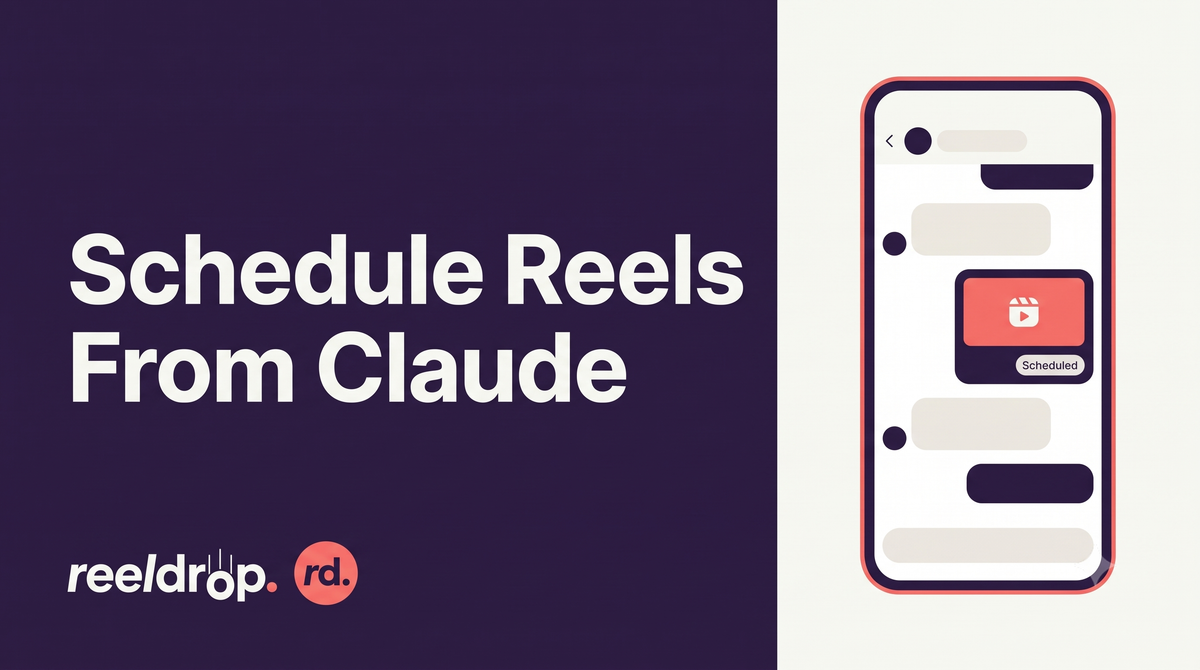
ReelDrop now ships a ReelDrop MCP server, so you can schedule reels, edit your queue, pull analytics, and set up DM automations by chatting with Claude instead of opening the app. It works in Claude Desktop and Claude Code today, for anyone on the Influencer or Creator plan.
Updated: September 2026
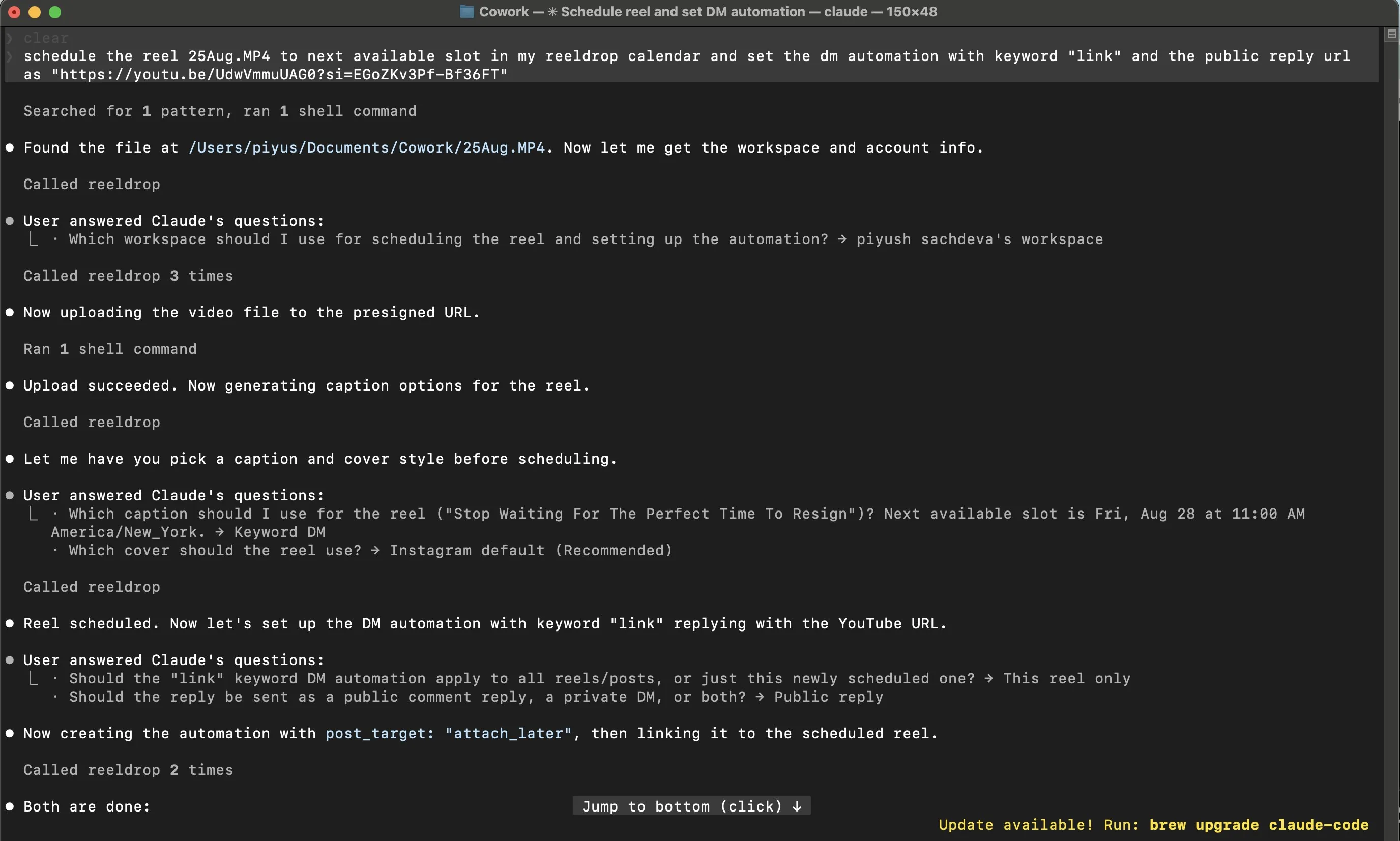
Scheduling: how a reel actually gets from your files to the calendar
You can hand the assistant a video two ways. Give it a link anyone can open (a Google Drive file shared that way works), or point it at a file on your own machine, in which case it requests an upload URL first and sends the file to ReelDrop directly before doing anything else. Either path ends the same way: it runs ReelDrop's caption generator, shows you the options, asks which cover you want, and books a slot.
The slot itself comes from your saved posting schedule, not a guess. If your workspace has no schedule saved yet, the assistant asks for your timezone the first time you schedule something and saves it, so it only asks once. Nothing actually books until you've seen the caption and confirmed the cover and time, on every plan, no exceptions for bulk jobs.
Bulk works the same way, just more of it: hand it up to 15 videos and a rough plan, something like "spread these over the next two weeks, evenings," and it schedules the batch against your saved slots, still checking each caption with you as it goes rather than locking the whole set in silently.
Editing the queue once something's already scheduled
Anything already booked stays editable from chat: caption, hashtags, time, cover, or flipping a post between draft and scheduled. A real example from ReelDrop's own docs: "Move Thursday's reel to Friday morning and shorten the caption" is one message, not two separate trips into the composer. You can also ask it to list what's queued, filter by date or status, and cancel a post outright before it goes out.
Asking it real analytics questions
The server exposes ReelDrop's analytics directly, so the assistant answers from your actual numbers instead of estimating: per-reel views and reach, account growth and demographics, story performance, and trial-reel results. The kind of question this is built for, again straight from ReelDrop's docs: "Which of my last 20 reels held viewers longest?" It's a query against real data, not a summary pulled from memory.
Managing DM automations
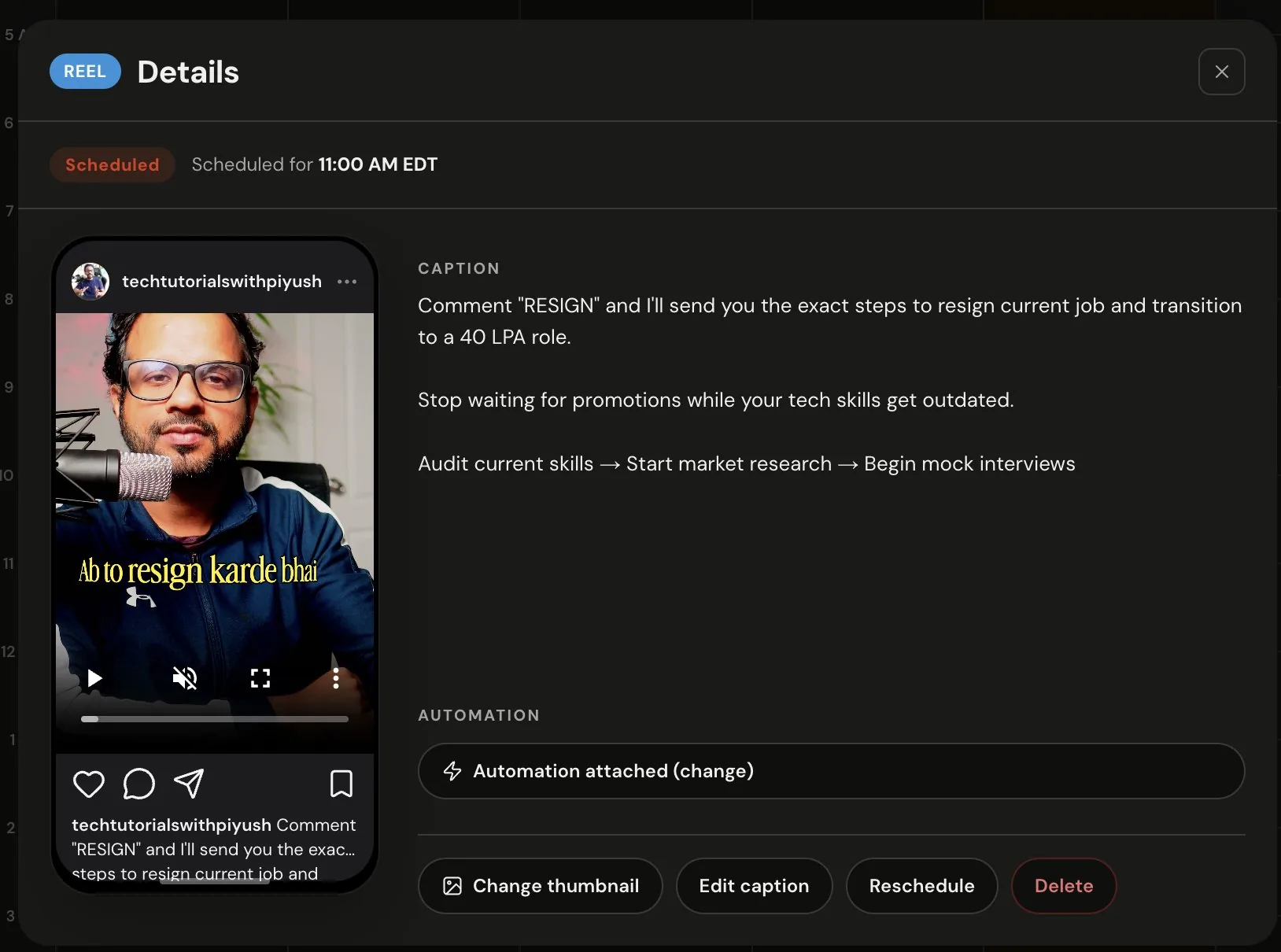
Claude can create, edit, and remove comment-to-DM automations, and attach one to a reel it's about to schedule so the automation goes live the moment the post does. It asks which reel you mean rather than guessing, which matters more here than almost anywhere else on the list, since this is the one capability that touches your actual DMs.
What this looks like day to day
Three patterns come up most, according to ReelDrop's own usage notes. The first is the batch night: a creator drops eight filmed reels into a shared Drive folder, opens Claude, and asks it to spread them across the next two weeks in the evening slots, in their usual caption tone, checking in before each one locks. Roughly twenty minutes of yes-or-no answers later, the fortnight is booked, covers picked, and one DM automation attached to the launch reel.
The second is the mid-week rearrange. A product drop slips two days, so instead of dragging posts around a calendar by hand, the founder tells Claude to push the three launch posts back 48 hours and swap in a new teaser caption for the new date. The queue updates, and the confirmation message lists exactly what changed, so there's no need to reopen the calendar to check.
The third is the Friday check-in. A social media manager asks the same question every week: how did this week's reels do against last week's, and what should get more attention next time. The assistant pulls the analytics, compares the two weeks, and answers with the actual numbers, a task that used to mean building a spreadsheet by hand.
How you connect it, step by step
Before you start, you'll need an Influencer or Creator plan (Starter can connect, but see below), a ReelDrop workspace with an Instagram account already connected, and Claude Desktop or Claude Code installed, or any other MCP client that supports remote servers with OAuth.
- Copy the server URL. Open the Connect your AI assistant page in ReelDrop. It shows the URL with a copy button and setup tabs for both clients. The URL is the same for everyone:
https://mcp.reeldrop.io/mcp. - Add it in Claude. In Claude Desktop, open Settings, go to Connectors, choose Add custom connector, name it ReelDrop, and paste the URL. In Claude Code it's one command:
claude mcp add --transport http reeldrop https://mcp.reeldrop.io/mcp. - Sign in when the browser opens. The first time Claude reaches the server, your browser opens ReelDrop's own sign-in page. Log in with your normal account and approve the connection. This is standard OAuth: the assistant receives a token scoped to your account, and your password never passes through it. If the window doesn't open on its own, look for a "needs authentication" note next to the connector and click through it.
- Check it actually worked. In Claude Code, run
claude mcp listand look for reeldrop with a connected status. In Claude Desktop, the connector shows up in the tools menu of a new chat. Then ask something only a real connection could answer, like which ReelDrop workspaces you have, so you're not just trusting a green checkmark. - Set your timezone once, if asked. If your workspace has no posting schedule saved, the assistant asks for your timezone the first time you schedule something and saves it. After that it reads your saved slots and stops asking.
Any other client that supports remote MCP servers over Streamable HTTP with OAuth connects the same way: point it at the URL above and complete the sign-in when the browser opens. Client registration happens automatically, so there's nothing to set up on ReelDrop's side beforehand.
What it can and can't touch
The token the assistant gets is scoped to your account, and it can do what you can do in ReelDrop inside the workspaces you belong to: scheduling, editing and cancelling posts, captions, analytics, and DM automations. It cannot connect or disconnect an Instagram account, change your billing, delete a workspace, or reach anything outside your own account. Publishing itself still goes through the official Instagram API, exactly as if you'd clicked schedule inside the app. ReelDrop is a Meta Tech Provider, not a tool that asks for your Instagram password.
Multi-account access follows the same shape as the app: each workspace holds one Instagram connection, so on Creator's five accounts the assistant lists your workspaces and asks which one you mean, rather than acting across all of them at once in a single request.
There are limits underneath all of this too. Each tool has its own burst cap per connected account, scheduling calls are capped inside a rolling ten-minute window, for example, so a misbehaving client can't hammer your account. On top of that, Instagram's own rule allows at most 100 API-published posts per account in any 24-hour window; that ceiling is Meta's, not ReelDrop's, and it applies no matter which client is doing the publishing.
One more thing worth knowing if you're weighing this against handing a video tool your content: ReelDrop doesn't use your account data to train anything. The MCP server reads and writes your data to do the specific job you asked for in that conversation. What your assistant's own provider does with the conversation itself is a separate policy, worth checking on that end too, since ReelDrop's guarantee only covers its own side of the connection.
To disconnect, remove the connector in your Claude settings, or run claude mcp remove reeldrop in Claude Code. Reconnecting always means approving the sign-in again in the browser, so a removed client can't quietly reappear on its own. Anything already scheduled keeps publishing on time regardless, since posts belong to your ReelDrop account, not to the connection itself. The full breakdown lives in the MCP security, plans, and limits doc.
Plans and metering
MCP access is included on Influencer ($9.99/month) and Creator ($29/month), with no separate add-on. Starter can still add the connector and complete the whole setup, the connection itself succeeds, but every tool answers with an upgrade prompt instead of doing the work: nothing gets scheduled, nothing gets read.
Nothing is metered differently just because it happened through chat. Caption generations count against the same monthly allowance the app uses, unlimited on Creator, capped the same way it's capped in the app on Influencer. Scheduling and posting themselves stay unlimited on every plan, chat or otherwise. All of this is enforced on ReelDrop's server, not by the assistant, so there's no talking a tool into ignoring a plan limit; the check happens on ReelDrop's side regardless of what the client asks for.
Frequently asked questions
Does ReelDrop have an MCP server?
Yes. It runs at https://mcp.reeldrop.io/mcp and works with Claude Desktop, Claude Code, or any MCP client that supports Streamable HTTP with OAuth.
Can I schedule Instagram posts with Claude?
Yes, through the ReelDrop MCP server. Schedule a single reel or batch-schedule up to 15 at once, then edit or cancel anything still queued from the same conversation.
Do I need an API key to connect it?
No. Sign-in is OAuth through your normal ReelDrop account. If something asks you for an API key during setup, it isn't pointed at the right URL.
What exactly can the assistant touch, and what's off limits?
It can do what your ReelDrop account can do inside your workspaces: schedule, edit, cancel, caption, read analytics, and manage DM automations. It can't connect or disconnect Instagram accounts, change your billing, or delete a workspace.
Can it manage more than one Instagram account?
One workspace at a time. Each workspace holds its own Instagram connection, and the assistant asks which one you mean, so on Creator you can still run up to 5 accounts, just one at a time within a given conversation.
Will Claude publish something without asking me first?
No. It shows you the caption and checks the cover and timing before anything goes out, on every plan, including bulk jobs.
Is my content used to train AI models?
Not by ReelDrop. The MCP server reads and writes your account data to do the job you asked for in that conversation. What your assistant's own provider does with the conversation is a separate policy worth checking.
How do I disconnect it, and what happens to posts already scheduled?
Remove the connector in your Claude settings, or run claude mcp remove reeldrop in Claude Code. Anything already queued keeps publishing on schedule either way, since posts belong to your ReelDrop account, not to the connection.
Full capability list and screenshots: ReelDrop MCP feature page. Setup walkthrough: connect Claude to ReelDrop. A running list of prompts to try once you're connected: things to ask Claude.