5 Best AI Carousel Generators for Instagram in 2026
Carousels earn up to 9x the saves of single images. We compared 5 AI carousel generators to find the one that actually gets them posted.

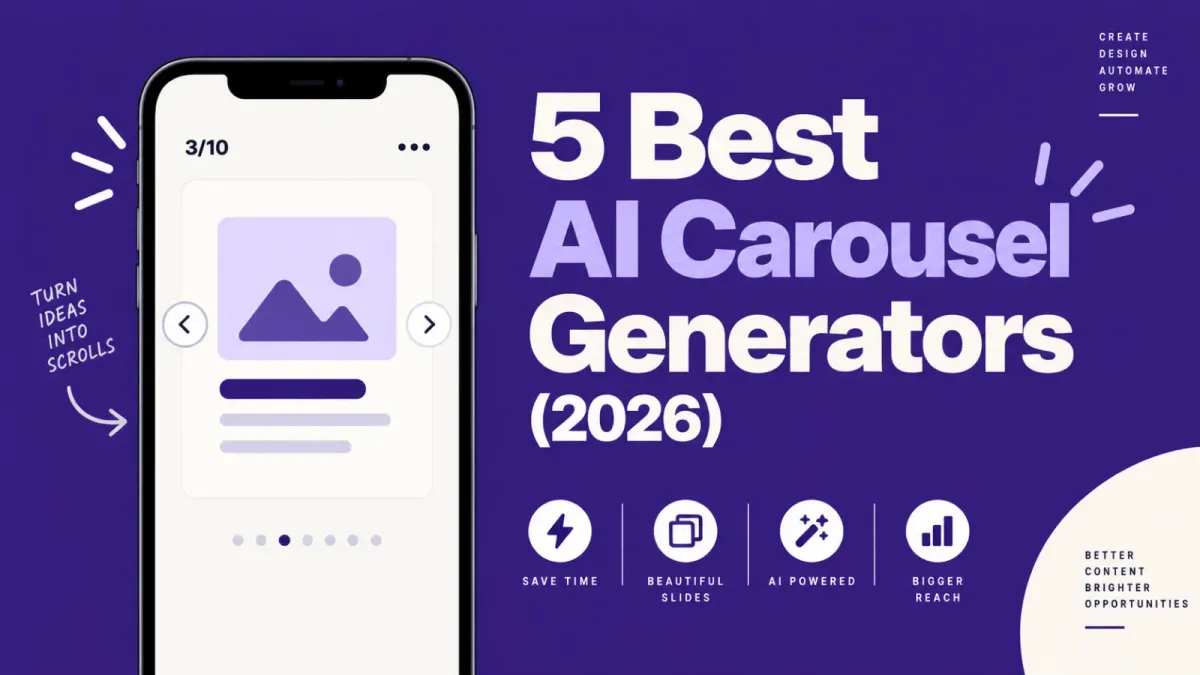
The best AI carousel generator for Instagram in 2026 is still ReelDrop, which turns a topic into an editable, three-to-ten-slide carousel and schedules it in the same tab. Predis.ai, PostNitro, and aiCarousels remain solid picks for different budgets, and Canva is still the manual benchmark everyone compares against. Carousels earn up to nine times more saves than single images, which is why this list exists at all.
Updated: September 2026
Table of contents
- TL;DR
- How we evaluated these tools
- The five tools at a glance
- Why automate carousels at all
- The 5 best AI carousel generators for Instagram
- Where each workflow ends
- Which one should you pick
- Frequently asked questions
- Sources
TL;DR
- ReelDrop generates a carousel and schedules it in one tab, using Instagram's official Graph API. The catch is that carousel images only ship on the $29/month Creator plan, not the free tier.
- Predis.ai is the volume pick if you're producing carousels, captions, and video ads across several brands. Pricing moved up this year, from $19 a month to $24.
- PostNitro is the cheapest way to get a dedicated carousel editor, but scheduling doesn't unlock until the $25 Creator plan.
- aiCarousels is genuinely free with no signup and no scheduling. Treat it as a slide generator, not a posting tool.
- Canva Pro dropped to $12 a month billed annually and remains the tool with the most design control, at the cost of doing everything yourself.
- Carousels get nine times more saves than single images (Metricool, 2026), and the highest engagement rate of any Instagram format.
How we evaluated these tools
We checked every pricing page again in September 2026 and compared each tool on five things: how the carousel actually gets onto Instagram (official API, the vendor's own integration, or a manual export), whether pricing is public, how much of the work the AI does versus how much is left to you, what the free tier gives you, and who the tool actually suits. Where a vendor's pricing page blocked our check in the past, we say so, and we note it here too if that's changed.
The five tools at a glance
| Tool | Best for | Free plan | Starting price |
|---|---|---|---|
| ReelDrop | Generating and scheduling in one tab | No carousel images on the free plan | $29/month ($149/year founding, or $249 lifetime) |
| Predis.ai | High-volume AI content across formats | 3-day free trial, card required | $24/month billed monthly ($288/year billed annually) |
| PostNitro | Carousel-only depth on a budget | Yes, 5 downloads/month | $15/month ($12.50/month billed annually) |
| aiCarousels | Free slides with zero commitment | Yes, no signup needed | Pro pricing not published on the site |
| Canva | Full design control (the manual benchmark) | Yes | Pro is $12/month billed annually ($144/year) |
Prices and free-plan limits in this table were checked against each vendor's public pricing page on 1 October 2026.
Best free option: aiCarousels, because the core generator costs nothing and doesn't even ask for an account. If you want a full generate-and-schedule workflow instead of just downloading slides, ReelDrop's paid Creator plan is where the scheduling and the carousel generator actually meet. The free Starter plan no longer includes carousel images at all, which is a real change worth knowing before you sign up expecting slides for free.
Why automate carousels at all
It's 11:40 pm and you're in Canva, staring at slide 4 of 10. The hook slide took forty minutes because you rewrote it six times. You still have to duplicate the layout, paste in the next point, nudge the text box that keeps drifting two pixels left, export everything, and remember to actually post it tomorrow. This is the workflow most creators quietly give up on, and it's a big reason so many accounts post carousels for two weeks and then stop.
The frustrating part is that carousels are the format most worth the effort. Metricool's 2026 study of 24.4 million Instagram posts found that carousels generate nine times more saves than single-image posts. Socialinsider's engagement report, drawn from 15 million posts, agrees: a median of 37 saves per carousel versus 10 for a single image, and the highest save rate of any format. In Socialinsider's benchmarks, carousels also hold the highest overall engagement rate on the platform at 0.55%, ahead of both reels and single images.
Saves matter because they tell the algorithm your post is worth keeping, and each swipe through the carousel counts as engagement on its own. Instagram has leaned into the format too, expanding carousels from 10 to 20 frames back in August 2024. If you want format ideas before you pick a tool, we've collected 12 carousel formats that drive saves in a separate post.
One thing to keep in mind before the list. Instagram extended its originality rules to photos and carousels on April 30, 2026: accounts that repost unoriginal content lose algorithmic recommendations. That policy targets reposters, not AI tools. A carousel generated from your own idea and edited in your voice counts as original content. A carousel that screenshots someone else's thread does not, no matter which tool made it look nice.
The 5 best AI carousel generators for Instagram
1. ReelDrop
Full disclosure: ReelDrop is our product, so weigh this entry accordingly. We still put it first because it's the only tool on this list where a carousel goes from topic to scheduled Instagram post without leaving the tab. You type a topic, pick a slide count anywhere from 3 to 10, choose or describe a theme (or upload up to four reference images for style extraction), and the AI carousel generator drafts the whole thing in under a minute. Every slide is independently editable and independently regeneratable, and brand colors can be set by hex code rather than picked from a swatch.
The generation step covers the whole post, not just the slides. ReelDrop writes the caption in your voice, suggests hashtags under Instagram's current 5-tag cap, and can schedule a first comment alongside the post. Publishing runs through Meta's official Instagram Graph API, the same approved method Buffer and Later use, so there's no password sharing and no gray-area automation. We've written up how Graph API auto-publishing works if you want the mechanics.
- Topic to a 3-to-10-slide carousel in under a minute
- Every slide editable and regeneratable before you commit
- Caption, hashtags, and first comment generated in the same flow
- More than 30 designed themes, plus style extraction from your own reference images
- Schedules and auto-publishes through the official Instagram Graph API
Pricing: the Creator plan is $29/month, or $149/year on the current founding deal, and includes 100 AI carousel images a month plus purchasable credits on top. There's also a $249 one-time lifetime option. Here's the part that's changed since we last wrote about this: the free Starter plan no longer includes any carousel images at all. If you're testing the tool on the free tier expecting a handful of slides, you'll find scheduling and captions but no carousel generator until you upgrade. Full details on the pricing page.
Trade-off: ReelDrop is Instagram-only by design and younger than everything else on this list. Team access is a real gray area right now, ReelDrop's own pages disagree with each other about whether Creator includes multiple logins, though it does support up to 5 Instagram accounts under one login. Agencies juggling several brands and people should look at Predis.ai instead.
To go from a generated carousel to a published post without leaving the tool, connect your Instagram account and schedule it like any other post. The setup walkthrough covers captions and auto-publish end to end.
Account safety: publishes through the official Instagram Graph API. You connect via Meta's own login screen and never hand over your password. ReelDrop is a Meta Tech Provider, which is a specific, narrower designation than the Meta Business Partner directory that Buffer and Later hold, not an interchangeable term for it. More on what that means on the account safety page.
2. Predis.ai
Predis.ai is the volume play. It generates carousels, single posts, captions, hashtags, and video ads from a text prompt, applies your brand colors automatically, and schedules the results to connected accounts. Of the dedicated AI tools on this list, it behaves most like a small content department, and it's built for Instagram specifically rather than a LinkedIn tool wearing an Instagram costume.
The pricing has moved since we last checked. The Core plan now runs $24/month billed monthly, or $288/year annually, up from $19 a month earlier this year. It includes 1,300 credits a month, one brand, and up to 10 connected social accounts. Every plan starts with a 3-day free trial, but Predis takes your card upfront and charges it automatically once the trial ends, so cancel before day 3 if it's not for you. What a credit buys depends on the content type, so budgeting takes a bit of spreadsheet work, and a heavy carousel month can drain the allowance faster than you'd expect.
- Carousels, posts, captions, hashtags, and video ads from one prompt
- Brand palette and fonts applied automatically
- Built-in scheduling to connected social accounts
- Multi-brand support on the higher tiers
- 3-day free trial, card required, auto-charges on day 3
Pricing: Core at $24/month ($288/year annual), Rise at $55/month, Enterprise+ at $212/month, per predis.ai/pricing.
Trade-off: the credit math takes some getting used to, and because Predis covers so many content types, the carousel editor is broader than it is deep. If carousels are all you want, PostNitro gives you more control for less money.
Account safety: Predis connects and publishes through its own Instagram integration rather than a widely documented Meta partnership. We couldn't confirm Meta Business Partner status on the pages we checked, so it's worth verifying the connection method yourself during the trial if that matters to you.
3. PostNitro
PostNitro does one thing: AI carousel posts. It grew up around LinkedIn carousels and now targets Instagram with the same create, schedule, publish pitch. Because it isn't trying to be a whole marketing suite, the carousel-specific options run deeper than most rivals here, and the pricing stayed the clearest and most transparent of any paid tool we checked.
The free plan gives you 5 downloads a month and caps AI-generated slides at 5 per carousel, with basic templates and a lighter model. Starter, at $15/month or roughly $12.50/month billed annually, raises that to 30 watermark-free downloads and 8 AI-generated slides per carousel, but still no scheduling. Creator, at $25/month, removes the download cap, raises the slide count to 15, and finally adds scheduling to 10 connected accounts. Team, at $50/month, goes to 20 slides and 30 accounts.
- Dedicated AI carousel generation with editable templates
- Free plan: 5 downloads a month, 5 slides per carousel
- Starter: 30 downloads a month, watermark-free, 8 slides per carousel
- Creator adds unlimited downloads, 15 slides, and scheduling to 10 accounts
- Clear public pricing across every tier, monthly or annual
Pricing: free plan, then Starter at $15/month ($12.50/month billed annually), Creator at $25/month, Team at $50/month, per postnitro.ai/plans.
Trade-off: the slide caps still sting on Instagram, where a 10-slide carousel is common and the platform allows up to 20. You're capped at 5 slides on the free plan and 8 on Starter, and scheduling doesn't arrive until the $25 Creator tier.
Account safety: scheduling on the Creator and Team plans connects to your social accounts through PostNitro's own integration. Meta partner status isn't stated on the site, so check the connection flow before trusting it with auto-publish. On Free and Starter you're exporting files by hand, which carries no account risk at all.
4. aiCarousels
aiCarousels is the one to bookmark even if you never pay anyone anything. The core generator is free and doesn't require a signup: pick a format, feed it your text or let the AI write it, and download slides sized for Instagram feeds and Stories, LinkedIn, or TikTok. For a creator who posts a carousel occasionally and doesn't want another subscription, this is the honest answer.
The limits show up at the edges. There's no scheduling and no publishing, so every carousel ends as files on your device that you still have to upload, caption, and post yourself. The Pro plan unlocks extra generators, including LinkedIn posts, infographics, quote cards, and headshots, but the price still isn't published on the site as of this check. You have to enter the editor to find out what Pro costs, which we still find mildly annoying.
- Free carousel generation with no account required
- AI writing assistance for slide copy
- Export formats for Instagram feed and Stories, LinkedIn, and TikTok
- Pro tier adds infographic, quote card, and headshot generators
- No scheduling or publishing of any kind
Pricing: free for the core generator; Pro pricing on aicarousels.com, not publicly listed.
Trade-off: the workflow stops at the download button. If you generate on Tuesday and mean to post on Thursday, nothing in the tool reminds you, and the manual upload step is exactly where posting habits die.
Account safety: nothing connects to your Instagram account, so there's nothing to worry about. In the can't-possibly-hurt-you sense, this is the safest tool on the list.
5. Canva
Canva is here as the manual benchmark, because it's what most creators still use today and what every AI tool above is trying to replace. Strictly speaking it isn't an AI carousel generator: Magic Design and Bulk Create get you part of the way, but you're still assembling, aligning, and exporting slides yourself. What you get in exchange is control. The template library is enormous, the editor is the best in this list by a wide margin, and if your brand kit already lives in Canva, the output looks like you.
Pricing used to be the awkward part of this entry, since Canva's own pricing page blocked automated checks for most of the past year. That's resolved now: Canva Pro is $12/month billed annually, which works out to $144 a year, with a genuinely useful free plan below it. Bulk Create and the fuller Magic Design features sit behind the Pro paywall, confirmed directly on Canva's pricing page rather than pieced together from trackers.
- Largest template library of any tool here
- Magic Design and Bulk Create for AI-assisted drafts (Pro tier)
- Full manual control over every slide
- Free plan covers basic carousel design
- Exports images; posting to Instagram is on you
Pricing: free plan; Pro at $12/month billed annually ($144/year), confirmed on canva.com/pricing.
Trade-off: time. A 10-slide carousel in Canva is a design session, not a generation step. It's the 11:40 pm workflow this post opened with, and no template fully fixes that.
Account safety: Canva has no Instagram publishing tie-in for carousels in its standard export workflow, so account risk isn't a factor. The risk is to your evening.
Where each workflow ends
Here's the comparison that actually decided our ranking, and one we haven't seen anyone else run. Every tool here generates slides. The real question is where the workflow ends and hands the rest back to you, because the unfinished last mile is where carousels go unposted.
| Tool | Where the workflow ends | What's left for you |
|---|---|---|
| ReelDrop | Published to Instagram via the official Graph API (Creator plan only) | Nothing after you hit schedule, if you're on Creator |
| Predis.ai | Scheduled through its own integration | Watching your credit balance |
| PostNitro | Scheduled, but only on the $25 Creator plan or above | Manual posting on Free and Starter |
| aiCarousels | Exported image files | Uploading, captioning, hashtags, posting |
| Canva | Exported image files | Everything: design time, export, upload, caption |
Two of the five tools can finish the job, and one of those two only finishes it on a paid plan. Two stop at a folder of images. One depends entirely on which plan you buy. That gap matters more than slide quality, because a slightly rougher carousel that actually gets posted beats a beautiful one sitting in a downloads folder.
Which one should you pick
Solo creator posting carousels weekly and willing to pay for it: ReelDrop's Creator plan, because generation and publishing in one tab is the difference between a habit and a pile of drafts.
Multi-brand marketer or small agency: Predis.ai, since ReelDrop can't do true multi-user access yet and Predis handles several brands and channels from one login.
Carousel-only creator on a tight budget: PostNitro Starter at roughly $12.50/month billed annually, accepting the 8-slide cap and manual posting.
Occasional carousel, zero budget: aiCarousels, free with no signup, then upload by hand.
Established brand kit and a designer's eye: Canva Pro at $12/month, with the honest understanding that you're choosing control over speed.
Frequently asked questions
What is an AI carousel generator?
It's a tool that turns a topic or a piece of text into a multi-slide Instagram post: a hook slide, body slides, and a closing call to action. You edit the text, adjust the design, and export or schedule the result. The better ones cut a two-hour Canva session down to a few minutes.
Do carousels really outperform single images on Instagram?
Yes, by a wide margin. Metricool's 2026 study of 24.4 million posts found carousels earn nine times more saves than single-image posts, and Socialinsider's benchmarks put carousels at the highest engagement rate of any Instagram format, 0.55%. Saves are what keeps a post circulating, and carousels win saves.
Does ReelDrop's free plan include carousel generation?
Not anymore. As of this update, ReelDrop's free Starter plan covers scheduling, a small number of AI captions, and DM automations, but no AI carousel images at all. Carousel generation, 100 images a month plus purchasable credits, is a Creator-plan feature starting at $29/month.
Will Instagram penalize AI-generated carousels?
No policy bans AI-assisted carousels. Instagram's April 2026 originality rules target accounts that repost other people's content without changing it. A carousel built from your own ideas and edited in your voice counts as original. What gets punished is reposting, not the software behind the slides.
How many slides should an Instagram carousel have?
Instagram allows up to 20 slides per carousel, expanded from 10 back in August 2024. Most creators land between 6 and 10, and ReelDrop's own generator caps out at 10 for that reason. Every extra swipe counts as engagement, so use as many slides as the idea actually needs, and cut any slide that would make someone stop swiping before the end.
Can I turn a LinkedIn carousel into an Instagram carousel?
Yes, but not by uploading the same file. LinkedIn carousels are PDFs, while Instagram wants image files, ideally 1080 by 1350 pixels. ReelDrop's free LinkedIn-to-Instagram carousel converter handles the resizing and export in your browser with no signup, so one carousel can do double duty.
Is it safe to let a tool auto-publish carousels to Instagram?
It depends on how the tool connects. Publishing through Meta's official Instagram Graph API, the way ReelDrop and the larger schedulers do, is the method Meta itself documents and supports. Tools that ask for your Instagram password directly are the risky ones. Check the connection method before you hand over access.
What's the best free AI carousel generator right now?
aiCarousels, if you only need the slides: the core generator is free and doesn't ask you to create an account. PostNitro's free plan adds 5 downloads a month with a 5-slide cap. ReelDrop no longer offers free carousel generation, so if you want generation and scheduling together without paying, aiCarousels plus a separate free scheduler is currently the closest workaround.
Sources
- Metricool 2026 Instagram Study (24.4M posts): carousels get 9x the saves of single images
- Socialinsider Instagram Engagement Report, May 2026: median saves by format
- Socialinsider Instagram Benchmarks 2026: engagement rate by format
- Social Media Today: Instagram expands carousels to 20 frames (August 2024)
- Tubefilter: Instagram's originality penalty extended to photos and carousels (April 30, 2026)
- Predis.ai pricing (checked September 2026)
- PostNitro plans (checked September 2026)
- aiCarousels homepage (checked September 2026)
- Canva pricing page (checked September 2026, vendor-confirmed)
- ReelDrop pricing (checked September 2026)
Also worth a look on ReelDrop: the AI carousel generator feature page, the Graph API auto-publishing explainer, and the account safety page for the exact permissions ReelDrop requests.