8 Safest Instagram Tools in 2026 (That Won't Get You Banned)
Safe Instagram tools use Meta's official API, OAuth login, and zero engagement automation. Here are 8 that pass the test.

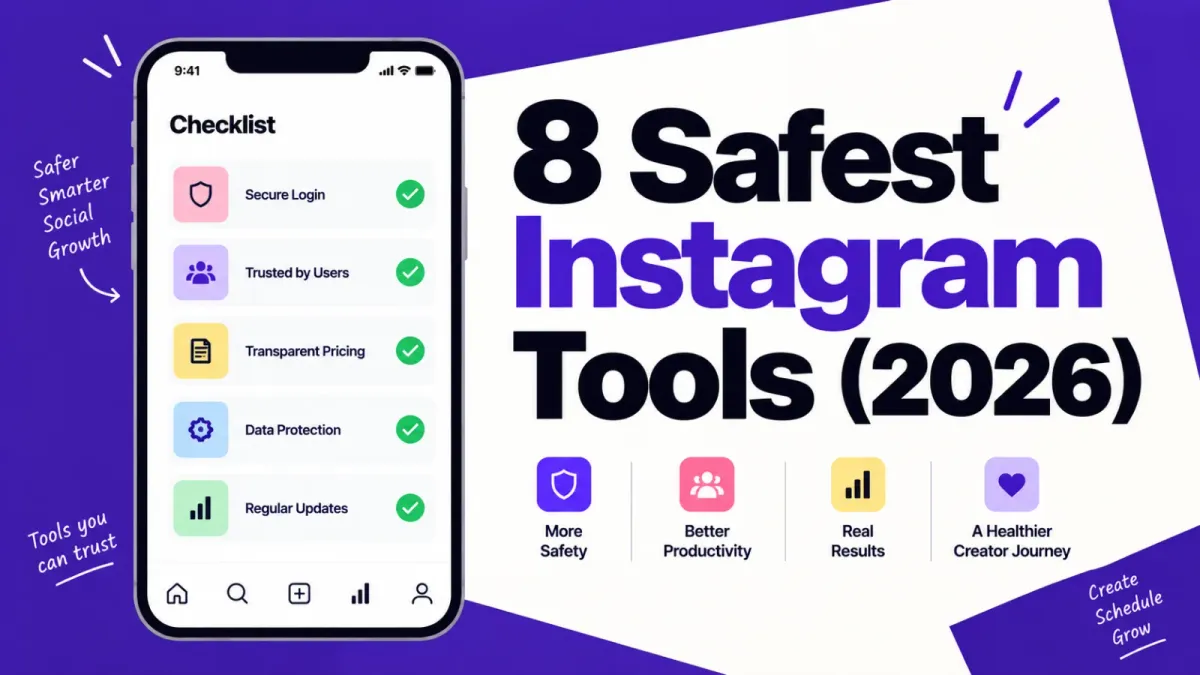
The fastest way to lose an Instagram account is handing your password to a growth tool. Safe Instagram tools never ask for it. They connect through Meta's official Graph API instead, which is why ReelDrop, Buffer, Later, Metricool, Publer, Planoly, ManyChat, and Meta Business Suite made this list, and why no bot ever will.
Updated: September 2026
TLDR
- A tool is safe if it connects through Meta's official Instagram Graph API and never asks for your password. Everything on this list does.
- The 8 safest tools in 2026: ReelDrop, Buffer, Later, Metricool, Publer, Planoly, ManyChat, and Meta Business Suite.
- Best free option overall is Meta Business Suite. Best free option with AI help is ReelDrop's Starter plan.
- Follow/unfollow bots, mass-DM tools, and engagement pods still trigger action blocks and disables in 2026.
- Getting a banned account back is hard right now. Meta's own Oversight Board said in June 2026 that the appeals process lacks due process. Prevention beats appeal.
Quick answers
- Safest Instagram tool overall in 2026: Any tool publishing through the official Instagram Graph API with OAuth login, including ReelDrop, Buffer, Later, Metricool, Publer, Planoly, ManyChat, and Meta Business Suite.
- Safest free Instagram tool: Meta Business Suite, because it's built by Meta itself.
- How to tell if a tool is safe before connecting it: Watch the login screen. A safe tool redirects you to instagram.com or facebook.com to approve specific permissions. If it asks you to type your Instagram password into its own form, it's not using the official API.
- Biggest red flag in an Instagram tool: Any promise of real followers or guaranteed engagement. The official API cannot follow or engage on your behalf, so a tool promising that is running on unofficial access.
- Does Meta limit how many posts a tool can publish: Yes, 100 API-published posts per Instagram account within a rolling 24 hours, with a carousel counting as one post.
Table of contents
- How we evaluated these tools
- What makes an Instagram tool safe or risky
- The 5-point tool safety checklist
- The 8 safest Instagram tools at a glance
- The 8 safest Instagram tools reviewed
- The risky tool categories to avoid
- Which tool should you pick
- Frequently asked questions
- Sources
How we evaluated these tools
We checked five things: how each tool publishes to Instagram (official Graph API or something murkier), whether Meta formally recognizes it as a partner or tech provider, pricing transparency (every pricing page checked in September 2026), whether the free plan is real, and who the tool actually fits. Anything that automates engagement, asks for your password, or promises followers was disqualified before we started.
What makes an Instagram tool safe or risky
Instagram does not ban accounts for using third-party tools. It bans accounts for what some tools do once they get inside. The dividing line is access: safe tools connect through Meta's official Instagram Graph API, and risky tools log in as you.
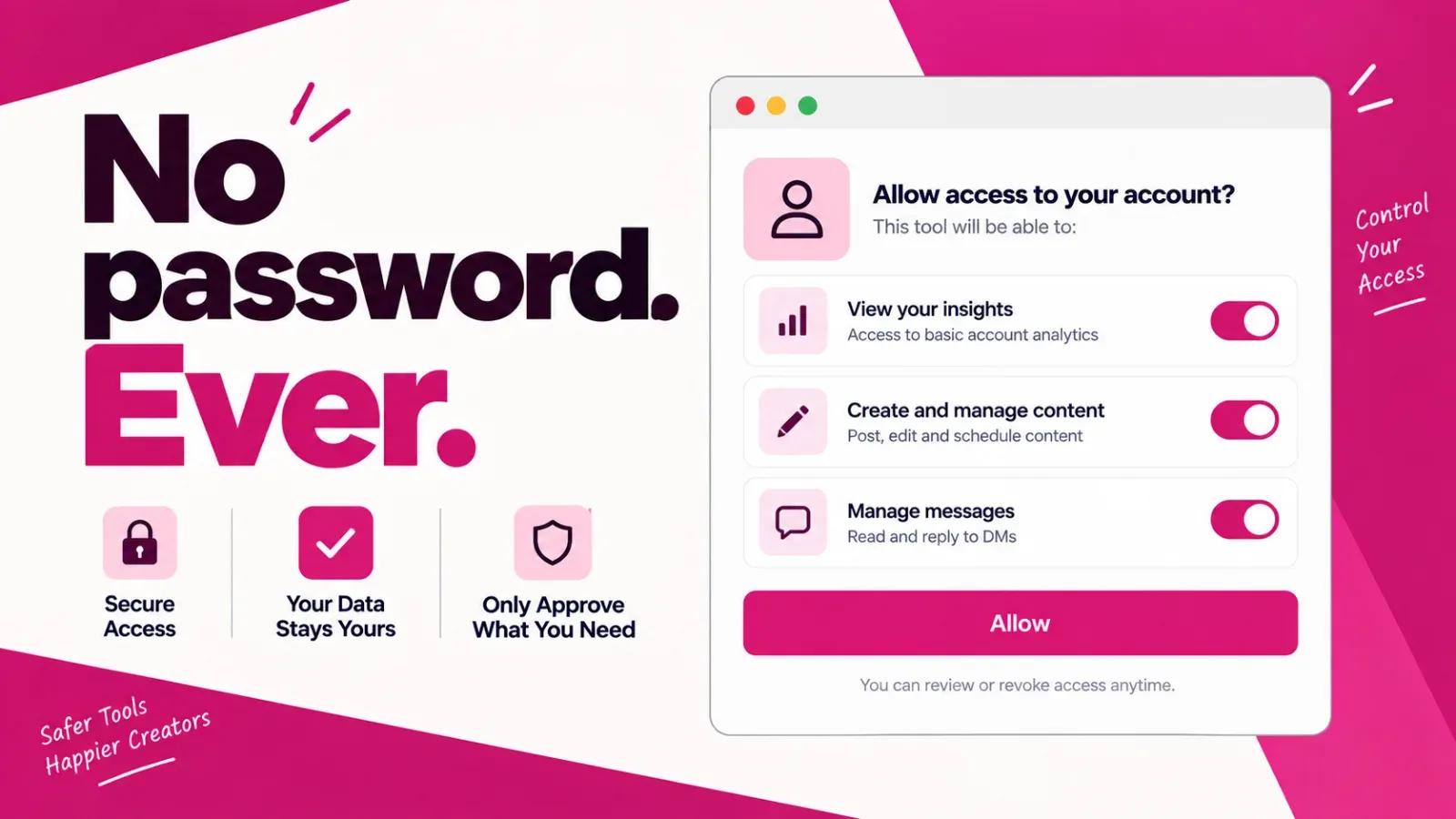
The Graph API route works like this. You click connect, get redirected to a Meta-owned login screen, and approve a specific list of permissions such as publishing posts, reading analytics, or replying to messages. The tool never sees your password. Meta knows exactly which app is doing what, and you can cut off its access from Instagram's settings any time. Meta also publishes the rules these apps live under, down to hard numbers: 100 API-published posts per account per rolling 24 hours, and a 24-hour window for automated DM replies after a user acts first (human agents get up to 7 days). We wrote a separate guide to how Graph API auto-publishing works if you want the full plumbing.
The risky route skips all of that. A tool asks for your username and password, or borrows your browser session, then puppets your account: liking, following, commenting, and messaging at a pace no human keeps. Instagram has been hunting this behavior for years. In 2018 it announced machine learning built to detect and remove likes and follows generated by third-party apps, and its 2020 authenticity measures list automation signs as a trigger for identity checks and reduced distribution. Pulling data this way is also a Terms of Use violation on its own.
There is a second trust layer worth knowing, and the terminology around it gets abused constantly. Meta formally vets some companies as Meta Tech Providers: scoped API access, mandatory OAuth login, App Review on every permission requested, and the threat of revocation if they misbehave. That is a separate, narrower program from the Meta Business Partner directory, and there is no such thing as "Meta Verified Tech Provider," a phrase that floats around this niche because the credentials sound impressive and nobody checks them. Tech Provider status is not required, but it is a real signal Meta looked at the company and did not flinch.
One uncomfortable truth before the list: prevention is the whole game, because appeals are a mess. Meta's own Oversight Board concluded in June 2026 that the company's account-ban system lacks due process and transparency, and found that even paying Meta Verified subscribers often got no meaningful help after a disable. Do not plan on getting a banned account back. Plan on never triggering the ban.
The 5-point tool safety checklist
Run any Instagram tool through these five checks before you connect an account. Every tool on our list passes all five. Most growth bots fail at least three.
- Watch the login. A safe tool redirects you to a Meta-owned screen (instagram.com or facebook.com) listing the exact permissions you're granting. If a tool asks you to type your Instagram password into its own form, close the tab.
- Read the promise. Safe tools sell workflow: scheduling, drafts, analytics, faster captions. Risky tools sell outcomes: real followers, guaranteed engagement, growth on autopilot. API-only access cannot promise followers, because the API cannot follow anyone for you.
- Ask what it does while you sleep. Publishing a post you wrote is fine. Liking, following, or commenting on your behalf is engagement automation, exactly the pattern Instagram's detection systems were built to catch.
- Look for a paper trail. ManyChat publishes its Meta approval, Later lists its official partner status, and Buffer appears on Meta's own developer site. Legitimate companies leave evidence. Bots leave a Telegram support handle.
- Check the revoke list. After connecting, open Instagram's settings and find Apps and websites. A real API connection shows up there with a revoke button. Password bots never appear on that list, because as far as Instagram can tell, the bot is just you.
The 8 safest Instagram tools at a glance
| Tool | Best for | Free plan | Starting price |
|---|---|---|---|
| ReelDrop | Solo Instagram creators | Yes, 1 account, unlimited scheduling | Free Starter; Influencer $9.99/month, Creator $29/month ($149/year founding) |
| Buffer | Posting to several platforms | Yes, 3 channels | $5/channel/month billed annually |
| Later | Visual grid planning | No, trial only | $25/month ($18.75 annual) |
| Metricool | Scheduling plus serious analytics | Yes, 1 brand | About $20/month billed annually |
| Publer | Bulk scheduling on a budget | Yes, limited | About $5/month |
| Planoly | Simple visual planning | No | $16/month ($14 annual) |
| ManyChat | DM automation at scale | Yes, 25 contacts a month | $14/month (Essential) |
| Meta Business Suite | Free native scheduling | Entirely free | Free |
Best free option: Meta Business Suite, because nothing beats first-party software on pure safety. If you want AI help and DM automation without paying, ReelDrop's Starter plan is the strongest free tier of the API-based tools, and it no longer caps you at a fixed number of posts a month; scheduling and posting are unlimited on every ReelDrop plan, including free.
The 8 safest Instagram tools reviewed
1. ReelDrop
ReelDrop is our product, so weigh this entry however you like. It's an Instagram-only manager built for solo creators: scheduling with auto-publish for posts, reels, and carousels, an AI carousel generator that turns a topic into a full draft with 3 to 10 slides, AI captions with tone labels, hashtag help, and comment-to-DM automation with real follow verification (ReelDrop checks the Graph API to confirm someone actually follows you before releasing a link, rather than trusting the honor system). Everything publishes through the official Instagram Graph API, and there is no password form anywhere in the product.
The newest thing worth mentioning on a safety-focused list: ReelDrop runs an MCP server, so Claude and other MCP-speaking assistants can schedule reels, edit the queue, and read real analytics through the same OAuth connection, no API key and no password exchanged anywhere. It is one of the only tools here that offers that today.
The honest caveats: ReelDrop is younger than everything else on this list, with a shorter track record than Buffer or Later. It's Instagram-only by design, and Studio, the plan meant for agencies with approval workflows and custom branding, hasn't shipped yet. Creator does support up to 5 Instagram accounts under one login, so it's no longer fair to call ReelDrop single-account, though whether more than one person can log into that account is still unresolved on ReelDrop's own site.
- Auto-publish scheduling for posts, reels, and carousels
- AI carousel generator, 3 to 10 slides from a topic
- AI captions and Dynamic Hashtag Suggestions
- Comment-to-DM automation with real follow verification
- Run entirely from Claude or another MCP client via OAuth
- Free Starter plan with unlimited scheduling and posting
Starting price: free Starter plan (1 account, 3 AI captions and 5 DM automations a month); Influencer is $9.99/month or $79/year; Creator is $29/month, with a founding annual deal at $149/year, or a one-time $249 lifetime option (pricing).
Trade-off: Instagram-only and early, with a shorter track record than anything else here.
Safety note: official Graph API with OAuth login only, five scoped permissions and nothing more, DM automation running inside Meta's documented messaging windows. Full breakdown on ReelDrop's own safety page, and more on the Claude/MCP connection.
2. Buffer
Buffer is the most established name in scheduling, and its free plan is still the most generous from any major player: 3 channels with 10 scheduled posts each. The interface stays out of your way, it covers 8+ platforms, and Instagram posts and reels auto-publish through the official API. Meta itself features Buffer on its developer site as a company building on the Instagram API, about as clean a paper trail as it gets.
What Buffer will not do is help you make content for Instagram specifically. There is no grid planner, and its AI assistant is general-purpose rather than Instagram-native.
- Free plan with 3 channels
- Auto-publish for posts and reels via the official API
- Covers 8+ social platforms
- Clean, minimal scheduling interface
- AI assistant for post ideas
Starting price: Essentials from $5 per channel per month billed annually, $6 monthly (buffer.com/pricing).
Trade-off: per-channel pricing adds up fast past a couple of accounts, and there is no visual Instagram grid planner.
Safety note: official API auto-publish, OAuth login, and a write-up on Meta's own developer site.
3. Later
Later is the original visual Instagram planner, and its drag-and-drop grid preview is still the reference point every other tool gets compared to. On safety it is unusually explicit: Later states it is an official partner with Instagram, Facebook, and Pinterest, and auto-publishing runs through the Graph API with reel cover selection included.
The catch is cost. Later dropped its free plan, so you're paying from day one, and creators who mostly need scheduling end up funding visual-planning features they rarely open.
- Drag-and-drop grid preview
- Auto-publish with reel cover selection
- Official Instagram, Facebook, and Pinterest partner
- Link-in-bio tool included
- Best-time-to-post suggestions
Starting price: Starter at $25/month, or $18.75/month billed annually; no free plan (later.com/pricing).
Trade-off: no free tier anymore, and the visual-first feature set is overkill if aesthetics are not your strategy.
Safety note: official Meta partner status, Graph API publishing, OAuth login.
4. Metricool
Metricool is scheduling bolted onto an analytics suite that could sell on its own. The free plan gives you 1 brand with 20 scheduled posts a month plus competitor tracking and reporting most tools charge for, one of the best free starting points on this list. Auto-publish to Instagram runs through the official API on every tier.
Its weakness is the creative side. There is no real AI writing or carousel help, so you bring finished content and Metricool handles publishing and measuring.
- Free plan with 1 brand and 20 posts a month
- Deep Instagram analytics and competitor tracking
- Auto-publish via the official API
- Multi-platform scheduling
- Report exports for clients
Starting price: Starter from about $20/month billed annually, $25 monthly (metricool.com/pricing).
Trade-off: content creation features are thin; it measures brilliantly but does not help you make anything.
Safety note: official API publishing on all plans, OAuth login.
5. Publer
Publer is the volume pick: bulk-schedule up to 500 posts, recycle evergreen content, auto-post from RSS, and pay less than almost anyone else for it. It supports Instagram auto-publish and first-comment scheduling through the official API, and the free plan is enough to test it properly.
The interface is dense, and that's the trade. If you post a few times a week, most of Publer's bulk machinery sits unused while you hunt through menus.
- Bulk scheduling up to 500 posts
- First-comment scheduling
- Evergreen content recycling and RSS auto-posting
- Auto-publish via the official API
- Free plan with limited accounts and posts
Starting price: Professional from about $5/month, with extra accounts adding to the base (publer.com/pricing).
Trade-off: dense interface, and light posters will never touch most of its features.
Safety note: official API publishing, OAuth login, no engagement automation anywhere in the product.
6. Planoly
Planoly was one of the first visual planners for Instagram and is now part of the Envato family. It keeps things simple: a clean grid planner, auto-publish, light AI caption help, and a link-in-bio tool. For solo creators who plan visually and post mostly to Instagram, it's the cheaper Later alternative.
It isn't trying to be a full suite. Analytics and multi-platform support lag Buffer and Metricool, and there is no free plan.
- Clean visual grid planner
- Auto-publish via the official API
- Light AI caption assistance
- Link-in-bio tool
- Content calendar with drag and drop
Starting price: Starter from $16/month, $14/month billed annually (planoly.com/pricing).
Trade-off: analytics and multi-platform features trail the bigger suites, and there is no free tier.
Safety note: official API auto-publish, OAuth login.
7. ManyChat
ManyChat is the market leader in Instagram DM automation, and it is the tool behind most of the "comment SHOP to get the link" campaigns you see. Its help center answers the safety question directly: ManyChat is an official Meta Business Partner and says it meets with Meta's product team weekly. Automation runs through the official messaging API, inside the 24-hour reply windows Meta documents.
Two things to know first. The free plan is thin: 25 active contacts a month, so a single popular reel blows through it fast. And a safe tool can still run a spammy flow. Keep your automations reply-based and useful rather than blasting strangers.
- Visual flow builder for DM funnels
- Comment-to-DM and keyword triggers
- Story reply automation
- Official Meta Business Partner
- Free plan with 25 active contacts a month
Starting price: Essential at $14/month; Pro at $29/month (manychat.com/pricing).
Trade-off: messaging only, so you still need a scheduler, and costs climb with your contact count. ReelDrop's Influencer tier, by comparison, includes unlimited DM automations at $9.99/month, which narrows this gap for creators who only need Instagram.
Safety note: official Meta Business Partner running on the documented messaging API and its 24-hour windows.
8. Meta Business Suite
Meta Business Suite is Meta's own free tool, which makes it the one entry here that can't possibly violate Meta's rules. It schedules posts, reels, and stories to Instagram and Facebook, shows native analytics, and handles a shared inbox for comments and DMs. If your entire requirement is "schedule Instagram posts for free with zero risk," this is the answer, full stop.
You get what you pay for, though. The calendar is clunky, there is no AI content help, and features move at Meta's pace, not yours. It's the baseline every paid tool here has to beat.
- Schedules posts, reels, and stories
- Covers Instagram and Facebook together
- Native analytics and shared inbox
- Completely free, no plan limits
- Built and run by Meta itself
Starting price: free (business.facebook.com).
Trade-off: no AI help, a clunky calendar, and nothing beyond Meta's own platforms.
Safety note: first-party software. The safest possible option by definition.
The risky tool categories to avoid
We are deliberately not naming products here. Individual bots rebrand every few months, but the categories never change, and neither does the outcome. If you want the full picture of what triggers enforcement, we broke down why Instagram accounts get banned separately.
Follow and unfollow bots
These mass-follow accounts in your niche hoping for follow-backs, then quietly unfollow everyone a week later. That requires full account access, and the pattern (hundreds of identical actions on a timer) is precisely what Instagram's machine learning has targeted since 2018. The usual sequence is action blocks, then an identity check, then a disabled account. Even when the ban never comes, the followers you gain this way do not watch, save, or buy. We covered the mechanics in our guide to Instagram bots.
Mass-DM and cold outreach tools
The official messaging API only lets a tool respond after a user acts first, inside a 24-hour window. Any tool blasting cold DMs to strangers at volume is, by definition, running on unofficial access: your password or a hijacked session. Spam is one of the behaviors Instagram's Community Guidelines name explicitly, and mass unsolicited messaging is its textbook form.
Engagement pods
Pods feel harmless because no software touches your account, just a group chat full of people liking each other's posts. Meta disagrees: coordinated activity designed to game ranking falls under its inauthentic-behavior enforcement, and the 2020 authenticity measures name coordinated inauthentic behavior as a trigger. Pods also wreck your data quietly. Your numbers look healthy while your actual audience ignores you. Run your real numbers through our free engagement rate calculator if you suspect pod inflation, and the shadowban checker if your reach dropped suddenly.
Which tool should you pick
Solo creator all-in on Instagram: ReelDrop, betting on a young product. Posting to four platforms at once: Buffer. Grid aesthetic is the strategy: Later, or Planoly if $25 a month stings. Data person: Metricool. High-volume poster on a budget: Publer. Serious DM funnels at scale: ManyChat, or ReelDrop's Influencer tier if you only need Instagram. No budget at all: Meta Business Suite, upgrade the day its calendar makes you swear.
Frequently asked questions
Can a scheduling app get your Instagram account banned?
Not if it publishes through Meta's official Graph API. Instagram's enforcement targets password-sharing apps and engagement automation, not approved schedulers. Every tool on this list uses OAuth and stays inside Meta's published limits. The risk comes from bots acting as you, not apps posting for you.
How can you tell if a tool uses the official Instagram API?
Watch the login. Official tools redirect you to Instagram or Facebook, where Meta shows exactly which permissions you're granting. Risky tools ask you to type your Instagram password into their own form. You can also check Instagram's settings under Apps and websites, where real API connections appear with a revoke option.
Is Instagram DM automation allowed?
Yes, within limits. Meta's messaging API lets tools reply automatically after a user acts first, through a comment, message, or story reply, and gives businesses a 24-hour response window. Mass-DMing strangers is different: that requires unofficial account access, exactly what Instagram's spam enforcement looks for.
Are follow and unfollow bots still risky in 2026?
Yes. Instagram has removed bot-generated likes and follows since 2018 using machine learning, and its 2020 authenticity measures flag automated engagement patterns for identity checks. Accounts that keep using growth bots face action blocks, reduced reach, and eventually disabling. The follower spike is never worth the account.
What is the safest free Instagram tool?
Meta Business Suite, because it's Meta's own product and nothing is safer than first-party software. If you want more than the basics, ReelDrop's free Starter plan, Buffer's free plan, and Metricool's free tier all publish through the official API, so the safety difference between them is essentially zero.
Does Meta limit how many posts a tool can publish?
Yes. Meta's developer documentation caps API publishing at 100 posts per account per rolling 24 hours, with a carousel counting as one post. No normal creator gets near that. If a tool promises unlimited high-volume posting beyond API limits, it isn't using the API.
What's the difference between a Meta Tech Provider and a Meta Business Partner?
They're separate programs. A Tech Provider is vetted to build software that processes Instagram or Facebook data for other businesses, with scoped API access and mandatory OAuth. The Business Partner directory is a broader marketing and creative-services listing. A tool can hold one, both, or neither, so check which one it actually claims before trusting the badge.
Sources
- [Instagram: Removing fake likes, follows and comments (2018)](https://about.instagram.com/blog/announcements/reducing-inauthentic-activity-on-instagram)
- [Instagram: Introducing new authenticity measures (2020)](https://about.instagram.com/blog/announcements/introducing-new-authenticity-measures-on-instagram)
- [Meta for Developers: Instagram content publishing limits](https://developers.facebook.com/docs/instagram-platform/content-publishing/)
- [Meta for Developers: Messenger Platform and Instagram messaging policy](https://developers.facebook.com/documentation/business-messaging/messenger-platform/policy)
- [Instagram Help: Account restrictions for data scraping](https://help.instagram.com/740480200552298/)
- [TechCrunch: Meta's Oversight Board says account bans lack due process (June 2026)](https://techcrunch.com/2026/06/04/metas-oversight-board-says-account-bans-lack-due-process-transparency/)
- [Inro: What is a Meta Tech Provider?](https://www.inro.social/blog/what-is-a-meta-tech-provider)
- [ReelDrop: Is ReelDrop safe?](https://www.reeldrop.io/learn/is-reeldrop-safe)
- [ReelDrop: Run ReelDrop from Claude](https://www.reeldrop.io/features/mcp)
- Buffer pricing (buffer.com/pricing), Later pricing (later.com/pricing), Metricool pricing (metricool.com/pricing), Publer pricing (publer.com/pricing), Planoly pricing (planoly.com/pricing), ManyChat pricing (manychat.com/pricing), ReelDrop pricing (reeldrop.io/pricing)