How to Make Reels With Claude: 4 Methods That Work
Claude can't generate footage, but four routes get you a finished Reel: scripts, Claude Motion, Remotion, and video-generator connectors.

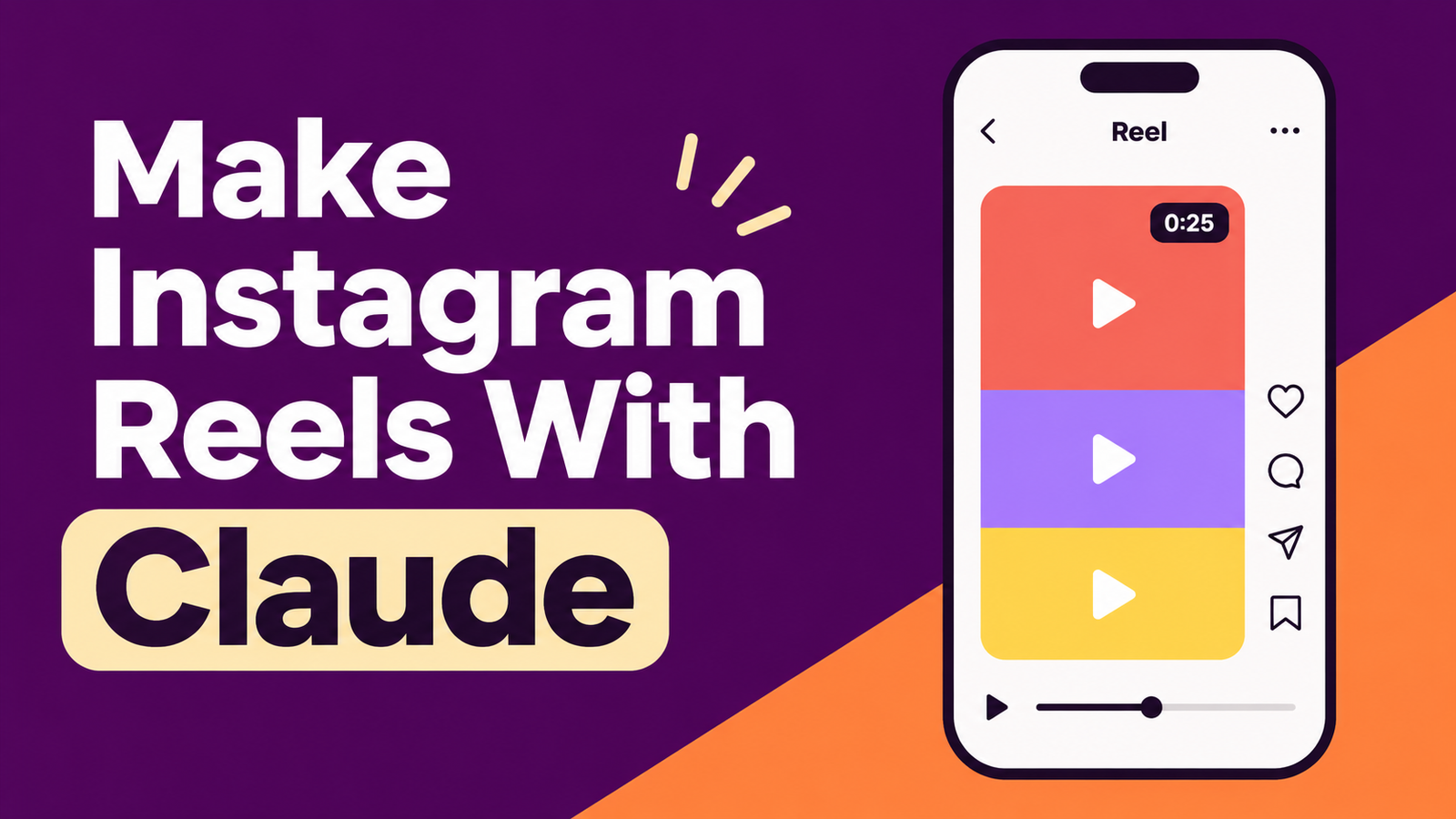
Claude can't generate video footage itself, but you can still make Instagram Reels with it in four ways: have it write the script and shot list for you to film, build animated reels as code that exports to MP4, drive a video generator like HeyGen through a connector, or schedule the finished file for you.
Updated: November 2026
Table of contents
- Can Claude make a video by itself?
- Which method fits which kind of reel?
- Method 1: how does Claude help with a reel you film?
- Method 2: can Claude Motion make an animated reel?
- Method 3: how do you make reels with Claude Code and Remotion?
- Method 4: can Claude run a video generator for you?
- What does Instagram say about AI-made reels?
- How do you schedule the finished reel from Claude?
- Where to start
- Frequently asked questions
- Sources
Can Claude make a video by itself?
No. Claude is a language model that reads text and images and writes text and code. Anthropic says the same about its own animation feature: Claude Motion "doesn't create realistic footage or people." Every working Claude video workflow we found comes down to one of three things: animation written as code, a clip made by another service that Claude directed, or a script that a human filmed.
That sounds like a letdown, but it's the useful way to think about it. A Reel has four jobs: the script, the visuals, the edit, and the publish step. Claude is good at the first. It can handle the second and third when the reel is built from text, charts, and shapes. It can handle the fourth if you connect a scheduler. What it can't do is point a camera at your kitchen.
Which method fits which kind of reel?
We matched each common reel format to the route that needs the least work. The last column is only what the vendors' own pages say about getting started.
| Reel format | Best route | What you still do | What it takes to start |
|---|---|---|---|
| You on camera (tips, talking head) | Method 1: script and shot list | Film and cut it yourself | Any Claude chat |
| Text and numbers on screen (stat reels, "3 mistakes") | Method 2 or 3 | Check pacing, add sound | Method 2: Team or Enterprise plan. Method 3: Claude Code, which usually needs a paid subscription |
| Ten branded variants of one template | Method 3: Claude Code and Remotion | Write one good template prompt | Remotion is free for individuals and companies of up to 3 people |
| Faceless voiceover with generated clips | Method 4: generator connector | Approve the script, spend credits | A paid Claude plan plus the generator's own plan |
| Avatar presenter | Method 4 with HeyGen | Check Instagram's AI label rules | HeyGen recommends a Creator plan or above |
Our bias: if you're willing to be on camera, start with Method 1. It works on any plan, it needs no setup, and the hook is where a script helps most.
Method 1: how does Claude help with a reel you film?
This is the route with no setup. You give Claude your niche, your audience, and the length, and it returns hooks, a beat sheet, on-screen text, and a shot list. Anthropic's own tip for Claude Motion applies here too: say who will watch, where it will play, and roughly how long it should be. Here is a prompt we'd paste as is:
I'm a [niche] creator. Write a 25-second Instagram Reel script about [topic] for [audience].
Give me:
- three hook options that fit in the first 2 seconds
- a beat sheet with timestamps
- one line of on-screen text per beat, 6 words max
- a shot list I can film on a phone
- a closing line that asks viewers to comment the word [KEYWORD]
Plain language, no hashtags, cut anything that doesn't earn its place.
Ask for three hooks, then film the strongest one, or all three if you have the patience. Instagram's Trial Reels can pick the winner: a trial reel is shown to non-followers first, you see results after about 24 hours, and you can share it with followers manually or let it graduate automatically if it hits a performance threshold within 72 hours (Instagram). If you want a second opinion on a hook without opening a chat, ReelDrop's free hook generator does that.
The watch-time math behind short reels
Metricool's 2026 study of more than 24 million posts found the average Reel watch time is 8.5 seconds (Metricool). That's a platform-wide average, not a promise for your reel, but it shows what length does to completion. If a viewer stops at 8.5 seconds, this is how much of your reel they saw:
| Reel length | Share watched at 8.5 seconds |
|---|---|
| 15 seconds | 57% |
| 30 seconds | 28% |
| 60 seconds | 14% |
Same viewer, same attention, very different completion. It's the best argument for telling Claude "25 seconds, cut anything that doesn't earn its place" instead of "make it comprehensive."
Method 2: can Claude Motion make an animated reel?
Claude Motion is Anthropic's own route, and it has a catch: it's in beta on Team and Enterprise plans only. On Team plans it's on by default. On Enterprise plans an owner has to turn it on in Organization settings under Artifacts.
To start, ask for an animation in any chat, or pick Output and then Motion in the message box. You can also open the Artifacts tab and choose a Motion template. Claude builds the animation as code that animates text, charts, shapes, and images, so changing one number or one word leaves the rest alone. Ask for edits in chat ("slow down the second scene") or change things in the editor, then click Export and choose MP4. Animations start private until you share them.
Anthropic's examples are an all-hands explainer, a chart for a board deck, and a customer walkthrough. A Reel isn't on that list, and the help page says nothing about vertical output. Test before you commit: ask for a 9:16 animation, export it, and run the file through ReelDrop's free aspect ratio checker. Instagram's reel size is 1080 x 1920 (AdMake). Motion also counts toward your plan's usage limits, and longer animations use more of them.
Method 3: how do you make reels with Claude Code and Remotion?
Remotion is a framework that builds video from React code. Claude Code writes the code, Remotion Studio previews it, and a render step produces the MP4. Remotion's docs say you can make videos just by prompting, and they list Claude Code as a supported agent (Remotion). There are two ways to set it up. The first is the plain project route:
- Install Claude Code and Node.js. Remotion notes that most coding agents need a paid subscription.
- Create a project with
npx create-video --yes --blank my-video, then runcd my-videoandnpm install. - Install Remotion's agent skills with
npx remotion skills add. - Run
npm run devto open the preview in Remotion Studio. - Open a second terminal, run
cd my-video, and start Claude Code withclaude.
The second is the plugin route (Remotion plugin docs). In the Claude desktop app, open Code, then Customize, then Plugins and Discover, search for remotion, and click Add. From a terminal, run claude plugin marketplace add remotion-dev/claude-code-plugin and then claude plugin install remotion@remotion, and restart Claude Code. Start a video with /remotion:remotion-create followed by your prompt. For a Reel, put the format in the prompt so Claude doesn't guess:
/remotion:remotion-create Make a 20-second vertical Reel, 1080 x 1920 at 30 fps.
Scene 1 (0 to 2 seconds): the text "Stop scheduling reels one by one" fills the screen.
Scene 2 (2 to 14 seconds): three numbered tips, one every four seconds, each with a simple icon.
Scene 3 (14 to 20 seconds): a closing line and a "Comment GUIDE" prompt.
Use my brand colors #6D28D9 and #FFF7ED, one bold sans-serif font, and keep all text inside the safe zone.
The safe zone matters because Instagram's interface covers part of the frame. One size guide suggests keeping key content about 14% from the top, 35% from the bottom, and 6% from each side (Reap). Treat that as a starting point and check it in the app.
One guide to using Remotion with coding agents says they're strongest on templated, high-volume output such as caption styles, lower thirds, and ad variants, and weakest on pacing and music sync (Motionbox). That matches how we'd expect it to go. Claude can stamp out ten versions of a template. It can't feel that a cut lands half a beat late.
Licensing is the part people skip. Remotion is free for individuals and for-profit companies of up to three people, commercial use included. At four or more people you need a company license, and for collaborations the combined headcount counts, which matters if you're an agency making reels for a client (Remotion pricing).
Method 3 has the steepest setup of the four, and it's the best one for batches. If the word "terminal" makes you wince, skip to Method 4.
Method 4: can Claude run a video generator for you?
Yes, through a connector. Claude writes the brief and the script, then hands the job to a service that does generate footage or avatar video. Two vendors document the setup.
HeyGen's developer docs walk through it. In Claude, go to Connectors, then Manage connectors, and add a custom connector named HeyGen with the URL https://mcp.heygen.com/mcp/v1/. Click Connect and approve access on HeyGen, then ask for a video. Claude picks the avatar, writes the script, and renders. You need a paid Claude plan, and HeyGen recommends a Creator plan or above (HeyGen).
Fliki publishes a Claude Desktop tutorial that ends with a 30-second Instagram Reel for a coffee shop. The finished reel was 29.4 seconds in 1080p, used about 92 credits plus narration and rendering, and took roughly 15 minutes to generate. Claude hands back a download link, and Fliki says those links expire after about an hour (Fliki).
Fifteen minutes for 30 seconds isn't slow if you're doing something else meanwhile. It's slow if you want to iterate. Our caution is sameness: a generated voiceover over stock-style visuals is what a lot of accounts already post. Use this route for faceless explainers where the idea is the product, and feed the script your own examples so the reel isn't interchangeable. Also check the export. "1080p" doesn't tell you the file is 1080 x 1920, so confirm it's vertical before you schedule it.
What does Instagram say about AI-made reels?
Two policies matter, and only one is about AI. On August 31, 2026, Instagram renamed its "AI creator" label to "AI-generated profile" and said it will limit the reach of profiles that feature an AI-generated person and don't carry the label. Creators who add the label proactively won't see a change in reach (Instagram, TechCrunch).
The rule is narrow. Reporting on the announcement says creators who use AI to edit photos, improve captions, or make graphics don't need the profile label (ProPakistani). A Remotion motion graphic or a Claude-written script doesn't put an AI person on your profile. A HeyGen avatar acting as the face of your account is the case the policy is aimed at, so read Instagram's post before you build around one.
The second policy is about originality. Instagram extended its anti-repost rule, which already covered Reels, to photos and carousels on April 30, 2026, and accounts that repost unoriginal content lose algorithmic recommendations (Tubefilter). It targets reposts, not AI. We'd still read it as a hint about where ranking is heading: a reel that's recognizably the same template as a thousand others is hard to call original. For the wider picture, see our guide to the Reels algorithm.
How do you schedule the finished reel from Claude?
Once you have an MP4, Claude can do the boring part too if you connect a scheduler. ReelDrop runs an MCP server, so Claude Desktop or Claude Code can schedule reels, edit the queue, and read analytics from a chat. Setup is a server URL, https://mcp.reeldrop.io/mcp, and a normal ReelDrop sign-in through OAuth. There's no API key. In Claude Code the command is claude mcp add --transport http reeldrop https://mcp.reeldrop.io/mcp, and the setup guide has the full walkthrough.
The workflow is short. Paste a link to your video (any link anyone can open works, including a Google Drive file shared by link) or let Claude upload a local file. It drafts caption options, picks a slot from your own posting schedule, and schedules the reel. It can schedule up to 15 reels in one call, so a batch of Remotion variants goes into the calendar in one request. It's built not to act silently: Claude shows you the caption and asks about the cover before anything publishes. The ReelDrop MCP page lists all 21 tools.
MCP access is included on ReelDrop's Influencer plan ($9.99 a month, or $79 a year) and Creator plan ($29 a month). The free Starter plan can connect, but its tools return an upgrade prompt (pricing). Trial reels are a checkbox in the composer, with three a month on Starter and unlimited on the paid plans, which suits the hook-testing idea from Method 1.
Two honest notes. ReelDrop is Instagram-only, and it's a younger product than Buffer or Metricool. It also isn't the only scheduler with a Claude route: Metricool publishes its own guide to running scheduling and analytics from Claude, which is worth a look if you post to several networks (Metricool). On safety, ReelDrop is a Meta Tech Provider and publishes through the official Instagram Graph API. The permissions it asks for, and how to check any tool yourself, are on its safety page.
Where to start
This week: pick one topic, have Claude write three hooks, film the strongest as a trial reel, and schedule it from Claude. Add Remotion later, and only if you want text-led reels in bulk. Once the pipeline works, our posting frequency guide covers how often to publish.
Frequently asked questions
Can Claude generate videos?
Not footage. Claude is a language model that writes text and code, and Anthropic says its Claude Motion feature doesn't use a video generation model. Claude can write scripts, produce animation code that exports to MP4, or direct a video generator such as HeyGen through a connector. The video itself always comes from code or another service.
Can I make Reels with Claude for free?
Script and caption help works in any Claude chat. The video routes need more. Claude Motion is limited to Team and Enterprise plans, Claude Code usually needs a paid subscription, and HeyGen's connector needs a paid Claude plan. Remotion itself is free for individuals and companies of up to three people.
Does Claude Motion export vertical video for Reels?
Anthropic's help page names MP4 export but says nothing about aspect ratios, so we can't confirm vertical output. Ask for a 9:16 animation, export it, and check the file against Instagram's 1080 x 1920 reel size before you build a content plan around it. Claude Motion is in beta on Team and Enterprise plans.
Can Claude edit a video I already filmed?
Not directly in chat. One September 2026 review of Anthropic's documentation found that chat uploads cover documents and still images, not video. Claude can still write your caption, on-screen text, and a trim plan from a transcript, and Remotion's skill pack for Claude Code includes a captions skill.
Do I have to label AI-made Reels on Instagram?
Not every AI use needs a label. Instagram's August 31, 2026 rule covers profiles that feature an AI-generated person, and unlabeled ones may lose reach. Reporting says using AI for editing, captions, or graphics doesn't need the profile label. If an avatar fronts your account, read Instagram's creators blog post and apply the label.
Can Claude schedule Instagram Reels for me?
Yes, through a connector. ReelDrop's MCP server lets Claude schedule reels from a video link, draft captions, and batch up to 15 reels per call, asking you before anything publishes. It's included on the Influencer and Creator plans. Metricool also documents a Claude route if you post beyond Instagram.
Do I need a Remotion license to make client reels?
Remotion is free for individuals and for-profit companies of up to three people, with commercial use allowed. At four or more people you need a company license, and for collaborations the combined headcount counts. An agency making reels for a client should check that threshold on Remotion's pricing page before starting.
Sources
- Claude Help Center: Get started with Claude Motion
- Remotion docs: Claude Code plugin
- Remotion docs: Prompting videos with coding agents
- Remotion: License and pricing
- HeyGen developer docs: Claude connector
- Fliki: Fliki in Claude tutorial
- Instagram Creators blog: Bringing More Transparency to AI-Generated Profiles
- TechCrunch: Instagram puts new limits on undisclosed AI profiles
- ProPakistani: Instagram is limiting AI slop on the platform
- Tubefilter: Instagram's new penalty for unoriginal content aggregators
- Metricool 2026 Instagram Study
- Instagram for Creators: Trial reels
- AdMake: Instagram Reel size and safe zone (2026)
- Reap: Instagram Reels size and specs in 2026
- Motionbox: Remotion for coding agents
- Metricool: Weekly social media routine with Claude
- ScreenApp: Can Claude create videos?